Key takeaways
- You can't delete a Google review yourself. Google removes reviews that break its content policy, so match each review to a named policy before you report it.
- Report from your Business Profile or the Reviews Management Tool, follow the status there, and use your one appeal with evidence if Google finds no violation.
- If someone floods your profile with bad reviews and then demands money, don't engage and don't pay. Save every message and use Google's extortion report form.
- Never pay or reward anyone to take a review down. Reply calmly in public while Google decides, and keep asking every customer for reviews the same way.
In this guide
- Can you delete Google reviews as a business owner?
- Which Google reviews can be removed?
- How to remove a Google review as a business owner, step by step
- Google review appeal: how to use your one appeal
- What to do about review bombing
- How to report Google review extortion
- What to post publicly while you wait
- Can you take legal action over a Google review?
- Why paid removal services and removal deals break the rules
- Common mistakes when trying to remove a Google review
- Where Reputation Beam fits
- Keep going
Maybe a one-star review has appeared from someone you've never served, or a former employee is settling a score, or twenty angry reviews have landed over a news story you had nothing to do with. The first thing most owners want is a delete button, and there isn't one, for you or for anyone you might hire.
This guide shows how to remove a Google review as a business owner the way Google allows: match the review to a named policy, report it, read the status, and use your one appeal with evidence. It also covers review bombing, extortion demands, what to post while you wait, the legal route and paid "removal" deals.
Plenty of bad reviews are harsh but genuine, and those stay up. For those, how to respond to negative reviews has replies you can adapt.
Can you delete Google reviews as a business owner?
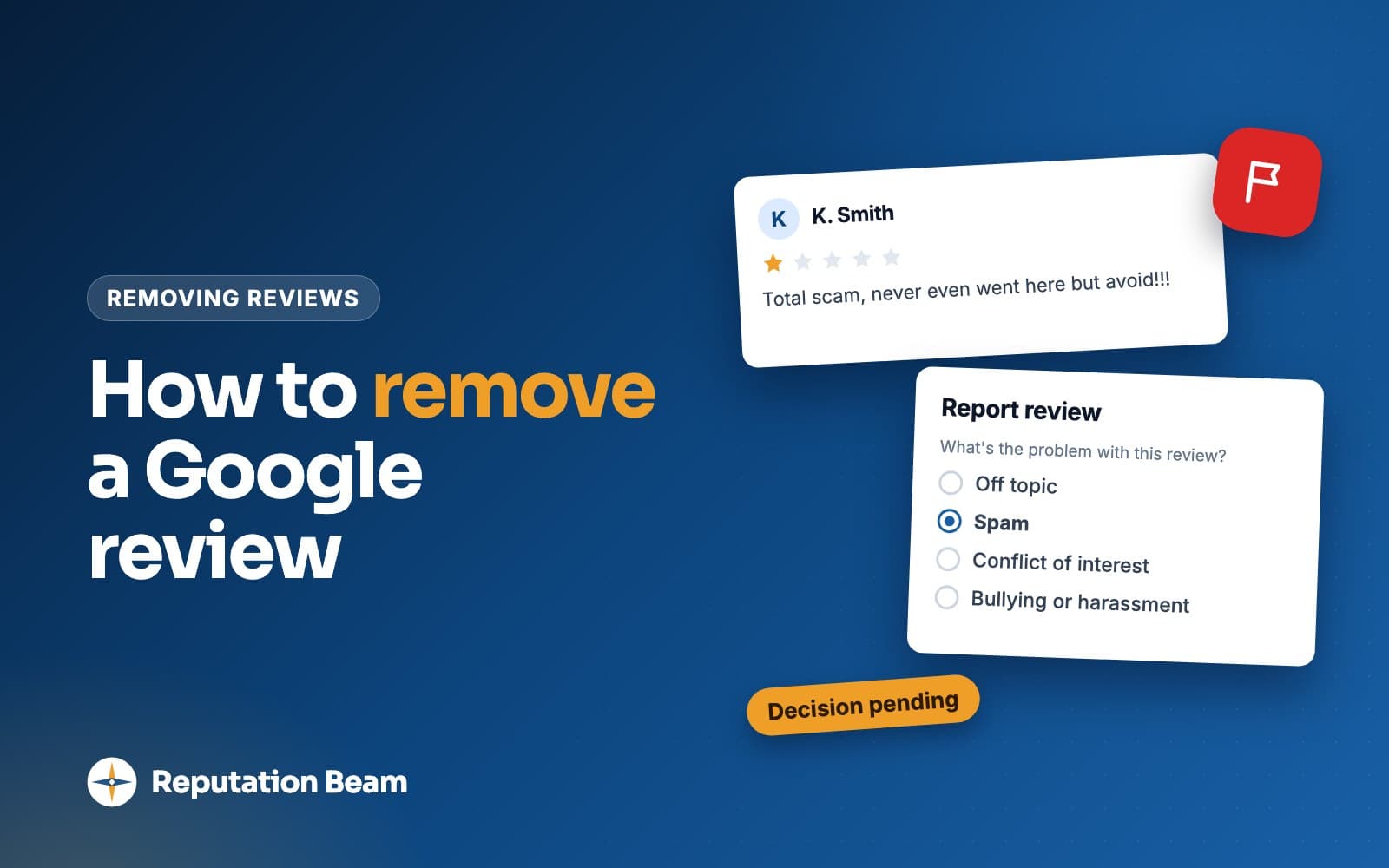
No. A business owner can't delete a Google review, and Google won't remove one because you disagree with it. You can report a review that breaks Google's content policy (fake engagement, conflict of interest, off-topic content, harassment, hate speech, personal information and a few others), and Google decides whether it comes down.
Google's help page on managing reviews on your Business Profile says: "You can report any review, but only those that violate Google policies are eligible for removal." It adds: "Do not report a review just because you disagree with it or dislike it."
So two parties can make a review disappear: Google, when it breaks a policy, and the person who wrote it, who can edit or delete it from their own account (Google Maps Help). Everything below works through one of those two.
Several days
How long Google says review evaluation typically takes
1 appeal
Per reported review, if Google finds no violation
Up to 10
Reviews you can select in one appeal
- 1
Read it twice
Name the Google policy it breaks. 'Unfair' and 'untrue' are not policies.
- 2
Save the evidence
Screenshot the review, the date, the reviewer's profile and anything it links to.
- 3
Reply calmly
One short public reply, so customers see your side while Google decides.
- 4
Report it
From your Business Profile or the Reviews Management Tool, with the reason that fits.
- 5
Check the status
Decision pending first, then a result in the Reviews Management Tool.
- 6
Appeal once
Only if Google finds no violation and you can show what it missed.
Which Google reviews can be removed?
Google removes reviews that break its Maps user contributed content policy. These are the policy categories most relevant to a local business. Every example is made up.
| What breaks the policy | Made-up example | Report it? |
|---|---|---|
| Fake engagement | Five one-star reviews in an hour from new accounts, none of whom booked a cleaning | Yes |
| Conflict of interest | A mechanic who just quit reviews the shop about his pay | Yes |
| A competitor's review | A rival locksmith's office manager leaves a one-star | Yes, with proof of the link |
| Off-topic | A review of a bakery about a city council vote | Yes |
| Personal information | A review posts a dental hygienist's home address | Yes |
| Harassment | A review threatens a dog groomer by name | Yes |
| Hate speech | Slurs aimed at a salon owner's background | Yes |
| Unsubstantiated allegations | "The owner is a thief" with no visit described | Yes, if no visit is described |
| Advertising and solicitation | A review that sends readers to another HVAC company's number | Yes |
| Repetitive content | The same paragraph on a roofer's profile from four accounts | Yes |
| Obscenity and profanity | Profanity aimed at a restaurant server | Yes, though inoffensive uses are allowed |
| A harsh but honest review | "Waited 40 minutes past my appointment and nobody apologized" | No, reply instead |
Fake engagement, conflict of interest and competitors
Google's policy says "Contributions to Google Maps should reflect a genuine experience at a place or business." It covers paid reviews, one person posting from several accounts, and content based on a conflict of interest, which "may include current or former employment, a contractual or consultory relationship, or other professional or personal affiliations that demonstrate a conflict of interest," with industry competitors and family members given as examples. It also lists posting content "on a competitor's place or business to undermine that business' or product's reputation" as something it doesn't allow. The same rule applies to your side: see whether employees can leave Google reviews.
The difficulty is proof. Your booking software is private to you, and customers review under nicknames, a partner's account or an old email, so "we can't find them in our system" is weak. The strong cases are reviews that give themselves away: a service you don't offer, a location you don't have, a day you were closed, or wording copied across accounts.
Off-topic, harassment, hate speech and personal information
The policy says to "Only post content that is based on your experience or questions about experiences at a specific location," and it doesn't allow "general, political, or social commentary or personal rants." A review about a news story, a sign in your window or a neighbor dispute fits here. A review plainly meant for a different business with a similar name can be reported under the fake engagement rule against content that "does not accurately represent the location or product in question."
Harassment includes "a specific threat of harm" and "Doxxing." Personal information covers "personal information of another posted without their consent," and the policy's examples include a full or last name, a person's face in a photo or video, and financial, medical or personal identification information. It allows a business's own contact details and the names of professionals who work under their own name, so a review that names the owner is not automatically a violation. Hate speech is prohibited outright. A threat, a posted home address and hate speech are the clearest cases, so report them first.
Allegations, profanity and advertising
Under offensive content, Google lists "Unsubstantiated allegations of unethical behavior or criminal wrongdoing," and then says "We do allow content that describes negative experiences in a respectful manner." A review that says "they charged me for a part and wouldn't explain the bill" describes an experience and is likely to stay. One that calls the owner a criminal and describes no visit is worth reporting.
Profanity works the same way: Google removes "obscene and profane content" but allows "inoffensive uses." The advertising and solicitation rule bars promotional or commercial content in reviews, along with email addresses, phone numbers, social media links or links to other websites, such as a competitor's phone number.
Reviews Google will leave up
Most painful reviews fall here, because they describe a real visit.
Stays up
Harsh but true
The tech was late, the wait was long, the receptionist sounded short. The tone may feel unfair. It still describes a real visit.
Stays up unless fake
A rating with no text
There are no words to break a policy. Replying to a Google review with no comment covers what to write.
Usually stays up
Wrong on the details
The customer says Tuesday and it was Wednesday. If the visit happened, correct the record politely in your reply.
Stays up
Unhappy with a policy
A no-show fee or a minimum call-out charge. The customer is allowed to describe disagreeing with your rule.
Jordan P. (example)
GoogleBooked a 9am clean and the team showed up at 10:15. The house looked fine afterwards, but nobody called to say they'd be late. Probably won't book again.
How to remove a Google review as a business owner, step by step
There are two places to report a review. Your Business Profile is quicker for one review. The Reviews Management Tool is where you check the status of a report and where appeals happen.
Report a review from your Business Profile
These are the steps on Google's review management help page:
- Go to your Business Profile.
- Select Read reviews.
- Next to the review you'd like to flag, select Report.
- Select the reason to flag the review.
- Select Send report.
Report a review from the Reviews Management Tool
- Go to the Reviews Management Tool.
- If the email address shown is the one linked to your Business Profile, select Confirm.
- Select your business.
- Select Continue, then Report a new review for removal, then Continue.
- Next to the review you want to flag, select Report.
- In the new tab, select the reason, then select Submit.
Pick the most specific reason that fits. A former employee who also posts a coworker's phone number is both a conflict of interest and personal information; report the one that's plain from the review itself and keep the other for an appeal.
What each report status means
The Reviews Management Tool shows one of three statuses. Google's help page describes them like this.
| Status in the tool | What it means | What to do |
|---|---|---|
| Decision pending | Flagged, not evaluated yet | Wait, and reply publicly if you haven't |
| Report reviewed - no policy violation | Google found no violation | Appeal once if you have evidence |
| Escalated - check your email for updates | Your appeal is with Google | Watch your inbox for the final decision |
The day you report
The review shows as Decision pending in the Reviews Management Tool.
Over the next several days
Google evaluates it. Its help page says this typically takes several days.
If Google finds no violation
The review becomes eligible for a one-time appeal.
After an appeal
The status shows Escalated and Google emails its final decision. A review that breaks the policy is removed.
The same page notes that Google's automated systems remove some reviews on their own, and "Occasionally, the system may also mistakenly remove legitimate reviews." If real customers say their reviews vanished, see why Google reviews don't show up.
Google review appeal: how to use your one appeal
If Google finds no violation, each reported review gets one appeal. Use it only when you can show something the first report didn't: the policy by name, the exact words or pattern that break it, and evidence such as screenshots, dates and links. You can select up to 10 reviews in one appeal.
Google's steps:
- In the Reviews Management Tool, confirm your account and select your business.
- Select Continue, then Check the status of a review I reported previously and appeal options, then Continue.
- At the bottom, select Appeal eligible reviews.
- Select up to 10 reviews, then Continue, then Submit an appeal.
- Fill in the form in the new tab and select Submit.
Here is a strong appeal note taken apart. The auto shop, reviewer and dates are made up.
- 1
Review by R. Mendez, posted March 3, one star.
Which review
Name it exactly as it appears.
- 2
This review breaks the conflict of interest policy.
The policy
Use Google's own name for the policy, once.
- 3
The reviewer worked as a technician at Northgate Auto until February 27. The review is about his pay and schedule and describes no repair or visit.
The facts
Facts only. No adjectives and no guesses about motive.
- 4
Attached: a screenshot of the review and of his public profile listing Northgate Auto as a former employer.
The evidence
Evidence anyone can check. Leave out personnel files.
- 5
Please review it against the conflict of interest policy. Thank you.
The request
One polite request.
Appeal note template
Review by [reviewer name as shown], posted [date], [number] stars.
This review breaks Google's [policy name] policy.
[One or two sentences of facts: what the review says and why that matches the policy. Quote the exact words if the problem is in the wording.]
Evidence attached: [screenshot of the review], [screenshot or link that shows the problem, such as the same text on other accounts or the reviewer's public profile].
Please review it against the [policy name] policy. Thank you.
Evidence to collect before you report or appeal
0 of 7 done
What to do about review bombing
Review bombing is a burst of negative reviews from people who mostly never used your business, often set off by a news story, a viral post or a local dispute. Screenshot everything, report each review under the policy that fits (usually fake engagement, off-topic or repetitive content), reply briefly, and appeal the ones Google keeps, up to 10 at a time.
Signs you're being review bombed
- Many reviews in a few hours
- New accounts with no other reviews
- The same wording across accounts
- Reviews about a news story or a post
- Services you don't offer
- Dates you were closed
Google may act first. In an April 2026 post, New ways we're protecting businesses on Maps, Google says that if it sees a sudden spike in spam reviews, it will remove the fake content, pause new reviews on the profile, alert the Business Profile owner and display a notification banner. It described these protections as "rolling out globally in the coming weeks," so check what your own profile shows. If Google has stepped in, report anything it missed.
- Screenshot your reviews with their times showing, before anything changes.
- Report each review with the most specific reason. Google's help page also covers reporting a reviewer's profile from the Google Maps app: "After you report a user's activity and contributions, we'll review it for policy violations."
- Post one short, calm reply under each review. The same reply under each is fine.
- Keep asking customers for reviews exactly as before. Don't ask friends, family or staff to post reviews to push the bad ones down: Google's policy doesn't allow reviews based on a conflict of interest.
- Once Google has evaluated them, appeal the ones marked no policy violation together, with your log attached.
Public reply during a review bomb
Thank you for taking the time to write. Today we've received a number of reviews we can't match to a visit, and we've reported them to Google. If you've been a customer and something went wrong, please call me at [phone number] so I can help.
[Your name], [Business name]
A health practice should drop the "can't match to a visit" line; HIPAA-compliant review responses explains why and has wording for clinics.
How to report Google review extortion
If someone floods your profile with one-star reviews and then asks for money, gift cards or free services to remove them, don't engage and don't pay. Save every message, then use Google's merchant extortion report form. Google calls this a serious policy violation and handles it separately from ordinary review reports.
Google's page on how to report negative review extortion scams says a scam may start with a sudden rise in 1- and 2-star reviews, followed by a demand. It tells owners not to engage with or pay the people behind it, and warns that paying can encourage more attempts and doesn't guarantee the reviews will be removed.
Google says to gather evidence right away. Its page lists:
- Screenshots of all demands, with dates, times and the sender's contact details where possible
- Direct links to the suspicious reviews
- Names, usernames, emails, phone numbers or social media profiles of the people making demands
- When you first noticed the rise in reviews and when the first demand arrived
- Any history of similar attempts
The form also asks for your contact details, your relationship to the business, and the business's name, address and Business Profile link.
Extortion report description
On [date], our Business Profile received [number] one-star reviews within [time period] from accounts with no other reviews. On [date] at [time], we received a [text, email or social media message] from [phone number or username] demanding [amount or item] to remove them. We have not replied or paid. Screenshots of the reviews and every message are attached. Review links: [review links].
Google says it investigates and notifies you of the results. The form is only for actual demands; ordinary spam goes through the normal report. Google's page doesn't mention the police, but if the messages threaten you or your staff, contact your local police too.
What to post publicly while you wait
Reply to the review once, calmly. Future customers read the review and your reply together, often before Google decides anything. Say what you checked, invite the person to contact you and leave out accusations: the FTC's review rule prohibits false accusations about a reviewer made knowingly or with reckless disregard for the truth.
That comes from the FTC's questions and answers on its consumer reviews rule: "The rule prohibits making a false accusation about the reviewer if you know that the accusation is false." Here is a made-up review a roofer believes is fake, with a reply that holds up whoever wrote it.
Kel V. (example)
GoogleWorst roofing company in town. Never showed up and kept my deposit. Avoid.
Reply from Sam, owner of Ridgeview Roofing (example)
Hi Kel, we've looked for a job or a deposit under your name and can't find one, so we'd like to get to the bottom of this. Please call me at the office on [phone number] and I'll look into it the same day.
Before
This is obviously a fake review from a competitor. Shame on you.
After
We can't find a visit that matches this review, and we'd like to understand what happened. Please call us at [phone number].
You may be right, but readers can't tell who's telling the truth. Calm reads better.
Before
We've reported you to Google and our lawyer is involved.
After
We've looked into this and would like to talk. Please call [Name] at [phone number].
The FTC's rule bars unfounded legal threats used to get a review removed.
Before
You were never a patient here.
After
We can't discuss anyone's care online, but we'd welcome a call at [phone number].
A health practice keeps any hint of who is or isn't a patient out of public replies.
More examples are in how to respond to fake reviews on Google, and the basics of replying from your profile are in how to reply to Google reviews.
When the customer can change the review themselves
Sometimes the review is genuine and you fix the problem. Only the reviewer can then edit or delete it: Google Maps Help says that on a computer they open Menu, then Your contributions and Reviews, select More next to the review, and choose Edit review or Delete review. An edited review shows the date of the latest edit.
The FTC's questions and answers say its rule doesn't stop you contacting customers who post negative reviews to resolve the issue, and "It also does not prohibit simply asking satisfied customers to update their reviews." Google's policy prohibits offering incentives for the "revision or removal of a negative review." So fix the problem with no strings attached and, if the customer is happy, let them know once that they can update the review. This text is for a customer who agreed to receive texts.
Text after fixing the problem (once, no strings)
Hi [First name], it's [Your name] at [Business name]. Thanks for letting us come back to [fix the drain]. If you'd like your Google review to reflect how things ended, you can edit it any time in Google Maps. Either way, thank you for telling us. Reply STOP to opt out.
Can you take legal action over a Google review?
Some reviews go beyond opinion into false statements of fact that damage a business, which is where defamation law comes in. That law differs from state to state, lawsuits are slow and expensive, and suing a customer can bring a review far more attention than it had. Google has a page to report content for legal reasons, where it says: "We'll review the material and consider blocking, limiting, or removing access to it." Nothing on the page promises removal.
If you think a review crosses that line, talk to a lawyer licensed in your state before you reply, threaten or file anything. The FTC says a business can threaten legal action if it has a legitimate basis, while its rule bars an "unfounded or groundless legal threat" used to get a review removed. This is general information, not legal advice.
Why paid removal services and removal deals break the rules
Two kinds of "removal" offers come up: paying or rewarding the reviewer to take the review down, and a company that promises to get reviews deleted for a fee.
The first is clear. Google's policy prohibits offering incentives, "such as payment, discounts, free goods and/or services," in exchange for a review or for the revision or removal of a negative one. The FTC's questions and answers say its rule doesn't ban incentives to take down negative reviews, "but offering such incentives could be an unfair practice in violation of the FTC Act." The FTC fake review rule covers what the rule does ban.
The second needs care. For an ordinary review, Google's help pages describe a report and one appeal. An honest service uses that same process and can help you write a clearer report, but it can't promise Google's decision. The shortcuts a "guaranteed" service might take, such as intimidating reviewers or burying a review under fake positive ones, break Google's rules or the FTC's. Google says that if it determines a business owner has violated its Fake Engagement policy, restrictions can include blocking new reviews and ratings for a set period, unpublishing existing ones for a set period, or showing customers a warning that fake reviews were removed (Business Profile restrictions).
Help that can be worth paying for
- Billed for time, with no promised outcome
- Explains which policy each review breaks, in writing
- Works through Google's report and appeal process
- Leaves the decision about each report with you
Red flags
- Guarantees removal, or 'no removal, no fee'
- Offers to contact, pay or pressure reviewers
- Offers to post positive reviews to push the bad one down
- Can't name the policy a review breaks
Common mistakes when trying to remove a Google review
The biggest is reporting every bad review. Harsh but honest ones are unlikely to come down whatever reason you pick.
Do
- Name the exact Google policy a review breaks
- Screenshot the review and the reviewer's profile before you report
- Reply once, calmly, while Google decides
- Save your appeal for reviews where you have evidence
- Fix a real problem with no strings attached
- Keep asking every customer for reviews the same way
Avoid
- Report harsh but genuine reviews as spam
- Accuse a reviewer in public of lying or working for a competitor
- Ask staff, friends or family to post reviews to push one down
- Pay or reward a reviewer to delete or change a review
- Reply to or pay anyone who demands money to remove reviews
- Threaten legal action you can't back up
Another is easy to slip into after a bad week: asking only the customers who seem delighted. Google's policy says merchants may not "selectively solicit positive reviews from customers." Ask everyone the same way, as in how to ask customers for reviews, and one bad review becomes one among many. Google review policy sets out the rest of what businesses can and can't do.
Where Reputation Beam fits
Reputation Beam can't remove reviews, because only Google or the person who wrote a review can. It puts your Google and Yelp reviews together in one feed in the dashboard, so a new one-star is easy to spot, and you can post replies to Google reviews from there (Yelp reviews are read-only). It also sends review requests by text message and email from the dashboard, each with its own link that expires after 72 hours. Google's policy bars selectively soliciting positive reviews, so whichever tool you use, ask every customer the same way.
Keep going
If Google leaves a review up, your reply does the work. How to respond to fake reviews on Google has replies for reviews you believe are fake, and how to respond to negative reviews covers the genuine ones. To keep honest reviews coming from every customer, read how to get more Google reviews.
Questions people ask
Can a business owner delete a Google review?
No. You can't delete another person's review directly, and that includes reviews on your own Business Profile. The reviewer can delete their own, and Google can remove reviews that break its content policy, such as fake engagement, a conflict of interest, off-topic content, harassment or personal information. You can report those. Google says only reviews that violate its policies are eligible for removal, so a harsh but genuine review generally stays up.
How long does Google take to remove a reported review?
Google's help page says review evaluation typically takes several days. The report shows as Decision pending in the Reviews Management Tool until Google has looked at it. If Google finds no violation, you can file a one-time appeal, and an escalated appeal ends with an email giving the final decision. Google gives no fixed deadline, so reply to the review publicly in the meantime.
How do I appeal a Google review decision?
In the Reviews Management Tool, select your business, choose the option to check the status of a review you reported previously, then select Appeal eligible reviews. You can pick up to 10 reviews and fill in the form that opens. Each review gets one appeal, so name the policy it breaks and attach screenshots, dates and links. If Google still finds no violation, the review stays up.
How do I report fake Google reviews from a competitor?
Report each review from your Business Profile or the Reviews Management Tool and choose the reason that fits, usually conflict of interest or fake engagement. Google's policy names posting content on a competitor's business to undermine its reputation as something it does not allow. Save whatever publicly links the account to the competitor for an appeal, and never answer with reviews from yourself or your staff.
What should I do if someone demands money to remove bad reviews?
Don't engage and don't pay. Google calls review extortion a serious policy violation and says paying can encourage more attempts without guaranteeing removal. Screenshot every message with dates, times and the sender's details, copy the links to the reviews, note when they started and when the demand arrived, then submit Google's merchant extortion report form. Google investigates and tells you the result.
Will Google remove a review from someone who was never a customer?
Sometimes. Google's policy says contributions should reflect a genuine experience at a place or business. The hard part is proof: your booking records stay with you, and customers often review under a nickname or a family member's account. A report is strongest when the review gives itself away, for example by describing a service you don't offer or a day you were closed.
Can I pay a company to remove Google reviews?
You can pay for help writing reports, but for an ordinary review Google's help pages describe a single route: report it, then appeal once. A legitimate service uses that same route, and nobody can guarantee Google's decision. Never pay or reward the reviewer to take a review down. Google prohibits incentives for removing a negative review, and the FTC says they could be an unfair practice.
Was this guide helpful?
Get the free review request checklist and new guides
Twenty checks to run before you ask customers for reviews, as a one-page PDF. After that, a short email when new guides go up, at most once a week.