Key takeaways
- Ask every customer the same way, on the day the job is done, with one direct link to your Google review page.
- Keep the ask to two or three sentences: who you are, thanks for the specific job, a request for an honest review, and the link.
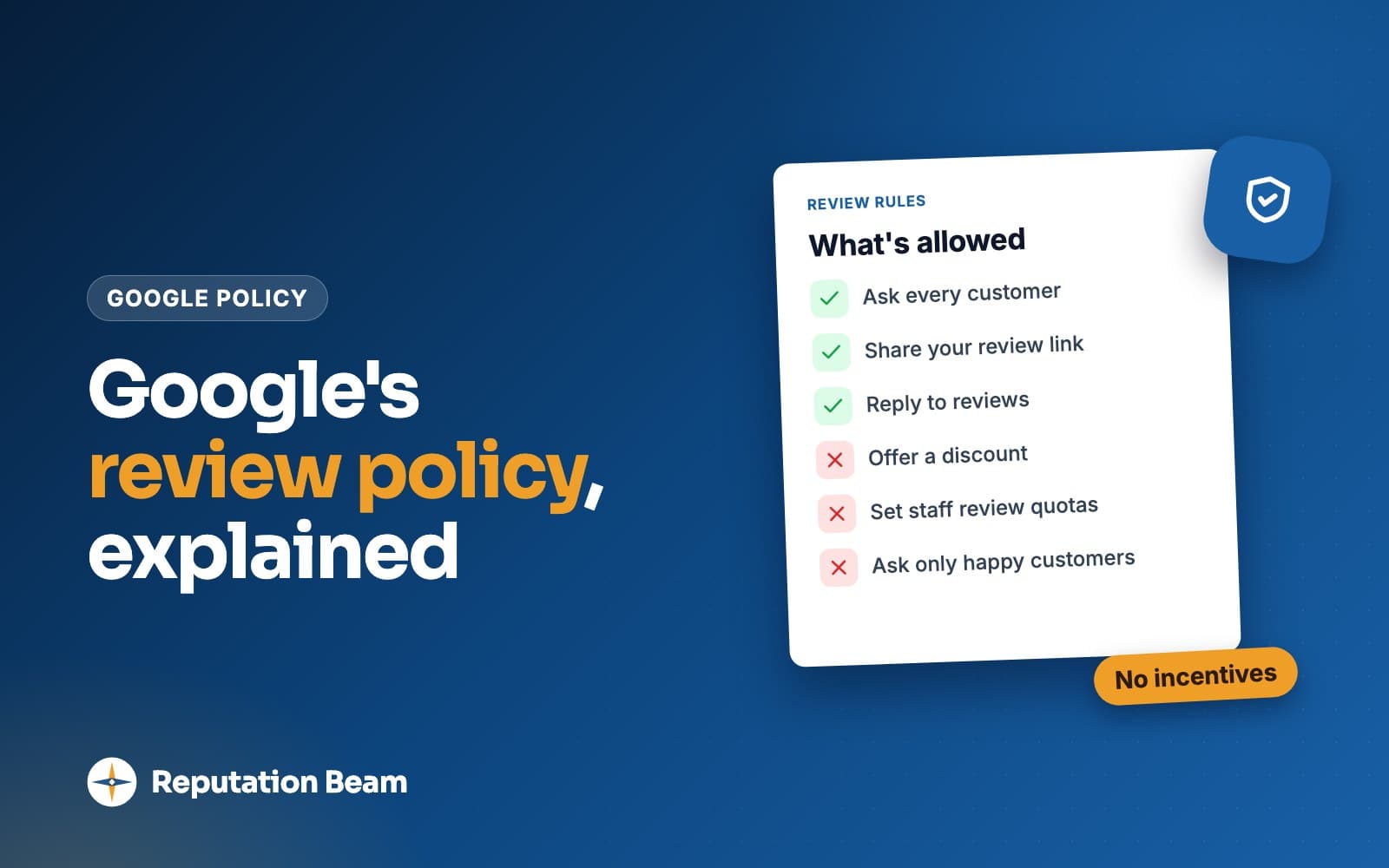
- Never offer anything for a review, never ask only the customers you expect to be happy, and never ask staff or family. Google, Yelp and the FTC all have rules on this.
- Send one reminder at most, then stop. Yelp asks businesses not to request reviews at all, so ask for Google reviews.
In this guide
- How to ask customers for reviews in four steps
- When to ask for a review
- Which way to ask: in person, text, email or on paper
- What to say when you ask for a review
- How to ask for Google reviews: get your review link
- Review request text templates
- Review request email templates
- What to say when asking in person
- What Google, Yelp and the FTC do not allow
- Common mistakes when asking for reviews
- Where Reputation Beam fits
- Keep going
Customers rarely go looking for your review page on their own. Ask at the right moment, in a sentence or two, with a link that opens the review form, and saying yes takes them a minute.
This guide covers how to ask customers for reviews in person, by text and by email: when to ask, what to say, how to get your direct Google review link, and copy-ready templates for plumbers, dentists, salons, auto shops, restaurants, vets, cleaners, real estate agents and more. It also covers the rules Google, Yelp and the FTC set, because a few common tactics (a discount for a review, asking only happy customers, reviews from staff) get reviews removed or break the law.
If you plan to text customers, read the rules for texting customers as well. Consent and opt-outs have their own requirements, and they apply to every text template below.
How to ask customers for reviews in four steps
Ask every customer the same way, on the day the job is done. Say who you are, thank them for the specific job, ask for an honest review and send one direct link to your Google review page. If there is no review after a few days, send one short reminder, then stop. Never offer anything in return.
- 1
Finish the job
Ask once the work is done and the customer has seen the result.
- 2
Ask the same day
In person if you can, then send the link by text or email while the visit is fresh.
- 3
Send one link
Your direct Google review link, so one tap opens the review form.
- 4
One reminder, then stop
A short nudge a few days later. After that, leave it.
Each step removes a reason people don't review. On the day of the visit they still remember what you did. A link that opens the review form saves them searching for your business and hunting for the button. And a request that goes to everyone, in the same words, keeps you inside the review sites' rules.
Same day
When to send the request, as a rule of thumb
1 link
One place to review, so nobody has to choose
1 reminder
One short nudge a few days later, then stop
When to ask for a review
Ask when the customer has seen the result and is still with you, or later that same day. That is the point where the visit is fresh, the problem you solved still feels solved and the favor you're asking feels small. A week later the same request is a chore, and they have to think hard to remember the details.
What "the result" means depends on the business. Here is a rule of thumb for common local businesses.
| Business | The moment to ask | How |
|---|---|---|
| Plumber, electrician, HVAC | When the work is done and tested, before you leave | In person, then text the link |
| Roofer, remodeler, painter | At the final walkthrough | In person, then email |
| House cleaner, lawn care, pest control | After the first visit or two, at the same point for every client | Text |
| Dentist, chiropractor, physical therapist | At checkout, or later that day | Text or email with no visit details |
| Vet, groomer, boarding | At pickup | In person, then text |
| Salon, barber, spa | At checkout, once they've seen the result | In person, then text |
| Auto repair, detailing | At pickup, after you walk them through the work | Text with the invoice |
| Restaurant, cafe, bakery | With the check or on the receipt | Receipt line, table card, or text for reservation guests |
| Gym, yoga or fitness studio | After the first few weeks | Email or text |
| Real estate agent | A few days after closing | Phone call, then email |
Two timing mistakes are common. The first is asking before the work is finished, at booking or in the appointment reminder, when the customer has nothing to review yet. The second is saving requests up and sending a batch at the end of the month, when every customer has to remember a visit from weeks ago.
For repeat customers, ask once, not after every visit. A cleaner who asks after every weekly clean soon becomes noise. Pick one point (after the second visit, say) and use it for everyone.
A simple follow-up schedule
Here is what one request looks like from start to finish for a typical service visit. Use the same schedule for every customer.
At the end of the visit
Ask in person and tell them the link is coming by text or email.
Within a few hours
Send the text or email with your direct review link.
Two or three days later
If they haven't left a review, send one short reminder with the same link.
After that
Stop. Don't ask again about this visit.
Which way to ask: in person, text, email or on paper
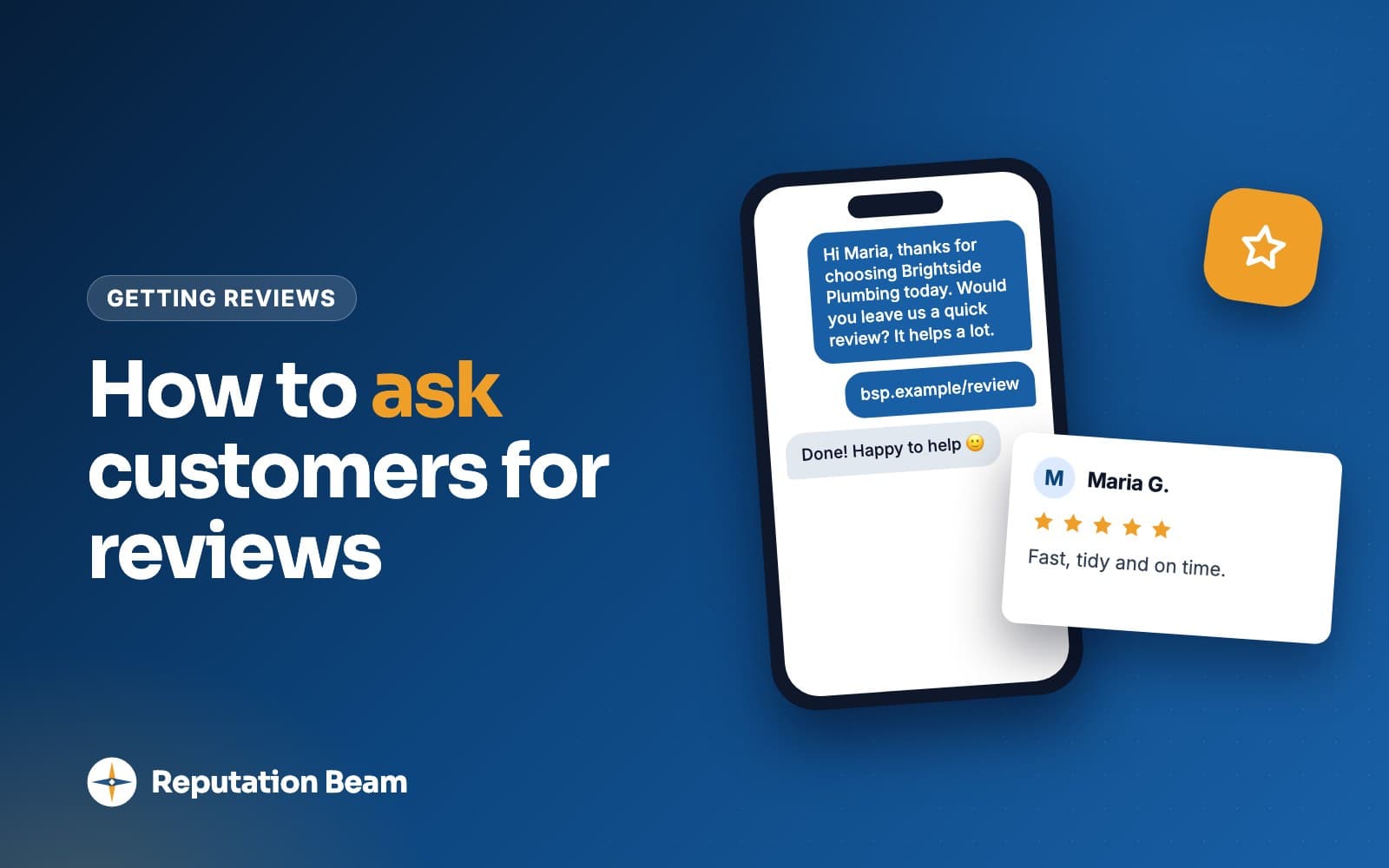
For most local businesses the best pairing is a spoken ask at the end of the visit, followed the same day by a text or email with the link. The spoken ask comes from the person who did the work, which is hard to ignore. The link removes every step between "sure, I'll do it" and the review form, because nobody remembers to look you up later.
Every business
In person
One sentence at the end of the visit. Always follow it with the link, or the "yes" is forgotten by dinner.
Quickest to act on
Text message
Short, read on the phone they'll review from, and one tap from the form. Text only customers who agreed to texts, and include an opt-out line.
Room to say more
Good for long projects, clinics and customers who prefer email. Use an honest subject line and include your address.
Same ask for everyone
Receipt or invoice
One line and a short link or QR code on every receipt, so every customer sees the same request.
Walk-in businesses
Counter sign with QR code
Customers scan it on their own phone, when they're ready. No pressure at the till.
Long projects
Phone call
Fits agents and contractors who already call at the end of a job. Follow up with the link by text or email.
Google's own help page on review links suggests putting the link on receipts, in thank-you emails, at the end of a chat and on a printed QR code in your store (Google Business Profile Help). Anywhere a customer sees it after the visit is fair game.
Places to put your review link
- Text after the visit
- Thank-you email
- Receipts and invoices
- Email signature
- Website footer
- Counter or table sign
- Leave-behind card
- End of a chat conversation
A printed ask reaches every customer without anyone deciding who gets one. Here are three you can print.
Counter sign with QR code (walk-in businesses)
How did we do?
Scan the code to leave an honest review on Google. It takes a minute, and it helps your neighbors find us.
Thank you for visiting [Business name].
[QR code]
Receipt or invoice line
Thank you for choosing [Business name]. We'd be grateful for an honest review on Google: [short review link]
Leave-behind card (trades and home services)
Thanks for having us in your home today.
If you have a minute, an honest review on Google helps a small local business like ours. Scan the code or visit [review link].
[Your name], [Business name], [phone number]
What to say when you ask for a review
Say who you are, thank them for the specific job, ask for an honest review and give one link. Two or three sentences is plenty. Leave out star counts, "if you loved it" and suggestions about what to write: Google allows asking for reviews only "without offering incentives to do so or attempting to influence the rating or the contents of the review."
That quote comes from Google's Maps user contributed content policy, and it shapes every template in this guide. Here is a good request taken apart. The business and the customer are made up.
- 1
Hi Dana,
Greeting by name
Use the name they gave you. It shows the message was meant for them.
- 2
it's Marco from Brightline Heating.
Who is asking
Name yourself and the business first. A link from a number they don't recognize looks like spam.
- 3
Thanks for having us out to replace your furnace today.
Thanks for the specific job
One detail from the visit is enough. Leave out prices and anything private.
- 4
Would you take a minute to leave an honest review on Google?
The ask
A question, with no star count and no hint about what to write.
- 5
brightlineheating.example/review
One link
Your direct review link, so one tap opens the review form.
- 6
Reply STOP to opt out.
How to stop texts
Tells the customer how to stop your texts. The texting guide covers the opt-out rules.
Most weak requests go wrong in one of a few ways. Each rewrite below fixes one.
Before
Please leave us a 5-star review!
After
Would you take a minute to leave an honest review on Google?
Google allows asking for reviews without attempting to influence the rating. Naming the stars you want is exactly that.
Before
Loved your visit? Leave us a review. Not happy? Call us first so we can make it right.
After
Would you share how your visit went? Here's the link: [review link]
Steering unhappy customers away from the review page runs into Google's rule against discouraging negative reviews or selectively soliciting positive ones.
Before
Be sure to mention Jake and how fast we were.
After
Thanks for having us out today. Would you leave us an honest review on Google?
Google says businesses should not request specific content in a review, including content that names a staff member. Thank them for the visit and leave the words to them.
Before
Find us on Google, Yelp, Facebook and Nextdoor and leave a review!
After
Here's the link to review us on Google: [review link]
One link means one decision for the customer. Yelp also asks businesses not to request reviews at all.
Before
We'd really appreciate it if you could find the time to go to Google, search for our business and leave us a review when you get a chance.
After
Would you leave us a quick review? [review link]
Shorter, and the link does the searching for them.
How to ask for Google reviews: get your review link
Your Google Business Profile has a review link and a QR code that open the review form directly. On a computer, open your Business Profile, select Read reviews, then Get more reviews, and copy the link or save the QR code. Put that link in every request so customers never have to search for you.
Google's help page on creating a review link or QR code gives these steps:
- On a computer, sign in with the Google Account that manages your business and go to your Business Profile.
- Select Read reviews, then Get more reviews.
- To copy the link, select Copy. To save the QR code, right-click it and choose Save image as.
Google notes that review QR codes can only be generated in a computer browser for now, not on a phone. Menus change, so if your screen looks different, check that page for the current steps.
Once you have the link, do three things before you send it to anyone:
- Open it on your own phone to check it lands on the review form for the right business.
- Save it as a keyboard shortcut or a note on every phone that sends requests, so nobody has to dig for it.
- Print the QR code for your counter sign, receipts or leave-behind cards.
Customers need a Google Account to post. Google's tips for getting more reviews say customers "must be signed into a Google Account to leave a review" and can set one up with an email address that is not Gmail. If someone says the link didn't work, that is the first thing to check.
What about Yelp?
Yelp works differently, and it is worth knowing before you add a Yelp link to anything. Yelp's content guidelines say: "Businesses should never ask customers to write reviews." Its business support article adds that its software may not recommend reviews a business asked for, and that offering incentives for reviews violates its policies.
What Yelp does suggest, in its article on getting Yelp reviews without asking, is letting customers know they can find you there: a "Find us on Yelp" sticker on your door or van, signage in your business, and Yelp's downloadable assets on your website and business cards. So ask for Google reviews, and let people know you're on Yelp without asking them to review you there.
Other review sites, including the ones for your trade or profession, have their own rules. Read them before you put a site's link in a request.
Review request text templates
Text is the quickest way to get your link in front of a customer, because it arrives on the phone they'll review from. Before you send one, make sure the customer agreed to receive texts from your business. The rules for texting customers explains what that permission looks like and how to handle STOP replies.
Every template below names the business, asks one question, carries one link and ends with "Reply STOP to opt out." Replace everything in square brackets before you send. The counter under each one shows its length.
For plumbers, electricians, HVAC and other home services
Text: plumber, electrician or HVAC after a repair
Hi [First name], it's [Your name] from [Business name]. Thanks for having us out to fix [the leak under your sink] today. Would you take a minute to leave an honest review on Google? [review link] Reply STOP to opt out.
Text: roofer, remodeler or painter after a long project
Hi [First name], this is [Your name] at [Business name]. Thank you for trusting us with your [roof replacement]. If you have a few minutes this week, we'd be grateful for a Google review: [review link] Reply STOP to opt out.
Text: house cleaning, lawn care or pest control
Hi [First name], [Business name] here. Thanks for having our team out today. Would you share a quick review of your experience on Google? [review link] Reply STOP to opt out.
For dentists, chiropractors, vets and other clinics
Text: dental or medical office
Hi [First name], thank you for visiting [Practice name] today. If you have a moment, we'd appreciate an honest review on Google: [review link] Reply STOP to opt out.
Text: chiropractor or physical therapist
Hi [First name], it's the front desk at [Practice name]. Thanks for choosing us. Would you be willing to leave us a review on Google? [review link] Reply STOP to opt out.
Text: vet, groomer or boarding
Hi [First name], thanks for bringing [Pet name] to [Business name] today. When you have a minute, would you leave us a review on Google? [review link] Reply STOP to opt out.
For salons, auto shops, restaurants and gyms
Text: salon, barber or spa
Hi [First name], thanks for coming in to [Business name] today. Would you leave us a quick review on Google? [review link] Reply STOP to opt out.
Text: auto repair or detailing
Hi [First name], it's [Business name]. Thanks for trusting us with your [car] today. Would you leave an honest review of your visit on Google? [review link] Reply STOP to opt out.
Text: restaurant, for reservation guests who agreed to texts
Hi [First name], thanks for dining with us at [Restaurant name] tonight. If you have a minute, we'd love an honest Google review: [review link] Reply STOP to opt out.
Text: gym or fitness studio after the first few weeks
Hi [First name], it's [Your name] at [Studio name]. Thanks for training with us this past month. Would you share a review of the studio on Google? [review link] Reply STOP to opt out.
For real estate agents and other one-time big decisions
Text: real estate agent after closing
Hi [First name], it's [Your name] with [Brokerage name]. Congratulations again on the new place. If you have a few minutes, would you write an honest review about working with me on Google? [review link] Reply STOP to opt out.
A reminder text
Send this once, two or three days after the first request, only if they haven't reviewed. Then stop.
Text: one reminder, any business
Hi [First name], [Business name] again. If you still have a minute to review your [visit] on Google, here's the link: [review link] Either way, thanks for choosing us. Reply STOP to opt out.
Review request email templates
Email suits long projects, health practices that already email patients, and customers who prefer it or haven't agreed to texts. You have room for a sentence about the job, but the shape stays the same: who you are, thanks, the ask, one link.
Two habits keep review emails clean. Write a subject line that says what the email is: the FTC's CAN-SPAM compliance guide says a commercial email's subject line "must accurately reflect the content of the message." And include your postal address and a way to unsubscribe. Whether a review request counts as commercial email depends on its primary purpose, which that guide explains, so adding both to every email is the safe habit. This is general information, not legal advice.
Email: contractor after a remodel or a big job
- To
- [Customer email]
- Subject
- A quick favor after your [kitchen remodel]
Hi [First name],
Thank you for choosing [Business name] for your [kitchen remodel]. It was a pleasure working in your home.
If you have a few minutes, would you leave an honest review on Google? Reviews help other homeowners in [town] decide who to call, and we read every one.
Leave a review: [review link]
If anything about the work needs attention, reply to this email or call me at [phone number] and we'll come back out.
Thanks again, [Your name]
[Business name], [street address, city, state, ZIP]. Don't want emails like this? [unsubscribe link]
Email: dental, medical or therapy practice
- To
- [Patient email]
- Subject
- Would you review [Practice name] on Google?
Hi [First name],
Thank you for choosing [Practice name]. If you have a minute, we'd be grateful for an honest review on Google. It helps other people in [town] find a practice they're comfortable with.
Leave a review: [review link]
Thank you, the team at [Practice name]
[Practice name], [street address, city, state, ZIP]. Don't want emails like this? [unsubscribe link]
Email: real estate agent after closing
- To
- [Client email]
- Subject
- Thank you, and one small favor
Hi [First name],
Congratulations again on your new home. Thank you for trusting me with such a big decision.
I have one favor to ask. If you're willing, would you write an honest review about working with me on Google? It takes a few minutes, and it helps the next buyer or seller decide who to call.
Write a review: [review link]
And if anything comes up with the house, you still have my number.
Warmly, [Your name], [Brokerage name]
[Brokerage name], [street address, city, state, ZIP]. Don't want emails like this? [unsubscribe link]
Email: groomer, salon or any appointment business
- To
- [Customer email]
- Subject
- A quick review for [Business name]?
Hi [First name],
Thanks for coming in to [Business name] this week. We're a small team, and reviews help new customers find us.
Would you leave us an honest review on Google? [review link]
See you next time, [Your name]
[Business name], [street address, city, state, ZIP]. Don't want emails like this? [unsubscribe link]
Email: first-time ask to recent customers
- To
- [Customer email]
- Subject
- Would you review [Business name] on Google?
Hi [First name],
You've used [Business name] in the past few months, and we're asking all of our recent customers for an honest review on Google. It takes a minute or two and helps other people nearby decide whether to call us.
Leave a review: [review link]
Thank you for your business, [Your name]
[Business name], [street address, city, state, ZIP]. Don't want emails like this? [unsubscribe link]
The last one is for a business that has never asked before. Send it once to every customer from a recent stretch of time (all of them, not a picked list) and then switch to asking after each job.
What to say when asking in person
Keep it to one or two sentences, ask after the customer has seen the result, offer to send the link so they can review later on their own phone, and take a no gracefully. Google's policy says merchants "should not require or pressure users to leave ratings or write reviews while on the premises," so the in-person ask is an invitation and the review happens later.
Here are four made-up exchanges you can adapt. The first is a plumber at the door.
You
All done. The new shutoff valve is in and the leak has stopped. Any questions before I head out?
Customer
No, that's great. Thanks for getting here so fast.
You
Glad we could. Can I ask a favor? We're a small company and reviews help people find us. Would you leave us an honest review on Google? I'll text you the link so you don't have to look us up.
Customer
Sure, send it.
You
It'll come from our office number in a few minutes. Thanks again.
At a salon or barbershop, customers sometimes ask what they should write. The answer is always theirs to decide.
You
You're all set. Before you go, would you be up for leaving us a review on Google? The code's on this card, or I can text you the link.
Customer
Sure. What should I say?
You
Whatever you'd tell a friend. An honest review is what helps us.
Customer
Okay, text it to me.
At an auto shop pickup, a customer says no. That's a fine answer.
You
Here are your keys. We replaced the front pads and rotors, and the old parts are in the trunk if you want to see them. One more thing: would you be willing to review your visit on Google? I can text you the link.
Customer
Honestly, I'm not really a review person.
You
No problem at all. Thanks for bringing it in, and drive safe.
For a long project, a phone call a few days after the finish feels natural. Here, a real estate agent calls a client after closing.
You
Hi Priya, it's Sam. I wanted to check you got the keys and the move went okay.
Customer
We did, thank you. The kids already picked their rooms.
You
That's great to hear. I have a small favor to ask. Would you be willing to write an honest review about working with me? I'll email you the link today, no rush.
Customer
Of course, happy to.
You
Thank you. And if anything comes up with the house, you've got my number.
If several people on your team ask for reviews, agree on one sentence and have everyone use it with every customer. Don't give staff a target number of reviews: Google's policy lists "merchants requesting that staff solicit a certain number of reviews" among the things it does not allow.
What Google, Yelp and the FTC do not allow
Several tactics that show up in review templates online break at least one of these rules. Here is what each set of rules says, with a link to each. This is general information, not legal advice, and state laws can add their own rules; talk to a lawyer about anything that matters to your business.
| Practice | Yelp | FTC rule | |
|---|---|---|---|
| Asking customers for reviews | Allowed | Says don't ask | Allowed |
| Asking only customers you expect to be happy | Prohibited | Says don't ask anyone | FTC guidance says don't |
| A discount, gift or prize entry for a review | Prohibited | Prohibited | Illegal when tied to a positive or negative review |
| Reviews from staff or family | Removed as a conflict of interest | Prohibited | Relationship must be disclosed |
| Writing, buying or inventing reviews | Prohibited | Prohibited | Illegal |
The sources are Google's Maps user contributed content policy, Yelp's content guidelines and the FTC's Rule on the Use of Consumer Reviews and Testimonials (16 CFR Part 465). The FTC says the rule took effect on October 21, 2024, and that courts can impose civil penalties for knowing violations (FTC questions and answers).
Ask every customer the same way
Google's policy says merchants may not "discourage or prohibit negative reviews, or selectively solicit positive reviews from customers." The FTC's guide for businesses, Soliciting and paying for online reviews, says the same thing in plain words: "Don't ask for reviews only from customers you think will leave positive ones." Asking only the customers you expect to be happy is often called review gating.
The practical fix is to take the choice out of anyone's hands. The same sentence at the end of every visit, the same text after every paid invoice, the same line on every receipt. When a person decides who gets asked, they naturally pick the customers who were all smiles. Google's own tips page makes the case for the honest version: "A mix of positive and negative feedback often feels more trustworthy" (Google Business Profile Help).
No discounts, freebies or prize draws for reviews
Google does not allow businesses to offer incentives, "such as payment, discounts, free goods and/or services," in exchange for posting any review, or for the "revision or removal of a negative review." That covers any review, positive or negative. Yelp says incentives for reviews violate its policies too.
The FTC's rule makes it illegal to give "compensation or other incentives in exchange for, or conditioned expressly or by implication on," reviews that express a particular sentiment (16 CFR 465.4). Its definition of buying a review lists money, gift certificates, products, services, discounts, coupons and contest entries as things of value (16 CFR 465.1). So a monthly prize draw for reviewers is no loophole: the FTC counts a contest entry as something of value, and Google bans incentives for any review.
If you want to thank loyal customers, do it for everyone, in a way that has nothing to do with reviews.
No reviews from you, your staff or your family
Google removes reviews "based on a conflict of interest," which its policy says may include "current or former employment" and "familial relationships." Yelp's guidelines say you shouldn't review your own business or employer, or businesses run by friends or relatives.
The FTC's rule requires officers and managers who review their own business to clearly disclose the relationship, and it limits asking employees and relatives for reviews that end up posted without that disclosure (16 CFR 465.5). On Google and Yelp, the simple answer is: don't ask them at all. Your staff's job is to ask customers.
No pressure, no scripts, no threats
Google says that when soliciting reviews, merchants "should not require or pressure users to leave ratings or write reviews while on the premises, nor should they request that specific content be included." That rules out the tablet held out at the till, "mention Jake by name" and "say something about our prices."
The FTC's rule also bans using unfounded legal threats, physical threats, intimidation or knowingly false public accusations to stop a review being written or to get one taken down (16 CFR 465.7). And writing or buying fake reviews is illegal under the same rule (16 CFR 465.2).
What if a customer is unhappy?
They get the same request as everyone else. You don't need to make the spoken ask to someone in the middle of a complaint, but the text or email that goes to every customer after the job goes to them too. Holding it back from unhappy customers is selective asking.
Fix the problem because it's the right thing to do, and keep the fix separate from the review. Offering a refund or a free visit in exchange for changing or removing a review is one of the incentives Google prohibits. If a critical review does appear, a calm, specific reply is what future customers read, and how to respond to negative reviews has worked examples for common complaints.
Common mistakes when asking for reviews
Most mistakes are about timing, friction or fairness. Here they are side by side.
Do
- Ask on the day the job is done
- Send your direct Google review link
- Use the same words for every customer
- Name your business in the first line of every message
- Text only customers who agreed to texts, with an opt-out line
- Reply to the reviews you get, good and bad
Avoid
- Save requests up and send a batch weeks later
- Send people to your Maps listing to hunt for the review button
- Ask only the customers who seemed happy
- Offer a discount, a free add-on or a prize entry
- Give staff a review target or ask customers to name a staff member
- Ask three or four times about the same visit
Two more are easy to miss. The first is asking people who were never customers, such as your whole social media following or a bought mailing list. Google's policy treats content "not based on a real experience" as fake engagement, so ask the people who actually used your business. The second is putting private details in a request: a treatment, a price, a problem the customer would rather keep to themselves. "Your visit" and "the job" are enough.
A checklist before you send your first request
Review request setup
0 of 11 done
Where Reputation Beam fits
Everything in this guide works with a phone and a notes app. The hard part is doing it for every customer, every day, without forgetting anyone. That is the part Reputation Beam handles.
You add customers one at a time or import a CSV file, then send review requests by text or email from the dashboard, using templates with placeholders for the customer's name, your business name and the review link. Each request carries its own link, which expires after 72 hours. Each customer's permission to be texted is recorded, the default text ends with "Reply STOP to opt out," and a customer who replies STOP gets no more texts. If you book through Square, a request can go out after an appointment. Your Google and Yelp reviews arrive in one feed, and you can reply to Google reviews from there.
Keep going
The reviews you get will include some you wish you hadn't. How to respond to negative reviews shows what to write when one stings, with replies for late arrivals, price complaints and reviews from people who were never customers. Before you text anyone, read the rules for texting customers on consent, opt-outs and timing.
For the pieces that make asking easier, see how to find your Google review link, how to make and place a Google review QR code and review request email templates. If you are unsure when to send, the best time to ask for a review goes through it by type of business, and Google's review policy lists what businesses can and can't do.
Questions people ask
Is it OK to ask customers for Google reviews?
Yes. Google's policy for Maps reviews allows businesses to ask for reviews that reflect a genuine experience, as long as they offer nothing in return and do not try to influence the rating or what the review says. Google also says businesses must not selectively solicit positive reviews, so ask every customer the same way instead of only the ones you expect to be happy.
Can I offer a discount or a prize for leaving a review?
Not for Google or Yelp reviews. Google's policy prohibits offering payment, discounts, free goods or services in exchange for any review, and Yelp says incentives for reviews violate its policies. The FTC's rule makes it illegal to give an incentive tied to a review expressing a particular sentiment, and its definition of buying a review includes contest entries. Thank customers for their business, whether or not they review.
How soon after a service should I ask for a review?
As a rule of thumb, ask on the day the job is finished, while the customer remembers the details and has seen the result. For a repair or a haircut, that means a spoken ask at the end of the visit and a text or email the same day. For a long project such as a remodel or a home sale, ask at the final walkthrough or within a few days of closing.
How many times should I ask a customer for a review?
Once, plus one short reminder a few days later if they have not responded. After that, stop. More requests than that start to feel like pressure, and on text they invite opt-outs. If they hire you again for a separate job later, they can get the same request every customer gets.
Can I ask customers to leave a review on Yelp?
Yelp says no. Its content guidelines state that businesses should never ask customers to write reviews, and Yelp says its software may not recommend reviews a business asked for. What Yelp suggests instead is letting customers know you are on Yelp, for example with a sticker or a sign. Ask for Google reviews and leave Yelp to the customers who find you there.
Can my employees or family members review my business?
Not on Google or Yelp. Google removes reviews based on a conflict of interest, which it says includes current or former employment and family relationships. Yelp's guidelines say not to review your own business, your employer or a relative's business. The FTC's rule also requires officers and managers who review their own business to disclose the relationship. Ask customers instead, using the same words with each one.
Do customers need a Google account to leave a review?
Yes. Google says customers must be signed in to a Google Account to leave a review, and that they can create one with an email address that is not Gmail. If a customer tells you the link did not work, ask whether they were signed in. Your direct review link still saves them time, because it opens the review form as soon as they sign in.
Was this guide helpful?
Get the free review request checklist and new guides
Twenty checks to run before you ask customers for reviews, as a one-page PDF. After that, a short email when new guides go up, at most once a week.