Key takeaways
- Get each customer's permission to text before you send anything, and keep a record of it. If your review texts could be read as marketing, get that permission in writing.
- Every text should name your business and say how to stop. Treat STOP, and any other clear request to stop, as final and act on it the same day.
- Send between about 9 a.m. and 8 p.m. in the customer's time zone, ask once, follow up at most once, and ask every customer the same way.
- Business texts sent from an ordinary local number through software must be registered for 10DLC, or carriers and providers block them.
In this guide
- Is it legal to text customers for reviews?
- TCPA text message rules for businesses, in plain English
- How to get customers' consent to text them
- What to say in the first review text
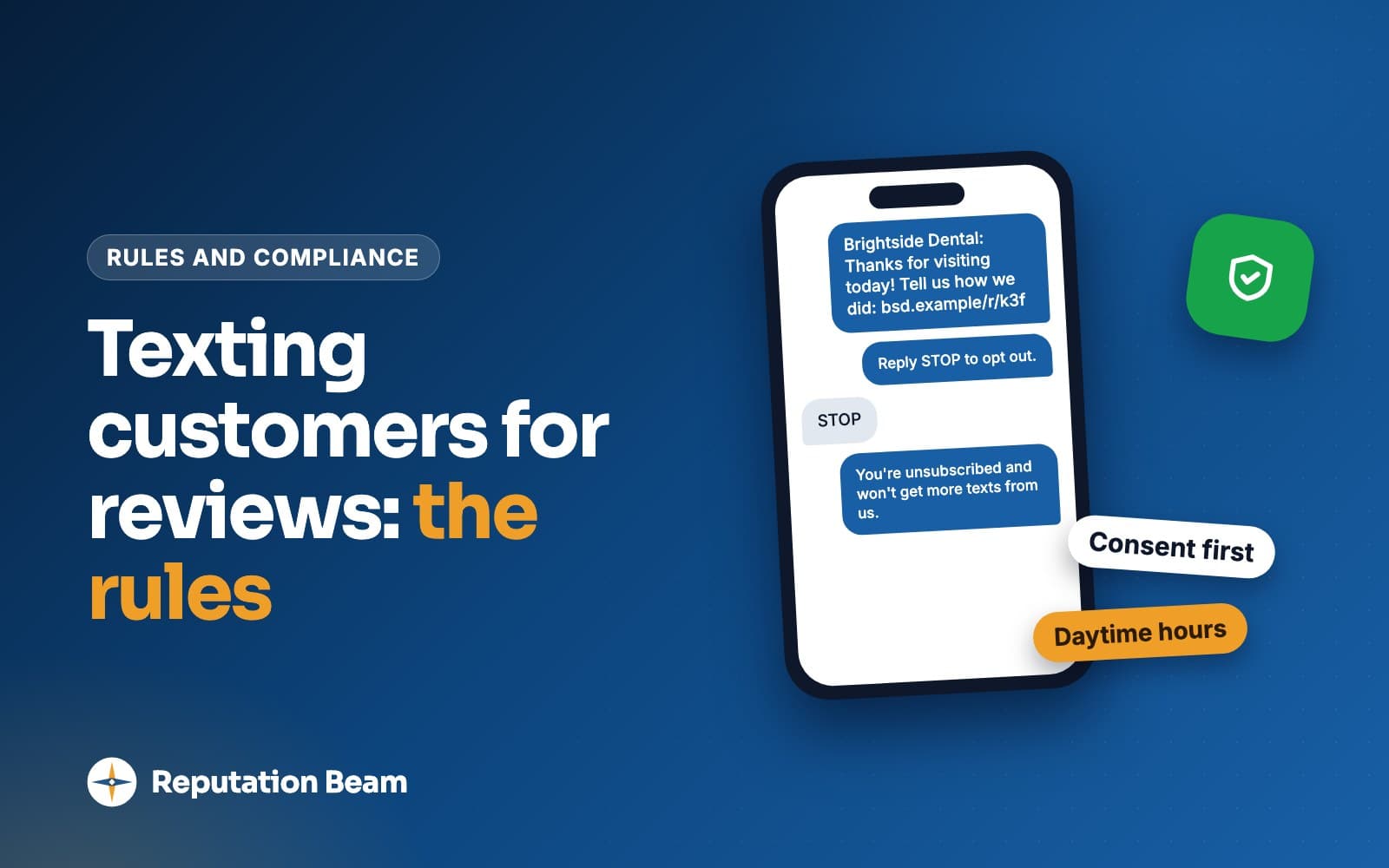
- How to handle STOP and other opt-out replies
- When and how often to send review texts
- 10DLC registration: why unregistered texts get blocked
- Common mistakes when texting customers for reviews
- A checklist before your first review text
- Where Reputation Beam fits
- Keep going
Text messages get read, which makes them a popular way to ask for reviews. Texting is also one of the most tightly regulated ways to reach a customer, so owners ask the same question before they start: is it legal to text customers for reviews?
Yes, when the customer agreed to get texts from you, every text says who it's from and how to stop, you send at a sensible hour, and your number is registered with the carriers. This guide explains each of those in plain terms, links every rule to its source, and gives you consent wording, opt-out replies and review texts for many kinds of business that you can copy today. For the in-person ask, email and receipts, see how to ask customers for reviews.
This is general information about US rules as of October 13, 2026, not legal advice. Laws differ by state and they change, so check anything that matters with a lawyer who knows your state.
Is it legal to text customers for reviews?
Generally yes, if the customer agreed to receive texts from your business, every text identifies you and explains how to opt out, you stop the moment someone asks, and you send from a registered business number at reasonable hours. Texting people who never agreed is where the legal risk starts, and it's also what gets numbers blocked by carriers.
Three sets of rules apply at the same time, and they come from different places.
| Layer | Who sets it | What it covers |
|---|---|---|
| Federal law | Congress (the TCPA) and the FCC's rules | Consent for automated texts, written consent for marketing, opt-outs, hours for solicitations |
| State law | Your state, and possibly the customer's | Extra consent rules, calling hours and limits on repeat sales calls and texts |
| Carrier rules | Wireless carriers, through CTIA guidelines and 10DLC registration | Consent, opt-out wording, identifying the sender, registering business numbers |
The federal and state rules are enforced by regulators and by private lawsuits. The TCPA lets a person sue for $500 for each violation, and a court can raise that to three times as much if it finds the violation was willful or knowing.
Carrier rules are enforced by the companies that carry your texts. CTIA's Messaging Principles and Best Practices describe vetting senders, auditing them, filtering unwanted messages, and blocking or suspending unwanted traffic. A blocked number can't send anything, including the appointment reminders your customers want.
The same careful habits address all three layers, and the rest of this guide walks through them.
TCPA text message rules for businesses, in plain English
The Telephone Consumer Protection Act (TCPA) is the federal law behind most texting rules, and the FCC writes the detailed rules under it in 47 CFR 64.1200. In its 2024 order on revoking consent, the FCC repeats that it "has confirmed that a text message sent using an autodialer is a 'call' subject to the TCPA." So the robocall rules reach texts sent through automated systems.
The parts of 64.1200 that matter for a review request:
- A text sent with an autodialer to a mobile number needs the recipient's prior express consent (paragraph (a)(1)).
- A text that includes an advertisement or counts as telemarketing needs prior express written consent (paragraph (a)(2)).
- Written consent means a signed agreement that names the phone number, authorizes marketing messages sent by automated means, and tells the person that agreeing is not required to buy anything. An electronic signature counts where federal or state law recognizes it (paragraph (f)(9)).
- People can revoke consent in any reasonable way, and you have at most ten business days to honor it (paragraph (a)(10)). There is a full section on this below.
Whether a particular texting tool meets the regulation's definition of an autodialer is a question for lawyers. You can skip it, because carriers expect consent either way. CTIA's guidelines say that "regardless of whether these rules apply," businesses are expected to get a customer's consent to receive messages, get express written consent for marketing messages, and make sure customers can revoke consent.
Informational texts, marketing texts and where review requests fall
Both the FCC and the carriers sort texts by purpose, and the purpose decides how strong the consent has to be. CTIA's guidelines use three groups.
| Kind of text | Example | Consent carriers expect |
|---|---|---|
| Conversational | The customer texts first and you reply | None beyond their text |
| Informational | Appointment reminder, "your car is ready" | Express consent: spoken, on a form, online or by text |
| Promotional | A sale, a coupon, "book your next visit" | Express written consent: a signed form or a checked box |
A review request sits between the last two. It doesn't ask the customer to buy anything, and the FCC defines telemarketing as a message sent "for the purpose of encouraging the purchase or rental of, or investment in, property, goods, or services." On the other side, a review exists to bring you more customers, and CTIA describes promotional messages as ones that promote a brand and prompt the customer to "buy something, go somewhere, or otherwise take action." Leaving a review is an action.
Two things are clear. Adding a discount, a coupon or a "book again" line pushes a text toward marketing: CTIA's own example of what can move an informational text into the promotional group is adding a coupon code. And written consent that names review texts covers you whichever way the question is answered. If you need a firm answer for your business, that's a question for a lawyer.
Before
Thanks for choosing Riverbend Auto. Your next oil change is due soon, book this week and save $10. Also, tell us how we did: [review link]
After
Hi [First name], it's Riverbend Auto. Thanks for bringing your car in today. Would you mind leaving us a quick review? [review link] Reply STOP to opt out.
The first text mixes a promotion into the request, which moves it toward marketing. The second asks for one thing, names the business and says how to stop. Both are made-up examples.
How to get customers' consent to text them
Consent works best when you collect it the same way every time, at a moment the customer is already giving you their details. CTIA's guidelines say the request (they call it a call-to-action) should make five things clear:
- What the texts are for, such as review requests and visit updates.
- The number they'll come from.
- Who is sending them: your business name.
- That the customer is opting in, and any charges, such as message and data rates.
- How to opt out, how to get help, and where your privacy policy is.
For written consent under the FCC's definition, add a line saying agreement is not a condition of buying anything, and get the customer's signature, on paper or electronic, with their phone number. CTIA's guidelines list signing a form and checking a box online as ways to give written consent.
Consent wording you can adapt
Template: consent line for a booking or intake form
[ ] Yes, [Business name] may text me at the number above about my appointments and to ask for a review after my visit. Texts may be sent using automated technology. Up to [number] texts per visit. Message and data rates may apply. Reply STOP to opt out or HELP for help. Agreeing is not a condition of any purchase. Privacy policy: [privacy policy link]
Leave the box unchecked by default and keep it apart from your terms of service. CTIA's guidelines say opt-in details "should not be obscured in terms and conditions." If you only ever text about reviews, say that and drop the appointment part. Save each version of the wording with the date you started using it, because your records should show what each customer actually saw.
Where to collect it
Salons, gyms, groomers
Online booking
A checkbox on the booking page, next to the phone number field. The booking system can store the time and the number automatically.
Dentists, chiropractors, vets
Paper or tablet intake
A consent line with a signature on the new-client form. Scan or store the signed page with the client record.
Auto shops, retail, restaurants
At checkout
Ask while you take payment, then have the customer tick a box on the card reader, a tablet or a printed slip.
Plumbers, HVAC, electricians, cleaners
On the estimate
A consent line on the estimate or work order the customer already signs before the job starts.
Any business
Keyword or QR code
A counter card or receipt line inviting customers to text a keyword to your business number, or scan a code that opens an opt-in form.
Trades, real estate agents
On the phone
Ask during the booking call and note the date, time and wording. Spoken consent is the weakest proof, so follow up with a form if you can.
Asking at the counter
A spoken yes is a good start, and CTIA's guidelines accept spoken consent for informational texts. Pair it with something written so you have a record.
You
Before you go, can we text you a link to review us? It's one text from our shop number, and you can reply STOP anytime.
Customer
Sure, that's fine.
You
Great. Just tick the box on the screen and check that your number is right.
Customer
Done.
You
Thanks. You'll get it this afternoon.
Opting in by keyword or QR code
A keyword lets customers opt in by texting you first, and CTIA lists a customer sending a keyword from their phone among the ways to opt in. Put it on a counter card, a receipt or an invoice.
Template: counter card for keyword opt-in
Want a quick link to review us? Text JOIN to [your business number] or scan the code.
[Business name] sends up to [number] texts per visit about your visit and reviews. Message and data rates may apply. Reply STOP to opt out, HELP for help. Privacy policy: [privacy policy link]
When the customer texts the keyword, reply once to confirm what they joined. CTIA's guidelines list what a confirmation should include: the program name, how to reach you, how to opt out, how often you'll text, and any charges.
Template: reply when a customer texts your keyword
[Business name]: Thanks for joining. We'll text you a review link after each visit, up to 2 texts per visit. Msg & data rates may apply. Reply HELP for help, STOP to opt out.
What does not count as consent for review texts
- A number from an old invoice or a customer spreadsheet collected before you asked about texting.
- Numbers you bought, rented or got from a partner. CTIA says businesses "should not use opt-in lists that have been rented, sold, or shared."
- A number given for one purpose, such as a delivery or appointment reminders, used for another. CTIA says an opt-in should apply "only to the campaign(s) and specific Message Sender for which it was intended or obtained."
- Consent given to a different business, even a related one.
- A pre-checked box, or a line buried in your terms.
- A number copied from a review site, a social media profile or the customer's own business listing.
If you import customers from a spreadsheet into a texting tool, import their consent status with them, and leave anyone without a record off the texting list until they opt in.
Keep a record of every yes
If anyone ever questions a text, your consent record is your evidence. CTIA's guidelines list what to keep, where it applies:
| What to record | Example |
|---|---|
| When they agreed | October 2, 2026, 2:14 p.m. |
| How they agreed | Online booking form, signed intake, keyword text |
| The wording they saw | Version 3 of your checkbox text |
| What they agreed to | Review requests and appointment texts |
| The phone number | (555) 010-0183 |
| Who agreed | Customer name or booking ID |
| IP address | Saved by the online form |
Keep opt-outs as well as opt-ins, and keep both for years rather than months. For telemarketing, the FCC's rules require a do-not-call request to be honored for five years (paragraph (d)(6)), so holding records at least that long is a sensible habit. Ask your lawyer what fits your state.
One more habit: if a reply says "wrong number," remove that number at once. Numbers change hands, and the new owner never agreed to anything.
What to say in the first review text
A compliant review text is short. It tells the customer who you are, why you're texting, what you're asking for and how to stop. Here is one taken apart.
- 1
Hi Maya, it's Northside Plumbing.
Your business name, first
CTIA expects the business behind a text to be clearly identified. Putting the name first also makes the text less likely to be mistaken for spam.
- 2
Thanks for having us out today.
Why you're texting
One line that ties the text to a real visit the customer will remember.
- 3
Would you mind leaving us a quick review?
One clear ask
Ask for one thing, and leave out offers and upsells.
- 4
northsideplumbing.example/review
A link that shows who it belongs to
CTIA asks for links that do not hide the sender. Use your own domain or the review site's direct link.
- 5
Reply STOP to opt out.
How to stop
CTIA asks senders to state how, and with what word, a customer can opt out.
A few more rules for every review text:
- Keep it short enough to send as one segment if you can. The box under each template below shows its length. An emoji or a curly quote switches the whole text to a different alphabet and shrinks each segment.
- Skip all caps, urgency and anything that sounds like a prize. Customers report texts that look like spam.
- Ask every customer the same way. Google's policy for reviews says businesses must not "selectively solicit positive reviews from customers," so don't text only the people you expect to be happy.
- Never offer anything for a review. Google prohibits offering incentives "in exchange for posting any review," and the FTC's rule on consumer reviews bans incentives conditioned on a review expressing a particular sentiment.
Sample texts for different kinds of business
Each of these is a made-up template. They name the business near the start and end with opt-out wording. Swap in your details and keep the structure.
Template: plumbing, HVAC or electrical
Hi [First name], it's [Your name] from [Business name]. Thanks for having us out today. If you have a minute, a quick review helps your neighbors find us: [review link] Reply STOP to opt out.
Template: dental, chiropractic or physical therapy (no treatment details)
Hi [First name], this is [Business name]. Thank you for coming in today. We'd be grateful for a review of your visit: [review link] Reply STOP to opt out.
Template: salon or barbershop
Hi [First name], thanks for coming to [Business name] today. We'd love to hear how we did: [review link] Reply STOP to opt out.
Template: auto repair or detailing
Hi [First name], [Business name] here. Thanks for trusting us with your car today. Could you take a minute to review your visit? [review link] Reply STOP to opt out.
Template: vet clinic or groomer
Hi [First name], thanks for bringing [Pet name] to [Business name] today. Would you share a review of your visit? [review link] Reply STOP to opt out.
Template: house cleaning or lawn care
Hi [First name], it's [Business name]. Thanks for having our team out today. A short review would mean a lot to us: [review link] Reply STOP to opt out.
Before
URGENT!! Rate us NOW and help a small business, click here: short.example/x7Qz
After
Hi [First name], it's [Business name]. Thanks for coming in today. Would you review your visit? [review link] Reply STOP to opt out.
The first has no business name, no opt-out wording, a shared link shortener and the tone of spam. The second fixes all four.
Template: restaurant or cafe (after a reservation)
Hi [First name], thanks for dining at [Business name] last night. If you have a moment, we'd value your review: [review link] Reply STOP to opt out.
Template: real estate agent
Hi [First name], it's [Your name] at [Business name]. It was a pleasure helping with your move. Would you write a short review of working with me? [review link] Reply STOP to opt out.
Template: gym or fitness studio
Hi [First name], [Business name] here. Thanks for training with us this month. Would you review us? [review link] Reply STOP to opt out.
If you send one reminder, say it's the last one. It makes the reminder feel less pushy and tells the customer what to expect.
Template: the one follow-up (send only if they haven't reviewed or replied)
Hi [First name], a quick reminder from [Business name]: if you have a minute, your review would help us. [review link] This is our last message about it. Reply STOP to opt out.
How to handle STOP and other opt-out replies
When a customer replies STOP, stop. The FCC's current rule (64.1200(a)(10)) says consent can be revoked "by using any reasonable method." It treats the replies stop, quit, end, revoke, opt out, cancel and unsubscribe as reasonable by definition, and it requires you to treat other wording as an opt-out "if a reasonable person would understand those words to have conveyed a request to revoke consent." You must honor a request within a reasonable time, at most ten business days, and you may not insist on one particular way of opting out. These rules took effect on April 11, 2025, as the FCC's January 2026 order recounts.
In practice, replies like these are opt-outs too:
Treat these replies as opt-outs
- Please stop texting me
- No more texts
- Take me off your list
- Don't contact me again
- Unsubscribe me
- Wrong number
CTIA's guidelines ask for the same thing in practical terms: honor opt-outs whatever the capitalization or punctuation, accept them by phone, email or text, and send "one final opt-out confirmation message" with nothing after it. The FCC allows that one confirmation as long as it only confirms the opt-out and contains no marketing. If it goes out within five minutes, it's presumed to be fine (paragraph (a)(12)).
Template: opt-out confirmation (the only text you send after STOP)
[Business name]: You're unsubscribed and won't get more texts from us. Reply START to resubscribe.
Within seconds
Your texting system marks the number opted out, ideally without anyone having to read the reply.
Within five minutes
One confirmation text, with no offer, no question and no review link in it.
The same day
The customer is flagged as opted out everywhere you keep their number: your texting tool, your booking system and any list staff use.
From then on
No more review requests by text unless the customer opts back in, for example by replying START. The simplest policy is to stop every text to that number.
Your texting platform may do the first step for you: Twilio, for example, handles STOP and similar replies automatically on ordinary local numbers. Don't wait for the ten-day limit; act on every opt-out the same day. And if you send from a number that can't receive replies, the current rule requires each text to say so and to give another way to opt out.
What changed in 2024, and what's changing now
The FCC's 2024 order wrote the reasonable-method rule, the list of standard words, the ten-business-day limit and the five-minute confirmation into the regulation. One part was held back: the requirement that an opt-out from one kind of message would apply to every unrelated robotext from the same sender. Its start date was delayed twice, most recently to January 31, 2027 (DA 26-12).
On September 30, 2026, the FCC adopted more changes (FCC 26-67). Once they take effect:
- A sender may name one opt-out method as the only one it accepts, such as replying with one of the standard words, as long as every text says what the method is. Mentioning one word, such as STOP, is enough, but all seven words must still work.
- An opt-out from an informational text may be applied only to that category of informational message. An opt-out from a marketing text still ends all marketing texts from that sender.
- The honoring limit stays at ten business days, and the FCC asked for comments on shortening it.
Those changes take effect 30 days after they are published in the Federal Register. As of October 13, 2026, they had not been published, so the current rule described above still applies.
For a small business sending review requests, none of this changes the right habits: put "Reply STOP to opt out" on every text, honor every clear no right away, and treat an opt-out as covering all your texts.
Answering HELP
Customers should always be able to reach a person. CTIA's guidelines expect confirmation messages to include "customer care contact information (e.g., a toll-free number, 10-digit telephone number, or HELP command instructions)," and 10DLC registration asks how customers get help. Have a short reply ready for anyone who texts HELP.
Template: reply to HELP
[Business name]: We text review links after visits. Questions? Call [phone number] or email [email address]. Reply STOP to opt out.
When and how often to send review texts
Quiet hours and the customer's time zone
The federal rule bars telephone solicitations to residential subscribers "before the hour of 8 a.m. or after 9 p.m. (local time at the called party's location)" (64.1200(c)(1)), and paragraph (e) extends that rule to calls and texts to mobile numbers. A telephone solicitation is a sales message, and the definition leaves out messages to people who gave you permission or have an established business relationship with you (paragraph (f)(15)). So a review request to a customer may fall outside the rule. A text that lands at 10 p.m. still annoys people, and annoyed people reply STOP or report the text as spam.
Some states set tighter hours. Florida bars commercial telephone solicitation calls before 8 a.m. or after 8 p.m. in the called person's time zone, and more than three on the same subject in 24 hours (Fla. Stat. 501.616). Florida's Telephone Solicitation Act also counts a text message sent to solicit a sale as a "telephonic sales call" and requires prior express written consent for automated ones (Fla. Stat. 501.059). Oklahoma's Telephone Solicitation Act of 2022, as enacted, requires prior express written consent for automated sales calls and texts, sets the same 8 a.m. to 8 p.m. window and three-in-24-hours limit for solicitation calls, and presumes that a call to an Oklahoma area code reaches someone in Oklahoma (HB 3168). State laws differ, and the law that applies may be the customer's state rather than yours.
8 a.m. to 9 p.m.
Federal window for telephone solicitations, in the customer's local time
8 a.m. to 8 p.m.
Florida and Oklahoma windows for commercial solicitation calls
9 a.m. to 8 p.m.
A rule of thumb for review texts that sits inside both
Use the customer's time zone, not yours. For most local businesses they're the same, but a vacation-rental guest, a customer who moved away or a real estate client relocating across the country may not be. An area code is a weak clue, because people keep their numbers when they move. If you don't know where a customer is, send in the early afternoon Eastern time, which is late morning on the West Coast.
When to send after the visit
Send while the visit is fresh: a few hours after a haircut, a cleaning or a repair, the next morning after a dinner reservation, or after the final walkthrough for a contractor or a closing for an agent. How to ask customers for reviews covers timing for more kinds of business, along with the in-person ask that makes the text feel expected.
One request, and at most one follow-up
A common rule of thumb is one request, one reminder a few days later if the customer hasn't reviewed or replied, and then nothing more about that visit.
Day 0, a few hours after the visit
The review request: your business name, a thank-you, the link and opt-out wording.
Day 2 or 3
One reminder, only if they haven't reviewed and haven't replied. Say it's the last message about it.
After that
Nothing more about that visit. A regular customer can be asked again after a later visit, but not after every one.
Florida's and Oklahoma's three-calls-in-24-hours limits are ceilings for sales calls. For review requests, two texts per visit is plenty.
10DLC registration: why unregistered texts get blocked
10DLC stands for 10-digit long code: an ordinary local phone number. Twilio's A2P 10DLC guide describes it as "the standard that United States telecom carriers have put in place" for business texting on these numbers, and says anyone texting US numbers from a 10DLC number through software must register. Twilio blocks messages to US numbers sent from a 10DLC number that is not on an approved campaign.
Registration has two parts. Your brand tells carriers who is sending, "so that carriers know you are a legitimate sender." Your campaign describes what you'll send and "how end users can opt-in, opt-out, and receive help." Twilio also says registering "results in lower message filtering and higher messaging throughput."
Brands and campaigns are registered with The Campaign Registry, which says businesses can't register with it directly. They go through a campaign service provider, which is usually the company that runs their texting.
- 1
Register your brand
Your legal business name and details, so carriers know who is sending.
- 2
Describe your campaign
What you send (review requests), sample texts, and how people opt in, opt out and get help.
- 3
Link your number
Attach your local number to the approved campaign.
- 4
Start sending
Wait for approval first. Texts from unregistered numbers are blocked.
Describe your opt-in honestly. Carriers review what you register, and CTIA's guidelines allow them to vet senders, audit them in the market and filter unwanted traffic. If your campaign says customers tick a box at booking, make sure they really do.
What about texting from your own phone?
CTIA's guidelines treat a business, and any "agents, representatives, or any other individuals acting on behalf of" it, as a business sender. A review request typed on an employee's personal phone is still business messaging, so the consent and opt-out expectations apply. Sending the same text to dozens of customers from a personal phone also falls outside what CTIA calls typical consumer operation, and its guidelines ask businesses not to use routes carriers haven't authorized for business texts. A personal phone also leaves you with no consent records, no automatic STOP handling and replies scattered across staff phones.
Common mistakes when texting customers for reviews
Do
- Collect consent at booking, intake or checkout, with wording that mentions review texts
- Start every text with your business name
- End every text with 'Reply STOP to opt out'
- Treat any clear request to stop as an opt-out, the same day
- Send between about 9 a.m. and 8 p.m. in the customer's time zone
- Ask every customer the same way, once, with at most one reminder
- Register your number for 10DLC before the first text
Avoid
- Texting every number in an old customer spreadsheet
- Hiding the consent line in your terms or pre-checking the box
- Sending review requests from a staff member's personal phone
- Adding a discount or a 'book again' pitch to the review request
- Offering anything in exchange for a review
- Texting only the customers you expect to be happy
- Putting treatment details, prices or other private information in the text
- Sending a third or fourth reminder
If you've already been texting customers without a record of their consent, stop sending to those numbers, start collecting consent the right way, and talk to a lawyer about what you've already sent.
Sometimes the reply to a review request is a complaint. Answer it like a conversation, by text or by phone, and work on the problem. Don't ask the customer to hold off on a review or to change one: Google's policy forbids discouraging negative reviews. If the complaint turns into a public review, how to respond to negative reviews walks through replies that future customers will respect.
A checklist before your first review text
Before you send
0 of 11 done
Where Reputation Beam fits
Reputation Beam sends review requests by text and email from your dashboard, and it's built around the habits in this guide. Each customer's permission to be texted is recorded, and a hosted opt-in form with a QR code lets customers give that permission themselves, at your counter or from an invoice. The default text message ends with "Reply STOP to opt out." A customer who replies STOP is marked opted out and gets no more texts, you're notified, and replying START opts them back in. Reputation Beam also registers your business for business texting (10DLC) with the carriers through Twilio.
It can't decide whether your texts count as marketing, and it can't collect consent you never asked for, so the steps above are still yours.
Keep going
Once your texts are set up, how to ask customers for reviews covers the in-person ask, email and receipts, with wording for each. When the reviews start arriving, how to respond to negative reviews shows how to answer the hard ones calmly and briefly, in a way that reassures the next customer who reads them.
The review sites and regulators have rules of their own about asking. Can you offer incentives for Google reviews? covers discounts and giveaways, and the FTC fake review rule explains what federal law says about fake and paid reviews.
Questions people ask
Do I need permission to text customers asking for a review?
Plan on it. The FCC's rules require consent for texts sent with an autodialer, carrier guidelines expect every business to get consent before texting anyone, and texts to people who never agreed are the ones that get reported and filtered. The safest form is written consent that mentions review texts, collected at booking, on an intake form or at checkout. This is general information, not legal advice.
Is a review request text considered marketing?
It's a gray area. A plain request asks for no purchase, which points toward informational. But a review helps sell your business, carrier guidelines describe promotional texts as ones that prompt someone to take an action, and adding a coupon or a 'book again' line moves a text toward marketing. Written consent that names review texts covers you either way. For a firm answer about your business, ask a lawyer.
Can I text customers who gave me their number for appointment reminders?
Not automatically. Carrier guidelines say an opt-in applies to the purpose and the sender it was given for, and a number written on an intake form for reminders does not clearly cover review requests. Add a line to your forms that names review texts, or ask at checkout. For existing customers, collect a fresh opt-in with a counter sign, a QR code or a checkbox at their next visit.
What hours can I send review request texts?
The federal rule bars telephone solicitations before 8 a.m. or after 9 p.m. in the recipient's local time, and Florida and Oklahoma set 8 p.m. as the cutoff for commercial solicitation calls. Whether a review request counts as a solicitation is debatable, so the simple answer is to stay well inside those hours. A workable rule of thumb is 9 a.m. to 8 p.m. in the customer's time zone.
What do I do when a customer replies STOP?
Stop texting that number. The FCC treats the replies stop, quit, end, revoke, opt out, cancel and unsubscribe as valid ways to revoke consent, along with any other wording a reasonable person would read as a request to stop, and allows at most ten business days to honor it. You may send one confirmation with no marketing in it. Then mark the customer opted out everywhere you keep their number.
Do I need 10DLC registration to text customers for reviews?
If you send business texts from an ordinary 10-digit number through a texting platform, yes. US carriers require this traffic to be registered as a brand, meaning who you are, and a campaign, meaning what you send and how people opt in and out. Twilio, for example, blocks texts to US numbers from 10-digit numbers that are not on an approved campaign. Your texting provider usually files the registration for you.
Can I text customers for reviews from my personal cell phone?
Carrier guidelines treat any text sent on behalf of a business as business messaging, even when a staff member types it on their own phone, so the consent and opt-out expectations still apply. Sending the same request to many customers from a personal phone is also the kind of repetitive traffic carriers watch for. A registered business number keeps you inside the rules and keeps replies and opt-outs in one place.
Was this guide helpful?
Get the free review request checklist and new guides
Twenty checks to run before you ask customers for reviews, as a one-page PDF. After that, a short email when new guides go up, at most once a week.