Key takeaways
- Google lets you ask every customer for an honest review, share a review link or QR code, and reply to reviews. It bans anything that buys, filters, steers or fakes them.
- Since early 2026 the policy also says not to set staff review quotas, not to have staff ask for reviews that name them or say specific things, and not to require or pressure customers to review while they're on the premises.
- Google removes reviews that break the rules. For fake engagement it can also block new reviews, hide existing ones or show a warning on your Business Profile, and you can appeal.
- Asking in person is still allowed. The policy rules out pressure on the premises, rewards, requests for specific content and choosing who gets asked.
In this guide
- What is the Google review policy?
- What Google allows: asking, links, QR codes and replies
- What Google bans: incentives, filtering, conflicts and fakes
- Google review policy update 2026: staff quotas, names and pressure
- Google review policy violations list: ten situations, judged
- What happens if you break Google's review policy
- Where vendor blogs overstate the 2026 change
- How Google's rules compare with the FTC and Yelp
- A one-page Google review policy brief for your staff
- Common mistakes with Google's review rules
- Where Reputation Beam fits
- Keep going
The Google review policy is short, but a handful of its lines decide whether your reviews stay up. It says what you may do to get reviews (ask, share a link, reply), what you may not do (pay, filter, script, fake) and, since early 2026, what you may not ask of your staff. If you've only read about it secondhand, through software vendors and marketing blogs, you may have seen versions that get it wrong in both directions.
This guide goes through the policy line by line, quoting Google's own wording as it read in October 2026. Each rule is turned into situations you'll recognize: a technician leaderboard, a "mention Maria" card, a tablet at the counter, a relative's review, a discount sign. Then you'll see what Google does when it finds a violation, how to appeal, and a one-page brief to hand your staff. For the asking itself, with wording for every channel, see how to ask customers for reviews.
This is general information, not legal advice. Google can change its policies at any time, so check the live pages linked here before you change how your business asks.
What is the Google review policy?
Google's rules for reviews live in its Maps user-generated content policy. Reviews must reflect a genuine experience, and businesses may ask any customer for one. Businesses may not offer incentives, ask only customers likely to be positive, discourage negative reviews, steer the rating or wording, set staff review quotas, pressure customers on the premises, or review themselves.
The full text is on Google's Prohibited and restricted content page for Maps, and the same text appears in the Business Profile help center. It opens with the principle everything else follows from: "a review or rating should reflect an actual experience with a business, and be genuine and unbiased." The rules for businesses sit in two sections, Fake Engagement and Rating Manipulation.
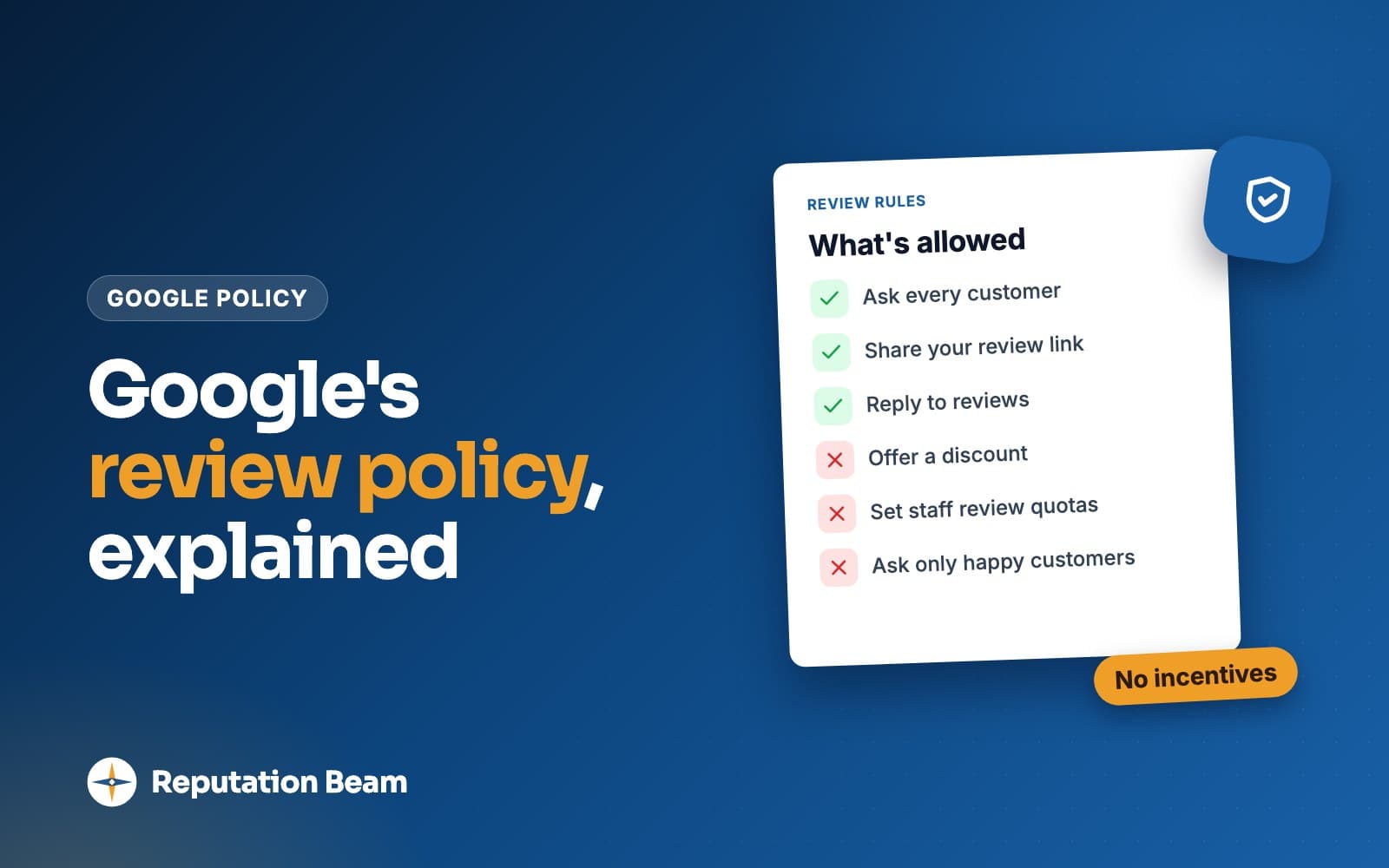
Google review rules for business at a glance
| What you might do | Allowed? | Google's wording |
|---|---|---|
| Ask every customer for a review | Yes | "Solicit or encourage the posting of content that does represent a genuine experience" |
| Share a review link or QR code | Yes | Customers can "visit a Google link or scan a QR code" |
| Reply to reviews | Yes | "Like reviews, replies must follow our policies" |
| Offer a discount, gift or prize for a review | No | Incentives "in exchange for posting any review" |
| Ask only the customers you think are happy | No | "selectively solicit positive reviews from customers" |
| Ask for five stars or for certain words | No | "attempting to influence the rating or the contents of the review" |
| Discourage bad reviews or pay to remove one | No | "Discourage or prohibit negative reviews" |
| Reviews from staff, family or partners | No | "Content that is based on a conflict of interest" |
| Give staff a review target | No | "staff solicit a certain number of reviews" |
| Have staff ask for reviews that name them | No | "content that identifies a staff member" |
| Make customers review before they leave | No | "require or pressure users to leave ratings or write reviews while on the premises" |
What Google allows: asking, links, QR codes and replies
The permission is one sentence. Google allows merchants to "solicit or encourage the posting of content that does represent a genuine experience, without offering incentives to do so or attempting to influence the rating or the contents of the review." It sets three conditions: the person really was your customer, they get nothing for reviewing, and the stars and the words are left to them.
Google's own tips for getting more reviews say you can ask customers "to visit a Google link or scan a QR code," and recommend replying to reviews. The same page tells owners that a mix of positive and negative feedback "often feels more trustworthy." Our guides on how to find your Google review link and make a Google review QR code walk through setting both up.
Asking every customer is the habit that keeps you clear of the selective solicitation rule. Pick one moment in your process (checkout, the end of a job, the morning after a reservation) and ask everyone at that moment, the same way.
- 1
Hi Sam, it's Harbor Street Auto.
Who it's from
The customer knows who is asking before anything else.
- 2
Thanks for coming in today.
A real visit
Ties the request to a genuine experience, which is what Google's permission covers. No details of the visit.
- 3
If you have a minute, would you leave us a review on Google?
An open ask
Asks for a review with no hint about stars, topics or staff names.
- 4
We read every review, good or bad.
Welcome either way
Optional. It tells the customer criticism is welcome, the opposite of discouraging negative reviews.
- 5
harborstreetauto.example/review
The link
A direct link, as Google's tips suggest. Nothing is offered in return.
Template: a policy-safe review request by text
Hi [First name], it's [Business name]. Thanks for [coming in / having us out] today. If you have a minute, would you leave us an honest review on Google? [review link] Reply STOP to opt out.
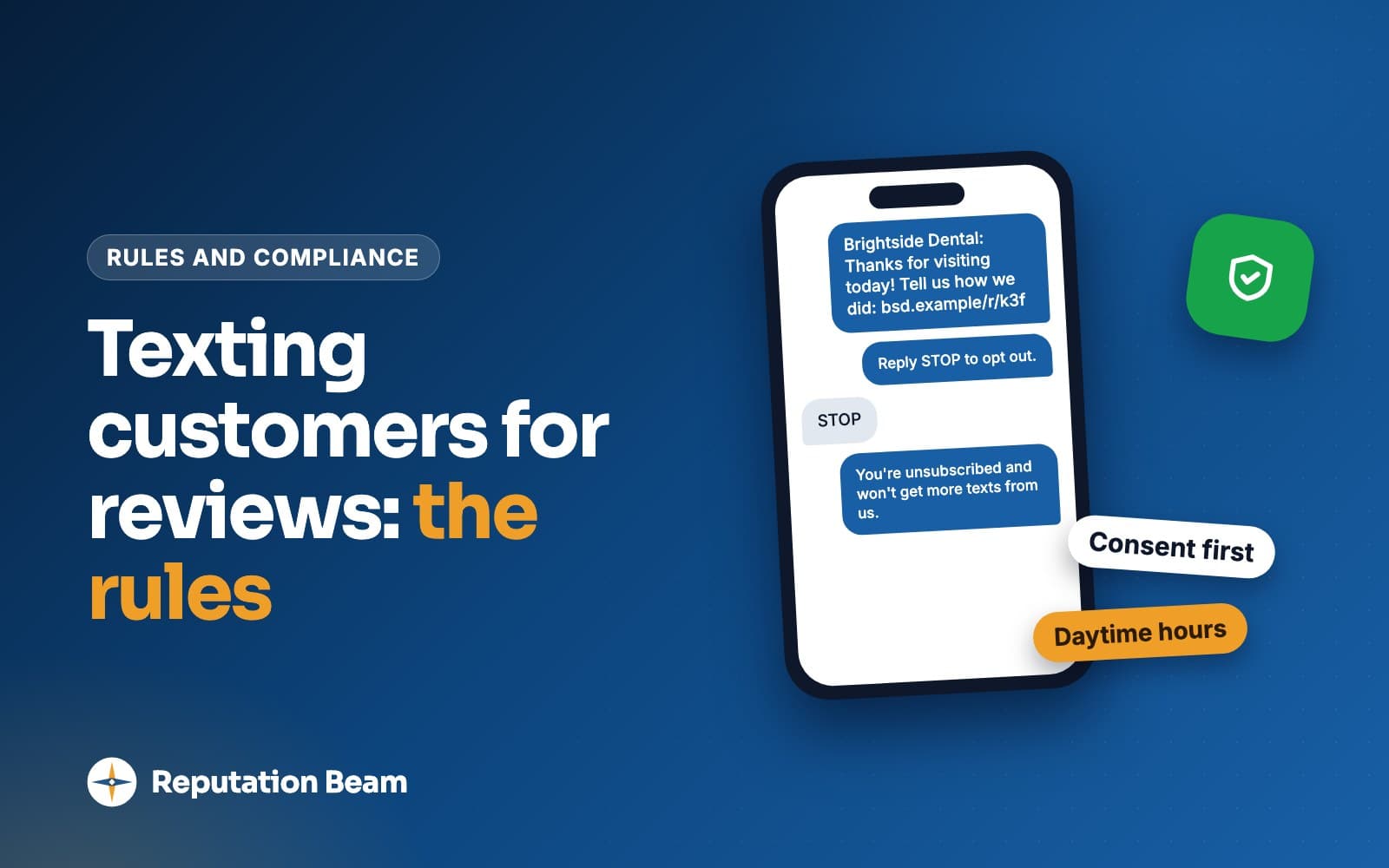
If you send requests by text, the consent and opt-out rules for business texting apply on top of Google's policy. Texting customers for reviews covers them.
Replies are allowed and encouraged, within limits. Google's tips say "replies must follow our policies," ask you never to share a reviewer's private information, and tell owners to "avoid using your response to offer deals or promotions." How to reply to Google reviews covers the wording for each kind of review.
What Google bans: incentives, filtering, conflicts and fakes
Most of these rules were in the policy before 2026. The lines the 2026 rewrite added are in the table in the next section.
Incentives of any kind, for any review
Google bars merchants from offering incentives such as "payment, discounts, free goods and/or services" in exchange for "posting any review or revision or removal of a negative review." The word any matters. A free coffee for every review, good or bad, is still an incentive, and 10 percent off the next visit is a discount, which Google names. Raffle entries and loyalty points aren't on Google's list, but the list is introduced with "such as," so treat a prize or credit for reviewing the same way. Reviews that were "paid for, directly or in kind" are listed as fake engagement and removed.
The same line covers the other direction: a refund, a discount or a free redo offered on the condition that a customer edits or deletes a bad review. You can still refund an unhappy customer. Do it because the job went wrong, with no strings attached, and leave the review to them. Google's tips note that constructive replies "may even encourage the customer to update their review," and that is the customer's decision. Can you offer incentives for Google reviews? goes through the edge cases in more detail.
Asking only the customers you expect to be happy
Merchants may not "selectively solicit positive reviews from customers." That covers any habit where someone decides who gets asked based on how they expect the review to go: only the regulars, only the customers who smiled at checkout, everyone except the one who complained about the wait. Ask everyone at the same point in your process, including the customer whose appointment ran late.
Discouraging or blocking negative reviews
Merchants may not "discourage or prohibit negative reviews." In practice that would cover a sign asking unhappy customers to talk to you instead of posting, a clause in an estimate or contract that forbids negative reviews, asking a customer to hold off until a dispute is settled, and leaning on a reviewer to take a review down.
The FTC addresses threats directly. Its rule on consumer reviews makes it a violation to use "an unfounded or groundless legal threat, a physical threat, intimidation, or a public false accusation" in response to a review, in an attempt to prevent it being written or to get it removed (16 CFR 465.7). The rule sets a knowledge standard ("made with the knowledge that the accusation was false or made with reckless disregard as to its truth or falsity"), so read the full text before relying on this summary. When a customer is unhappy, fix what you can and answer them publicly if they post. How to respond to negative reviews has replies to adapt.
Reviews from staff, family, partners and competitors
Rating manipulation includes "content that is based on a conflict of interest," which Google says "may include current or former employment, a contractual or consultory relationship, or other professional or personal affiliations that demonstrate a conflict of interest (such as industry competitors, familial relationships, etc.)."
Read plainly, that can reach your staff, former staff, relatives, contractors and consultants, business partners and competitors. Google's wording makes no exception for someone who really used your service, so a sister who gets her hair cut at your salon every month is still family. Google also bans posting on "a competitor's place or business to undermine that business' or product's reputation." Can employees leave Google reviews? covers the staff side, and if a competitor does this to you, see how to respond to fake reviews on Google.
The FTC's rule (16 CFR 465.5) also limits managers asking employees or relatives for reviews that go up without disclosing the relationship. Google's line is simpler: don't ask them.
Fake reviews, extra accounts and unusual spikes
Fake engagement includes content "not based on a real experience," reviews "paid for, directly or in kind," and content "posted from multiple accounts by or at the request of one person." Buying reviews, writing them under other names and joining a group where owners swap reviews all land here.
Rating manipulation also lists "unusual volumes or patterns of review contributions that are indicative of efforts to manipulate a place's rating." Google doesn't say what counts as unusual. Asking after each visit gives you a steady flow of reviews tied to real visits.
Google review policy update 2026: staff quotas, names and pressure
Early in 2026 Google changed the review part of the policy. Copies of the page saved by the Internet Archive on February 15, 2026 and February 24, 2026 show the before and after. Most coverage called it an April update, because that is when it was spotted and reported. Google's page carries no change date.
| Topic | February 15, 2026 copy | Text today |
|---|---|---|
| Paid reviews | Under incentives only | Adds reviews "paid for, directly or in kind" |
| What you may do | Ask "without offering incentives" | Adds "or attempting to influence the rating or the contents of the review" |
| Pressure on the premises | Not mentioned | Don't "require or pressure users" while "on the premises" |
| Specific content | Not mentioned | Don't "request that specific content be included" |
| Staff review targets | Not mentioned | No asking staff to get "a certain number of reviews" |
| Staff names | Not mentioned | No asking staff to get reviews that identify "a staff member" |
| Rating patterns | Multiple accounts used to manipulate a rating | Adds "unusual volumes or patterns of review contributions" |
| Conflicts of interest | Listed under misrepresentation | Also under rating manipulation, naming "familial relationships" |
Staff review quotas and technician leaderboards
The new list starts with "merchants requesting that staff solicit a certain number of reviews." A monthly target per stylist, "20 reviews each this quarter" for the sales floor, or a board in the break room ranking techs by review count all ask staff to hit a number.
Google's text doesn't name bonuses or leaderboards. A leaderboard with a prize for the most reviews is a count target in practice, though, and the safest reading keeps review counts out of staff goals and pay. Send the same request to every customer from one place, such as the office after each job, and recognize staff for things you can measure without reviews: on-time arrivals, repeat bookings, fewer callbacks. If you run a trades business, see getting more Google reviews for an HVAC company.
Asking customers to mention employee names in reviews
The second new line bans "merchants requesting that staff solicit reviews that include specific content, including content that identifies a staff member." It sits under a broader sentence about every request: merchants should not "request that specific content be included." That covers keyword requests too, and asking for a star rating runs into the permission line's limit on "attempting to influence the rating."
Before
Loved your cut? Leave us a review and mention Maria!
After
Thanks for coming in. If you have a minute, we'd appreciate an honest Google review. Scan here: [QR code]
The first asks for content that identifies a staff member. The second leaves the words to the customer.
Before
Please mention 'emergency plumber in Riverton' in your review.
After
Would you share a quick review of today's visit? [review link]
A keyword request is a request for specific content.
Before
If you were happy, a 5-star review would mean the world to us.
After
We'd be grateful for your honest review: [review link]
Asking for five stars is an attempt to influence the rating, which the permission line excludes.
Customers can still name people. The rule targets the request, so a customer who mentions whoever helped them, unprompted, falls outside it. Google's personal information section separately allows the name of "a public-facing professional conducting business under their name," with doctors, lawyers, realtors and contractors among its examples, while restricting another person's "full name, or last name" posted without consent. If you want to know which tech a review is about, match it to your job records by date and customer.
Dana R.
GoogleCalled in the morning with no AC and Jules had it running by lunch. Explained everything and cleaned up after.
Reply from Northgate Heating & Air
Thanks, Dana. Glad you're cool again, and I'll make sure Jules sees this. Call us anytime you need us. Pat, Northgate Heating & Air
Pressure on the premises: what it covers and what it doesn't
The full sentence reads: "When soliciting reviews, merchants should not require or pressure users to leave ratings or write reviews while on the premises." Google doesn't define either word, so this is a plain reading. Requiring would mean making a review a condition of something (the receipt, the car keys, the next booking). Pressure would include standing over someone, handing them your tablet and waiting, or asking again after they've said later.
A shop tablet has another problem. Google's tips say "Customers must be signed into a Google Account to leave a review," so a counter tablet also means customers signing into their own accounts on your device, with staff watching. A card with a QR code they scan on their own phone, now or tonight, leaves the choice with them.
You
Biscuit did great today. If you get a minute later, we'd really appreciate a Google review.
Customer
Sure. How do I find you?
You
The code on this card goes straight to our page. Whenever suits you.
Customer
I'll do it tonight.
You
Thanks. See you and Biscuit next month.
Google review policy violations list: ten situations, judged
All ten are made up. Each verdict is our reading of the policy lines quoted above, and Google decides for itself.
Violation
The technician leaderboard
A heating and cooling company posts a weekly board ranking techs by reviews collected, with a gift card for first place. That's a staff review count in all but name. Fix: the office sends the same request after every job, and recognition comes from on-time arrivals and callbacks.
Violation
The 'mention Maria' card
A salon hands out cards reading "Leave us a review and mention your stylist." That's specific content that identifies a staff member. Fix: one card for the whole salon with a QR code and no prompt about what to write.
Change the process
The tablet at the register
An auto shop hands customers a tablet open to its Google page and waits while they pay. That's close to pressure on the premises, and customers have to sign in on the shop's device. Fix: a QR code card or a text after the visit.
Violation
The office manager's brother
A landscaping company hires out its crew to the office manager's brother, who writes a glowing review. The job was real, but familial relationships are a listed conflict of interest. Fix: family and staff don't review the business.
Violation
Ten percent off for a review
A cafe's counter sign offers 10 percent off the next order to anyone who shows a posted review. Discounts are named as an incentive, for any review. Fix: a plain sign with a QR code and a thank-you.
Violation
A refund if the review comes down
A plumber offers to refund the call-out fee if a customer deletes a one-star review. That's an incentive for removal of a negative review. Fix: refund because the job went wrong, with no conditions, and reply publicly.
Change the wording
Five stars, please
A real estate agent's closing email asks clients for "a 5-star review." That tries to influence the rating. Fix: ask for "an honest review of working with me" and leave the stars to them.
Violation
The keyword request
A roofing company asks customers to mention "best roofer in Fairview" in their reviews. That's a request for specific content. Fix: ask for a review of the job, in the customer's own words.
Violation
Only the regulars get asked
A barbershop owner asks for reviews only from longtime clients who always leave happy. That's selective solicitation. Fix: ask every client at checkout, including first-timers and the one whose fade needed a touch-up.
Allowed
A QR code at the front desk
A gym puts a small sign with a QR code to its Google page at reception, for everyone, with no offer attached. Google's tips say you can ask customers to scan a QR code, and members scan it if and when they choose.
What happens if you break Google's review policy
Google says fake engagement "is not allowed and will be removed," and incentivized or biased reviews under Rating Manipulation are "not allowed and will be removed from Maps" too, so the first consequence is losing the reviews. Its page on Business Profile restrictions for policy violations says that if Google determines an owner broke the Fake Engagement policy, it "might place restrictions on their Business Profile (in addition to removing the violative reviews)." The examples it lists:
- The profile "will not be able to receive new reviews or ratings for set period of time."
- Existing reviews or ratings "will be unpublished for set period of time."
- The profile "will display a warning to let consumers know that fake reviews were removed."
Google says these are examples and the list is "not limited to" them, and it doesn't publish how long a restriction lasts. The page is written about the Fake Engagement policy, and it doesn't say which restrictions, if any, apply to the other lines covered here, such as the staff and on-the-premises rules. It does say: "We will notify business owners via email if we plan to apply a restriction to their profile."
- 1
Google finds a violation
Google determines that the business broke its Fake Engagement policy.
- 2
Reviews come down
The reviews that break the policy are removed.
- 3
A restriction may follow
Google may block new reviews or unpublish existing ones for a set period, or show a warning that fake reviews were removed. It emails the owner if it plans to apply a restriction.
- 4
You can appeal
Google re-reviews the profile and any context you send, then shares the status of its review.
How to appeal a Business Profile restriction
Google says businesses can appeal, and that "we will re-review the profile and any additional context the business provides in the appeal." The appeal goes through the Business Profile review form linked from the restrictions page.
Since Google re-reviews whatever context you provide, make it specific. If staff ran a review contest or a sign offered a discount, say so, when it ended and what replaced it. If you believe Google got it wrong, explain how you ask for reviews and include your request template.
Before you send an appeal
0 of 7 done
If reviews disappeared and Google never emailed you, a restriction may not be the cause. Google reviews not showing up covers missing and delayed reviews.
Where vendor blogs overstate the 2026 change
Some of what was written about the update goes beyond Google's text, mostly in the direction of banning things the policy allows.
Can you still ask customers for reviews in person?
Yes. Some articles told owners they can't ask while customers are still on site. The policy says merchants should not "require or pressure" customers to review "while on the premises." Asking in person and handing over a card for later is neither, and Google's tips page still recommends asking.
Can customers still mention staff by name?
Yes, on their own. The new lines cover merchants "requesting that staff solicit reviews" with names or specific content. A customer who mentions the stylist who put them at ease hasn't broken anything, and neither have you.
Will Google delete old reviews that name employees?
The policy text doesn't address reviews posted before the change. Treat any claim of a sweep as unconfirmed unless it links to something Google published.
Is it fine to reward staff for reviews as long as customers get nothing?
The incentive rule is about customers, and the quota rule is about staff. A per-review bonus gives staff a number to chase, and Google's text doesn't name bonuses either way, so nobody can promise it's safe. Keeping reviews out of pay avoids the question.
How Google's rules compare with the FTC and Yelp
Google's policy decides what stays on Google. The FTC's Rule on the Use of Consumer Reviews and Testimonials is federal law, and Yelp has its own rules, which are stricter than Google's on asking.
| Question | FTC rule | Yelp | |
|---|---|---|---|
| Can you ask customers? | Yes, everyone the same way | Allowed; the insider rules exempt generalized requests to purchasers | No: "Don't ask anyone to review your business" |
| Incentives? | None, for any review | None in exchange for reviews of a particular sentiment | No freebies, discounts or payment |
| Staff and family? | Conflict of interest, removed | Limits on managers asking without disclosure | Staff "should never compete to collect reviews" |
| Negative reviews? | Can't discourage or prohibit them | No groundless legal threats or intimidation to stop or remove them | No incentives to remove reviews |
Two differences matter for small businesses. Google bans incentives for "any review," while the FTC's section on buying reviews covers incentives in exchange for reviews "expressing a particular sentiment, whether positive or negative." Google's wording is the broader one, so plan around it. And Yelp's Don't Ask for Reviews page says its software "may not recommend reviews that seem to be prompted or encouraged by the business," so a request that is fine for Google should not mention Yelp. The FTC fake review rule covers the federal side in full.
A one-page Google review policy brief for your staff
The people asking customers for reviews are usually your staff, so give them the rules in writing. Print this, fill in the brackets and go through it at your next team meeting.
Template: Google review rules for staff (one page)
Our Google review rules, [Business name], updated [date]
How we ask: we ask every customer for a review the same way, at [checkout / the end of each job / the follow-up text the office sends]. Everyone gets asked, including customers whose visit didn't go perfectly.
What you can say: "If you have a minute, we'd appreciate an honest Google review. This card has the link." Then let it go.
Never:
- Offer anything for a review: discounts, freebies, entries, points or refunds.
- Ask only the customers who seem happy.
- Ask for five stars, for certain words or for your own name to be mentioned.
- Pressure a customer to review while they're here, or wait while they do it.
- Review us yourself, or ask family, friends or other staff to.
- Ask anyone to change or remove a review.
If a customer is unhappy: help them and tell [manager name]. Don't ask them to hold off on reviewing.
If a customer names you in a review on their own: that's their choice, and we'll pass it on.
We don't set review targets and nobody is ranked by review count. Questions go to [manager name].
Common mistakes with Google's review rules
Do
- Ask every customer at the same point in your process
- Use a direct Google link or QR code customers can use on their own phone
- Ask for an honest review in the customer's own words
- Refund or redo unhappy jobs with no conditions about reviews
- Reply to reviews, good and bad, without offers or private details
- Recognize staff for service you measure yourself
- Re-read Google's policy page when you change your process
Avoid
- Discounts, freebies, raffle entries or points for reviews
- Asking only regulars or customers who seem happy
- Cards or texts that ask for stars, keywords or a staff member's name
- Review targets, contests or leaderboards for staff
- Handing customers your tablet and waiting while they review
- Reviews from staff, former staff, family or business partners
- Asking a customer to delete or soften a bad review
Where Reputation Beam fits
Reputation Beam sends review requests by text message and email from your dashboard. Message templates use placeholders for the customer's name, your business name and the review link, so every customer can get the same wording. Keep stars, keywords and staff names out of it. Each request carries its own link that expires after 72 hours. Google and Yelp reviews show up together in one feed, and you can reply to Google reviews from the dashboard (Yelp reviews are read-only there).
The policy decisions are still yours: who you ask, what your staff say at the counter, and how you reward your team.
Keep going
With the rules settled, how to get more Google reviews puts them to work in a steady routine, and how to ask customers for reviews has wording for the counter, text, email and receipts. If a review breaks Google's rules from the other side, such as a fake or a competitor's, how to remove a Google review explains what you can report and what you can't.
Questions people ask
Can I ask customers to mention an employee's name in a Google review?
No. Google's policy says merchants should not 'request that specific content be included' and lists 'merchants requesting that staff solicit reviews that include specific content, including content that identifies a staff member.' That covers cards, texts and scripts that say 'mention Maria.' A customer who names someone without being asked is a different matter: the rule is about the request, so you can thank them and pass the praise on.
Is it against Google's policy to ask for reviews in person?
No. Google's text says merchants should not 'require or pressure users to leave ratings or write reviews while on the premises.' Asking at the counter whether a customer would be willing to leave a review, then handing them a card or texting a link they can use later, is a request. Standing over someone while they type, or making a review part of checkout, is the kind of pressure the rule describes.
Can I offer a discount or freebie in exchange for a Google review?
No. Google prohibits offering incentives, such as payment, discounts, free goods or services, 'in exchange for posting any review or revision or removal of a negative review.' That holds even if you would reward a bad review too, and it covers refunds offered for taking a review down. The FTC's rule separately bans incentives in exchange for reviews that express a particular sentiment, positive or negative. This is general information, not legal advice.
Can employees or family members leave Google reviews for my business?
Google lists content 'based on a conflict of interest' as rating manipulation and gives current or former employment and familial relationships as examples. So a review from staff, a former employee, a relative or a business partner can fall under that rule, and Google's wording makes no exception for people who really used your service. Don't ask them to review and don't post reviews yourself. The FTC's rule adds limits on managers asking employees and relatives for reviews that don't disclose the relationship.
What happens if Google finds fake reviews on my Business Profile?
Google removes the reviews and may restrict the profile. Its help page gives examples: no new reviews or ratings for a set period, existing reviews unpublished for a set period, and a warning telling people that fake reviews were removed. Google says it emails the owner if it plans to apply a restriction, and owners can appeal through the Business Profile help center with context about what happened and what changed.
Can I give my staff bonuses for getting Google reviews?
Google's text says nothing about bonuses by name. It does bar 'merchants requesting that staff solicit a certain number of reviews.' A bonus per review, a monthly target or a prize for the most reviews pushes staff to chase a count, which is close to what that line describes. Rewarding things you measure yourself, such as repeat bookings, on-time arrivals or fewer callbacks, keeps reviews out of pay.
When did Google change its review policy in 2026?
Copies of Google's Maps content policy saved by the Internet Archive show new lines on staff review quotas, staff names, specific content and pressure on the premises appearing between February 15 and February 24, 2026. Much of the coverage dates the change to April 2026, when it was spotted and reported. Google's policy page shows no change date, so check the live page before relying on any summary.
Was this guide helpful?
Get the free review request checklist and new guides
Twenty checks to run before you ask customers for reviews, as a one-page PDF. After that, a short email when new guides go up, at most once a week.