Key takeaways
- Check your profile signed out, in a private window or on another phone, and ask the customer what their own Google Maps profile shows. Those two views tell you which of four cases you have.
- Google checks new reviews for policy compliance, which it says in some cases takes a few days, and your star score can take up to two weeks to catch up. Often the fix is to wait.
- Reviews removed for breaking policy are not restored, but Google says its system occasionally removes legitimate ones by mistake. The reviewer can often appeal a removal once, and you can contact support with screenshots.
- Many reviews vanishing at once points to the profile: a merge, a reinstatement or a restriction for fake engagement. Look for an email from Google before you do anything else.
In this guide
- Google reviews not showing up: find your case first
- Google review pending: the customer can see it and you can't
- Why did my Google review disappear after it posted?
- The review never posted at all
- Google reviews disappearing all at once
- What Google confirms and what is guesswork
- How the April 2026 changes relate to missing reviews
- What to tell a customer whose review isn't showing
- How to contact Google support about missing reviews
- Mistakes that make missing reviews worse
- Where Reputation Beam fits
- Keep going
A customer tells you they left a review last night, and you can't find it. Or the count on your profile dropped overnight and nobody can tell you why. When Google reviews are not showing up, the fix depends on which kind of missing you're looking at.
This guide sorts the problem by symptom. There are four cases: the customer can see the review and you can't, it appeared and then vanished, it never posted, or many reviews disappeared at once. For each one you'll get what Google's own help pages say, which explanations are only theories, and what to do today: wait, check, or contact support with the right evidence.
If you're still working out how you ask for reviews in the first place, how to ask customers for reviews covers the request itself. This guide starts after the customer taps Post.
Google reviews not showing up: find your case first
A missing review usually fits one of four cases. A new one can sit in Google's policy check, which in some cases takes a few days. A posted one can be edited, deleted or removed. Some never post because of an account, app or link problem. Many vanishing together points to the profile. Check what the public sees first.
| What you see | Most likely cause | What to do first |
|---|---|---|
| The customer sees it, you don't | Still in Google's policy check, or removed but still on their profile | Wait a few days, then ask what label they see |
| It showed, then vanished | Edited or deleted by the reviewer, or removed by Google | Ask the reviewer what their profile shows |
| It never posted | Not signed in, an old app, the wrong profile, reviews paused | Check the account, the app and the link |
| Many gone at once | A merge, a reinstatement, a restriction or a pause | Look for an email from Google, then contact support or appeal |
- 1
Look signed out
Open your profile in a private window, or on a phone that isn't signed in to your business account.
- 2
Ask what they see
The customer checks their own reviews in Google Maps and tells you whether there's a label.
- 3
Match the case
Pending, vanished, never posted, or many gone at once.
- 4
Wait, then act
Give Google's checks a few days, then contact support with screenshots.
Check what the public sees before anything else
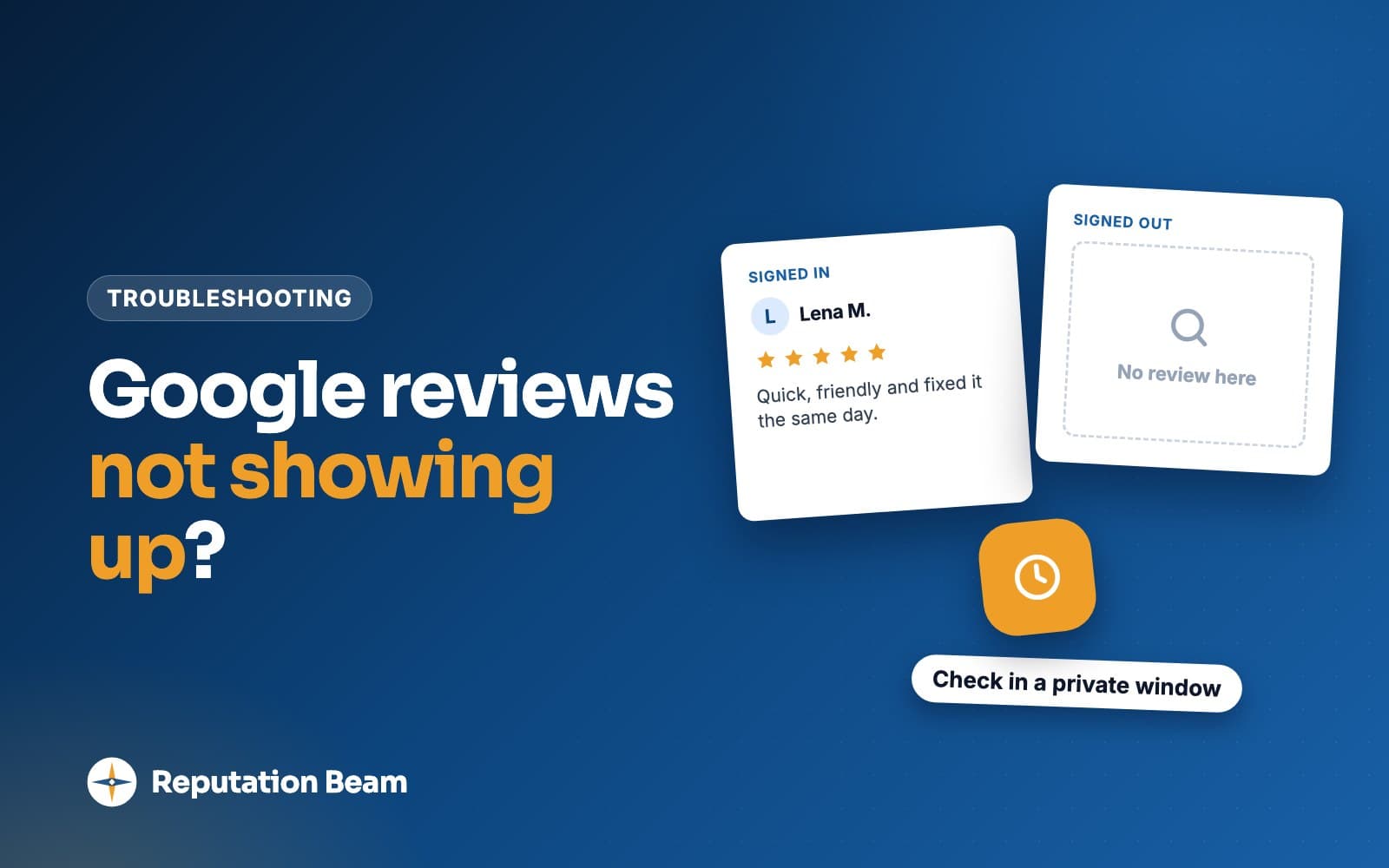
You, signed in as the owner, are the worst person to judge whether a review is public. Your view of your own profile isn't the view a stranger gets, and neither is your customer's view of their own review. Before you decide anything is missing, look the way a new customer would.
- Open a private or incognito window in your browser, search your business name and open your reviews. Sort by newest if the option is there.
- Check Google Maps on a phone that has never been signed in to your business account, such as a family member's.
- Ask the customer to look at their own reviews in Google Maps. Google's help page on adding, editing and deleting reviews gives the steps: on a computer, the menu, then Your contributions, then Reviews; in the Android or iPhone app, Contribute, then View your profile.
What the customer sees on their own profile matters most. Google's page on removed and rejected content says removed content "may still be available in your Google Maps profile" with a label.
Labels a customer may see on their own review
- Not posted
- Private
- Not Accepted
- Or something similar
A review with one of those labels has been removed or rejected, even though the customer can still see it. A review with no label that the public can't see may still be in the policy check, though Google doesn't document what a reviewer sees during it. And a review that's missing from their contributions entirely may have been deleted or never posted. Google also says some content is deleted entirely because of legal requirements or the severity of the violation.
Google review pending: the customer can see it and you can't
This case is usually the least worrying one. Google's help page about missing or delayed reviews says reviews are checked for policy compliance, and that in some cases this process might take a few days, which can delay a review's appearance on your profile. Until the check is done, the review may not show.
Google doesn't say what the reviewer sees while the check runs, so treat a customer's screenshot as proof they wrote the review and nothing more. It doesn't prove the review is public, and it doesn't prove anything went wrong.
Two delays stack up here. The review text has to clear the check, and then your score has to catch up. Google's page on review scores says it may take up to two weeks to get an updated review score after someone leaves a new review. So a review can appear on your profile while your star score stays where it was for a while.
A few days
In some cases, for Google's policy check before a review appears
A few days
For reviews to show after two profiles are merged
Up to 2 weeks
For a new review to show in your star score
Those three timings come from Google's help pages linked above. Here is what a normal wait looks like in practice.
The day it's posted
The customer sees their review on their own profile. You may not see it yet.
The next few days
Google checks it against its content policy. Google says in some cases this takes a few days.
Within two weeks
Your star score catches up with the new review. Google says the updated score can take up to two weeks.
Still missing after about a week
A rule of thumb: ask what label the customer sees, then contact support if there's none and it still isn't public.
Don't confuse this with "Decision pending" in Google's Reviews Management Tool. That label is for a review you reported, and Google's page on reporting reviews says it means the review is flagged but hasn't been evaluated yet. It has nothing to do with a new review waiting to appear.
Why did my Google review disappear after it posted?
A review that was public and then wasn't usually went one of three ways. The reviewer edited it or deleted it. Google removed it for breaking its content policy, sometimes after someone reported it. Or Google's automated system removed a legitimate review by mistake, which Google says happens occasionally. The reviewer's own profile is the quickest way to tell which.
How to tell a filtered review from a deleted one
You can't see the reviewer's side, so ask them to look. This table shows what each outcome looks like from both sides.
| Clue | Removed by Google | Deleted by the reviewer | Edited by the reviewer |
|---|---|---|---|
| On their own Maps profile | May still show, with a label | Gone from their reviews | Still there |
| On your public profile | Gone | Gone | Still there, with a newer date |
| Can it come back? | Only if an appeal or support finds a mistake | Only if they write it again | It never left |
The edited case catches owners out. Google's Maps help says editing a review updates the post date shown on it, so a review from March that the customer touched up in October now sits among October's reviews. If you were scrolling to March to find it, it looks gone.
Why Google removes reviews
Google's Maps user contributed content policy lists what reviews can't contain. A few of its rules catch genuine customers who meant well:
- Links and contact details. The policy prohibits "posting email addresses, phone numbers, social media links, or links to other websites in your reviews."
- Off-topic content. The policy asks people to post only content "based on your experience" at a specific location, and it doesn't allow general, political or social commentary or personal rants.
- Conflicts of interest. The policy names current or former employment and family relationships, which is why reviews from staff and relatives get removed. Whether employees can leave Google reviews covers that one in detail.
- Personal information. The policy says not to post personal information without consent.
- Repetitive content, meaning the same content posted more than once from one account or several.
- 1
Brought my truck in for brakes and they had it back the same afternoon.
The experience
A first-hand account of a visit. This is what the policy wants.
- 2
Ask for Danny, he explained everything.
A staff name
Fine when the customer chooses to write it. The policy says merchants should not ask staff to solicit reviews that include content identifying a staff member.
- 3
Also call my cousin's detailing shop at 555-0142.
A phone number
The policy prohibits phone numbers and links in reviews. This line alone can get the review removed.
- 4
Unlike the politicians in this town, these guys actually show up.
A rant
The policy doesn't allow general, political or social commentary or personal rants. Google doesn't say where a passing remark like this crosses the line.
Removed reviews: what can and can't be undone
Google is firm on one side of this. Its missing reviews page says reviews removed for violations won't be restored, and the Maps help page says "We don't reinstate reviews that were removed for policy violations."
Google also admits its filters make mistakes. Its page on reporting reviews says: "Occasionally, the system may also mistakenly remove legitimate reviews. If this happens, contact support for assistance." (Google Business Profile Help).
The reviewer has a route of their own. Google's page on appealing Maps content decisions says contributors can find the status of their content on their Maps profile and, for most violations, appeal and track it there. "Content removals can only be appealed once," appeals are available only for certain violations and accounts, and "deleting or editing violating content after you submit an appeal cancels the appeal." If Google finds the review was removed in error, it restores it.
So the no-restore rule covers reviews that really broke the policy. For a review removed by mistake, support (for you) and an appeal (for the reviewer) are the two ways back.
The review never posted at all
When a customer says "it won't let me leave a review," the problem is usually on their end or in the link you sent. Google documents three causes, and a fourth is simple logic: a review can only appear on the profile it was left on.
- They aren't signed in. Google's tips for getting more reviews say customers "must be signed into a Google Account to leave a review" and can set one up with a non-Gmail email address.
- Their device or app is old. Google's missing reviews page says customers on older devices or software may have trouble posting, and recommends updating the Google Maps app.
- Reviews are switched off. Google says it may temporarily disable user content, including reviews, for certain profiles or business categories. It also removes and disables reviews for profiles primarily categorized as educational institutions for students aged 6 to 18 (universities, day care centers and swim schools are excluded). A restriction or a spam pause, both covered below, can also block new reviews.
- They reviewed the wrong profile. An old listing at a previous address, a duplicate someone created, or a business with a similar name. Their review is there, just on the wrong page.
Customer
I tried to leave you a review last night but it kept asking me to sign in.
You
Thanks for trying. Google needs you signed in to a Google Account to post, and it doesn't have to be a Gmail address.
Customer
Oh. I don't think I have one on this phone.
You
That's the usual reason. If you'd still like to, the link in our text opens the review form once you're signed in. And if the Maps app is old, updating it can help. No pressure either way.
The wrong-profile problem is the one you can fix before it happens. Open your review link on your own phone and check that it lands on the form for your business at your current address. How to find your Google review link walks through getting the right one and testing it, and the same test applies to a printed Google review QR code.
Google reviews disappearing all at once
When a large share of your reviews goes missing in one go, the cause is unlikely to be a dozen customers deleting their reviews on the same day. Look at the profile. Google documents several profile-level causes on its missing reviews page:
- A merge. After Business Profiles are merged, reviews from both can take a few days to show on Search and Maps.
- A reinstatement. If your profile was suspended and then reinstated, Google says reviews may be removed afterwards, and tells you to contact support if so.
- A pause for your profile or category. Google may temporarily disable reviews for certain profiles or business categories.
A fourth cause, on a separate Google page, is the one to rule out first, because Google says it emails business owners if it plans to apply a restriction.
Business Profile restrictions
Google's page on Business Profile restrictions for policy violations explains that Google may restrict a profile that violates its fake engagement policy, in addition to removing the reviews that broke the policy. The examples it lists are a profile that can't receive new reviews or ratings for a set period, existing reviews or ratings unpublished for a set period, and a warning on the profile that fake reviews were removed. Google says the list isn't complete, and it doesn't say how long "a set period" is.
Before
Google says it notifies business owners by email if it plans to apply a restriction. Search every inbox that receives Google mail for your business.
During
New reviews may be blocked, existing ones unpublished, and a warning shown to people viewing your profile.
Appeal
If you think Google got it wrong, Google's page links to an appeal form, and it re-reviews the profile along with any context you add.
Decision
Google says it shares the outcome once it decides whether to lift the restriction.
Bugs and outages
You may read reports of reviews vanishing across many businesses at once and coming back later. Google's help pages linked here don't describe outages, so treat any explanation you read as unconfirmed. If nothing else fits, wait a few days and check whether other owners are reporting the same thing in the Google Business Profile Help Community, which Google's missing reviews page links to. Contact support if your reviews haven't returned.
What Google confirms and what is guesswork
The long lists of reasons you'll find online mix Google's documented causes with theories repeated from page to page with no source. Knowing which is which keeps you from changing how you run your business over a rumor.
Linked in this guide
Documented by Google
- Policy checks can take a few days
- Merged profiles take a few days
- Your score can take up to two weeks to update
- Older devices and apps can block posting
- Reviews can be disabled for some profiles or categories
- Removed reviews aren't restored, but mistakes go to support or appeal
- Profiles can be restricted for fake engagement
Theories you'll read elsewhere
Unconfirmed
- Reviews posted on your shop's Wi-Fi get filtered
- Reviews don't fully show until a profile has about five
- Any link in a review triggers instant filtering
- A busy week of genuine reviews looks like spam
- Reviews from new or far-away accounts are held back
A few of these theories sit next to a real rule. Links in reviews are prohibited in Google's written policy, so a review with a link can be removed whether or not a filter catches it straight away. Google's April 2026 post talks about sudden spikes in spam reviews, which is different from a good week of real ones. And whatever the truth about Wi-Fi, Google's policy says merchants "should not require or pressure users to leave ratings or write reviews while on the premises." Sending the link to the customer's own phone, to use whenever suits them, avoids pressuring anyone on the premises.
The five-review idea circulates in articles about missing reviews. None of the Google help pages linked in this guide says it. If your new business has only a couple of reviews, how to get Google reviews for a new business is a better use of your time than waiting for a threshold that may not exist.
How the April 2026 changes relate to missing reviews
Two developments from April 2026 bear on missing reviews, and it helps to keep them apart.
The first is a new response to spam. In its April 16, 2026 post, Google said that if it sees a sudden spike in spam reviews, it will "quickly remove the fake content," pause new reviews on the profile, alert the Business Profile owner and display a notification banner "to let consumers know why contributions are temporarily paused." Google said these protections were rolling out globally "in the coming weeks." If a customer can't post and sees a banner on your profile, this may be the reason. Google says it alerts the owner, so check your email and your Business Profile.
The second is the wording of the policy. Google's content policy lists, under rating manipulation, merchants requesting that staff solicit a certain number of reviews, and requesting that staff ask for reviews with specific content, including content that identifies a staff member. Industry news sites, including Search Engine Roundtable on April 17, 2026, reported these two items as new additions. They sit beside the rules against discouraging negative reviews and selectively soliciting positive ones. The policy page itself carries no date, so read it for the current wording.
How this connects to vanishing reviews: reviews gathered in ways the policy prohibits are the ones at risk, and a profile that breaks the fake engagement rules can be restricted. The safe habit is the one Google's review policy points to anyway. Every customer gets the same request, with no staff targets, no scripts about what to write and nothing offered in return. Whether you can offer incentives for Google reviews covers the last point.
What to tell a customer whose review isn't showing
The customer did you a favor, so the reply should thank them, explain in one line, and ask nothing more. These are replies to a customer who messaged you, so keep them conversational. Replace everything in square brackets.
Text: the customer posted and you can't see it yet
Thanks so much for taking the time, [First name]. Google checks new reviews before they go public, which can sometimes take a few days, so there's no need to post it again. We really appreciate it. [Your name], [Business name]
Text: Google won't let them post
Thanks for trying, [First name]. Google asks you to be signed in to a Google Account to post a review (it doesn't have to be a Gmail address). If the Maps app is out of date, updating it can help too. Only if you have the time and want to. Thanks again, [Your name]
Email: the customer says Google removed their review
- To
- [Customer email]
- Subject
- Thank you for your review
Hi [First name],
Thank you for writing a review of [Business name], and I'm sorry it didn't stay up. Google makes those decisions, and we can't see or change them.
If you'd like to look into it, Google Maps shows the status of your review on your own Maps profile, and Google lets reviewers appeal some removals once from there. There's no need to do anything, though. We're grateful you took the time either way.
Thanks again, [Your name], [Business name]
The removed-review email mentions the appeal as information only. It doesn't ask them to repost, and it doesn't suggest what to write. Here is how common replies go wrong.
Before
Hmm, I don't see it. Can you post it again?
After
Thanks so much. Google checks new reviews, which can take a few days, so there's no need to post it again.
Google's policy lists posting the same content multiple times as repetitive content, which it doesn't allow.
Before
Could you post it from someone else's account?
After
Thanks for trying. If you'd still like to, the link works once you're signed in to your own Google Account.
Google's policy prohibits encouraging content that doesn't represent a genuine experience, and the account holder wasn't the customer.
Before
Google lost it. Would you put it on Yelp instead?
After
Thanks for trying, we really appreciate it.
Yelp's content guidelines say businesses should never ask customers to write reviews.
Before
Repost it and we'll take 10 dollars off your next visit.
After
Thank you for taking the time either way.
Google's policy prohibits discounts or free services in exchange for reviews.
The Yelp point comes from Yelp's content guidelines, which say "Businesses should never ask customers to write reviews."
How to contact Google support about missing reviews
Contact support when a review has been missing for more than a few days with no label on the customer's profile, when a removal looks like a mistake, or straight away when many reviews vanish at once. Use the Business Profile contact support page, which Google's missing reviews page links to. For a restriction, use the Business Profile appeal form that the restrictions page links to.
A support request with specific evidence is easier to act on than "my reviews are gone." Gather this first.
Before you contact Google support
0 of 8 done
Here is a support message you can adapt. The details in brackets come from that checklist.
Support request: a missing review
Hello,
A review of my Business Profile, [Business name] at [address], is missing. The reviewer, [display name], posted it on or around [date]. They can see it on their own Google Maps profile [with the label "Not posted" / with no label], but it does not appear on my profile when I check in a private browser window. It has now been [number] days.
I've attached screenshots of my public profile and of the reviewer's view. There have been no recent changes to the profile [or: the profile was merged / moved / reinstated on date].
As far as I can tell the review follows your content policy. Could you check whether it was removed by mistake?
Thank you, [Your name]
Mistakes that make missing reviews worse
A missing review is frustrating, and the urge to do something can lead to moves that break Google's rules or annoy the customer who helped you.
Do
- Check signed out before deciding anything is missing
- Give Google's policy check a few days
- Thank the customer once and leave the decision with them
- Test your review link on your own phone
- Check your email for notices from Google
- Ask every customer the same way, every time
Avoid
- Ask the customer to repost again and again
- Set up a tablet in your shop for customers to review on
- Offer a discount or freebie for a repost
- Ask staff, friends or family to fill the gap
- Run a review push with staff targets
- Pay anyone who promises to restore reviews
The tablet deserves a word, because it often comes up as a fix for customers who "can't figure it out." Google's policy says merchants should not require or pressure users to leave reviews while on the premises. A shop tablet held out at checkout can put the customer on the spot, and they'd have to sign in to their own Google Account on your device. Send the link to their phone and let them do it later.
Asking staff or family to make up for lost reviews swaps one problem for a bigger one, since Google removes reviews based on a conflict of interest. And if a negative review is the one that stuck while good ones vanished, a calm public reply is the part you control. How to respond to negative reviews has examples, and how to reply to Google reviews covers the mechanics.
Where Reputation Beam fits
Reputation Beam can't make Google publish a review faster or bring one back. Those decisions are Google's alone.
What it handles is the asking, and keeping your reviews in one place. You send review requests by text message or email from the dashboard, using templates with placeholders for the customer's name, your business name and the review link, and each request carries its own link that expires after 72 hours. Every customer can get the same request, which is the habit Google's policy points to. Your Google and Yelp reviews show up together in one feed in the dashboard, and you can reply to Google reviews from there, so there's one place to check your reviews.
Keep going
If the review that stayed up is one you'd rather not have, how to respond to fake reviews on Google and how to remove a Google review explain what you can and can't do. To replace lost reviews the right way, how to get more Google reviews covers asking every customer, and the rules for texting customers explains consent and opt-outs before you send a single text.
Questions people ask
How long does it take for a Google review to show up?
Google says reviews are checked for policy compliance, and in some cases that takes a few days before a review appears. Your star score can take up to two weeks to reflect a new review. If several days pass and the review still isn't visible in a private browser window, ask the customer whether their Google Maps profile shows it with a label such as "Not posted", then contact Business Profile support if it looks like a mistake.
Why did my Google review disappear?
There are a few possibilities. The reviewer may have edited the review, which gives it a newer date, or deleted it. Google may have removed it for breaking its content policy, for example because it contained a link or phone number. Google also says its system occasionally removes legitimate reviews by mistake. If many reviews vanished together, look at the profile instead: a merge, a reinstatement or a restriction.
Why is my Google review not showing up publicly?
It may still be in Google's policy check, which can take a few days, or it may have been removed. Google says removed content may still appear on the reviewer's own Google Maps profile marked "Not posted", "Private", "Not Accepted" or similar. On a computer, that's the Maps menu, then Your contributions, then Reviews. In the app, it's Contribute, then View your profile. If Google got it wrong, the reviewer may be able to appeal once.
Can a business owner delete Google reviews?
No. Google's Maps help says a business owner can request the removal of a review from their Business Profile, and Google's page on reporting reviews says evaluating a report typically takes several days. The reviewer can edit or delete their own review, and Google removes reviews that violate its policy. So if a good review vanished, look to the reviewer's side or Google's side, unless someone on your account reported it.
Can a removed Google review be restored?
Sometimes. Google says reviews removed for policy violations won't be restored. It also says its system occasionally removes legitimate reviews by mistake, and tells owners to contact support when that happens. Google says most violations can be appealed once from the reviewer's Google Maps profile, though only certain violations and accounts are eligible, and it restores content it finds was removed in error. Editing or deleting the review after appealing cancels the appeal.
Why did all my Google reviews disappear at once?
Look for a profile-level cause. Google says reviews from merged profiles can take a few days to show, reviews may be removed after a profile is reinstated, and it may temporarily disable reviews for some profiles or categories. A profile that violates the fake engagement policy can have its reviews unpublished for a set period, and Google says it emails the owner first. Check your inbox, then contact support or appeal.
Should I ask the customer to post their review again?
Only if their own Google Maps profile shows no trace of it, which can mean it never posted. If it's still being checked, wait a few days. If it shows a removal label, Google says they may be able to edit and repost it or appeal. Don't keep asking: Google's policy lists posting the same content multiple times as repetitive content, and repeated requests wear out a customer who was doing you a favor.
Was this guide helpful?
Get the free review request checklist and new guides
Twenty checks to run before you ask customers for reviews, as a one-page PDF. After that, a short email when new guides go up, at most once a week.