Key takeaways
- Claim your free Yelp page and get your profile photo and business account name approved first. Yelp won't let you respond until all three are in place.
- Start with a public comment, even on a critical review, then send a direct message if you need details. On a busy day, the Thank button sends a private thank-you for a 4- or 5-star review.
- Never offer anything to change or remove a review, and don't ask anyone for a Yelp review, including a reviewer whose problem you just fixed. Yelp's guidance is that businesses should not ask.
- Report a review only when it clearly breaks Yelp's Content Guidelines. Not recommended reviews are sorted by software that Yelp says no employee can override, so leave them alone.
In this guide
- How to respond to Yelp reviews, step by step
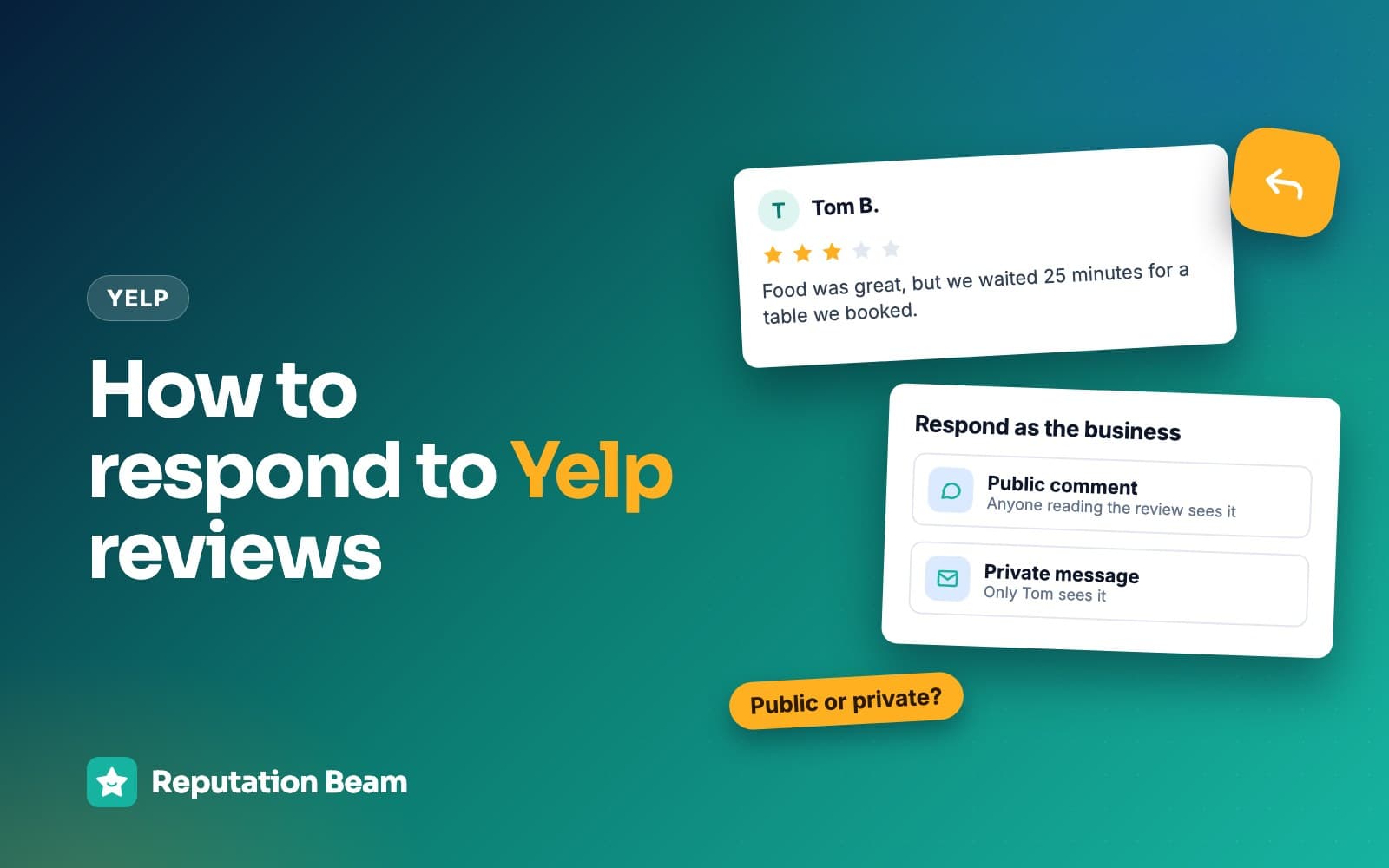
- Yelp public comment vs direct message
- How to respond to a positive Yelp review
- How to respond to a mixed Yelp review
- How to respond to a negative Yelp review
- When the reviewer was never a customer: reply, then report
- What to do about not recommended reviews on Yelp
- How replying on Yelp differs from Google
- Common mistakes, and the rules Yelp sets for owners
- Yelp reply checklist
- Where Reputation Beam fits
- Keep going
Yelp gives you three ways to answer a review: a public comment that anyone reading your page can see, a direct message that only the reviewer sees, and a Thank button for good reviews. Those extra tools, and a stricter set of rules for owners, are what make Yelp different from Google. This guide shows you how to respond to Yelp reviews as an owner, from getting the Respond button to work at all to replies you can copy for good, mixed and bad reviews.
You'll also see how to handle a review from someone who was never your customer, what to do about the reviews Yelp marks as not recommended, how replying on Yelp differs from replying on Google, and the rules Yelp sets for owners. Every review, name and business below is made up, and the examples cover restaurants, salons, auto shops, home services, clinics and more.
For the general method behind a good reply to a complaint, our guide on how to respond to negative reviews has a four-part reply and worked examples for common complaints. This guide goes deeper on Yelp's own tools and rules.
How to respond to Yelp reviews, step by step
Claim your free business page, get your profile photo and business account name approved, then open Reviews in your Yelp for Business account, find the review and choose Respond for a public comment or Direct Message for a private one. Start with the public comment, keep it short and specific, and sign it with your first name.
Before you can reply: claim your page and get approved
Yelp says it's free to be on Yelp, and responding to reviews and messages is one of the things a claimed page lets you do. Until you claim it, you can read your reviews like any customer, but you can't answer them.
Yelp's help article on responding to reviews lists what you need before the Respond button will work: a claimed business page, an approved profile photo and an approved business account name. Yelp's tips for responding describe the photo as one of the owner or a representative, so use a clear, friendly picture of you or the manager who will be answering.
If you run more than one location, the same help article says to pick the right one first: from the drop-down at the top left of the website, or from the locations icon in the app. With a second shop or a satellite office, it's easy to reply on the wrong page without noticing.
Ready to reply on Yelp
0 of 5 done
Replying on the Yelp for Business website
These are the steps in Yelp's help article for the website, biz.yelp.com.
- 1
Open Reviews
Choose Reviews from the left-hand menu and check you're looking at the right business page.
- 2
Find the review
Click Respond for a public comment, or Direct Message for a private one.
- 3
Write your reply
Type it, read it once more, and check it has no private details about the customer.
- 4
Send it
Click the arrow icon to the right of the text box.
How to reply to a Yelp review from the app
In the Yelp for Business app, tap More in the bottom navigation bar, confirm you're on the right page, then tap Reviews. Find the review, tap Respond or Direct message, type your reply and tap the arrow icon to send it. Replying from your phone is handy at the end of a job, but read the reply twice before you send. Small screens hide typos and tone.
How to edit or delete a Yelp comment
On the website, click the three-dot overflow menu to the right of your reply and choose Edit response or Delete response, per the same help article. Editing is the tool you'll use most, to add a short update once a problem has been fixed. Deleting is for a reply you regret.
Yelp public comment vs direct message
A public comment appears under the review, where anyone viewing your page can read it. A direct message goes only to the reviewer. The Thank button, which shows up under 4- and 5-star reviews, sends a private thank-you that only that person sees, as Yelp's help article explains.
| Public comment | Direct message | Thank button | |
|---|---|---|---|
| Who sees it | Anyone viewing your page | Only the reviewer | Only the reviewer |
| Where it appears | Reviews you can respond to | Next to Respond on a review | Under 4- and 5-star reviews |
| Best for | Showing readers how you handle feedback | Details, contact info, arranging a fix | A quick thanks on a busy day |
| Yelp's advice | Start here, even for critical reviews | Follow up after the comment, and stay professional | Use it when you're pressed for time |
Yelp's tips for responding recommend starting with a public comment, even for critical reviews, then following up by direct message if you need to. They ask you to keep direct messages professional and free of argumentative or aggressive language.
Treat every direct message as something that could end up in a screenshot. It is private in the sense that only the reviewer receives it, and the reviewer can show it to anyone.
How to respond to a positive Yelp review
Thank the reviewer by name, mention one or two specific things they said, and invite them back. Keep it to two or three sentences. Yelp's tips say to respond to every review, positive and critical, and suggest the Thank button when you're short on time.
Dana R.
YelpCame in on a rainy Thursday and the hand-pulled noodles were the best I've had in years. Mei at the counter remembered I'd asked about the chili oil last time and brought a little dish over without me asking. Already planning our next visit.
Reply from Lantern Noodle House
Thank you, Dana. A rainy Thursday is exactly what those noodles are for. I'll pass your note on to Mei, who will be thrilled you noticed the chili oil. See you next time. Wen, owner
When the Thank button is enough
A short five-star review ("Great job on Biscuit, as always") of a dog groomer doesn't need a paragraph back. A tap on Thank is a fine answer, and it costs you five seconds. A long, detailed review is different. Someone who spent ten minutes describing your kitchen remodel or the catering for their office party deserves a written public comment, and readers notice the reply under it.
A 4-star review with a gripe in it also needs words. The Thank button is available, but a private thanks leaves the complaint sitting there unanswered in public. Treat it as a mixed review (see the next section).
Before
Thanks so much! Tell your friends to come check us out and leave us a review on Yelp too!
After
Thank you, Marcus. We're glad the fade held up through a week of humidity. See you in three weeks, same chair.
The first asks for more reviews, which Yelp tells businesses not to do, and says nothing about the customer. The second picks up a detail from the review and invites them back.
Template: public comment on a positive Yelp review
Thank you, [First name]. [One specific detail from their review] is exactly what we hope every visit feels like, and I'll pass your note on to [staff first name or the team]. See you next time.
[Your first name], [your role]
The same caution about private details applies to praise. A dentist who writes "So glad the crown fit perfectly" has confirmed a patient and a treatment in public. If you run a health practice, use the privacy-safe reply further down for every review, good or bad. Our guide on how to respond to positive reviews has more examples for every kind of business.
How to respond to a mixed Yelp review
A three-star or four-star review usually says "good, but". Thank the reviewer for the part that went well, own the part that didn't in one plain sentence, say what you changed if you changed something, and invite them back. Skip the long explanation, which reads as an excuse.
Jordan T.
YelpFixed my car's AC and it's blowing cold again, so no complaints about the work. But they said it'd be ready Tuesday and it was Thursday before anyone called me. I had to keep calling to find out what was going on.
Reply from Corner Garage Auto
Jordan, thanks for the fair review, and I'm glad the AC is blowing cold again. You shouldn't have had to chase us for updates. When a part runs late now, we text the customer the same day so nobody's left guessing. Next time, ask for me at the counter and I'll make sure you hear from us first. Rosa, service manager
Ash L.
YelpLove my color, honestly the best balayage I've had. Only reason it's not five stars is I sat in the waiting area for about 25 minutes past my appointment.
Reply from Fern and Copper Salon
Ash, thank you. We're so glad you love the color. A long wait past your booked time isn't fair to you, and I'm sorry. We've started building a short buffer into color appointments so the next client isn't kept waiting. Hope to see you for your next touch-up. Leah, owner
Template: public comment on a mixed Yelp review
Thank you, [First name], and I'm glad [the part that went well]. [The problem, in plain words] isn't what we want for anyone, and I'm sorry. [One sentence on what you changed, if you changed something.] Next time, ask for me and I'll make sure it goes right.
[Your first name], [your role] at [Business name]
The middle-star reviews have their own guide: how to respond to a 3-star review goes further with worked examples.
How to respond to a negative Yelp review
Post a calm public comment within a day or two (a sensible rule of thumb): thank the reviewer, name the problem, take responsibility where it's yours and offer a direct way to sort it out. Then send a direct message to get the details. Yelp's tips put it as "remain professional, respond publicly, and then take the conversation offline."
Yelp's tips also give a four-step formula: thank the reviewer, mention a specific detail (their first name, or the issue you're fixing), address their concerns and take responsibility where appropriate, then invite them back or continue the conversation offline. It lines up with the four-part reply in our guide to negative reviews.
Start with the public comment
Sam K.
YelpTech showed up, spent ten minutes looking at my water heater, said he needed a part and would be back the next day. Never came back, never called. I had no hot water for three days and ended up calling someone else.
Reply from Bayline Plumbing
Sam, thank you for telling us, and I'm sorry. Three days without hot water is bad enough, and a promised return visit that never happened made it worse. That's on us. I'll send you a direct message here so I can find out what went wrong with your job, or you can call the office and ask for me. Theo, owner
The reply above never says the part was back-ordered, never mentions that the tech had a family emergency, and never points out that other customers are happy. Each of those might be true, and none of them helps the reader decide whether to call Bayline.
Template: public comment on a negative Yelp review
[First name], thank you for telling us about [what happened, in a few words], and I'm sorry. [The problem, in plain words] isn't the experience we want anyone to have. [One sentence on what you've changed or what you're checking.] I'll send you a direct message here, or you can call [phone] and ask for me.
[Your first name], [your role] at [Business name]
Then send a direct message
The direct message is where you find the job, hear the full story and arrange a fix. Keep it short and practical.
- 1
Hi Sam, it's Theo, the owner of Bayline Plumbing. Thanks again for the review.
Say who you are
Your name and role tell the reviewer a person who can fix things is writing, and pick up from the public comment.
- 2
Could you send me the address or the phone number on the booking? I want to find out exactly what happened with your return visit.
Ask for what you need
Ask only for what you need to find the job. Never ask a customer to post those details publicly.
- 3
Or call me directly at (312) 555-0142, weekdays 7 to 5.
Offer a direct line
A phone call settles more than a message thread, and it keeps the real conversation off the platform.
- 4
Either way, I'd like to put this right. Theo
Leave the review out of it
No mention of the review, no request to change it and nothing offered in exchange for anything. The fix stands on its own.
Template: direct message after a negative Yelp review
Hi [First name], it's [Your name], [your role] at [Business name]. Thanks again for your review. Could you send me [the booking name, address or phone number] so I can look into what happened? Or call me directly at [phone], [hours]. Either way, I'd like to put this right.
When the review is about a clinic or health practice
Dentists, chiropractors, physical therapists, counselors and other health practices need a stricter reply than everyone else. The safe habit is never to confirm, in public, that the reviewer is a patient or client, and never to mention their care. Yelp's Content Guidelines also tell everyone on the site not to publicize people's private information.
Chris M.
YelpFront desk was friendly, but I waited 40 minutes past my appointment time and nobody explained why. The cleaning itself was fine.
Reply from Cedar Hollow Family Dental
Thank you for taking the time to share this. To protect everyone's privacy, we don't discuss anyone's visit, or confirm whether someone is a patient, in a public reply. Long waits without an explanation aren't what we want for anyone who comes through our door, and we'd welcome a call. Please phone the front desk and ask for Nadia, our practice manager.
Write one standard reply for health reviews, positive or negative, and have your privacy officer or a lawyer approve it before you need it. This is general information, not legal advice. Our guide to HIPAA-compliant review responses covers the rules in detail.
After it's resolved
The repair happens on the phone or back at the job. Then you close the loop where readers can see it.
When the review appears
Read it twice, find the job or booking and talk to anyone involved. Don't reply while you're angry.
Within a day or two
Post the public comment. Send a direct message right after if you need details.
The same week
Have the real conversation by phone or in person, and fix what you can.
Once it's sorted
Edit your public comment to add a one-line update, so readers see how it ended.
Afterward
Leave the review to the reviewer. Don't ask them to update it, and don't mention it again.
Yelp's tips recommend a public comment once you've resolved an issue privately, so future customers see that you dealt with it. Skip that update if you run a health practice, because it confirms the person was a patient.
Template: update added to your Yelp comment
Update: We spoke with [First name] and [what you did, in a few words]. Thank you for giving us the chance to put it right.
If you follow up by text once the fix is done, our guide to texting customers covers consent and opt-outs. Keep that text about the job, and leave Yelp out of it.
When the reviewer was never a customer: reply, then report
Check your bookings, invoices and staff schedules first. If there's truly no record, post one polite, factual public comment for the people reading, then report the review. Never accuse the reviewer of lying in public. Some of these are honest mix-ups with a business that has a similar name.
Riley P.
YelpMovers showed up two hours late, scratched my dining table and were rude when I pointed it out. Avoid.
Reply from Harbor Point Movers
Hi Riley, we've checked our bookings and can't find a move under this name or around the date of this review. There's another moving company nearby with a similar name, so this may have been meant for them. If we did move you, please call the office and ask for Andre, and we'll look into it right away. Andre, owner
Template: reply to a Yelp review from someone you can't find
Hi [First name], we've checked our records and can't find [a visit, job or booking] under this name or around the date of this review. If we did [serve you], please call [phone] and ask for [your first name], and we'll look into it right away.
What Yelp will and won't remove
Yelp's page on how it moderates content says you can't remove reviews from your page yourself, that Yelp won't remove a critical review after it is reported unless it clearly violates the Content Guidelines, and that it doesn't typically take sides in factual disputes. Its guide on when to report a review lists the kinds of review it may take down.
Report it
Yelp may remove
- A review from a competitor, a former employee or someone affiliated with the business
- A review someone was paid or given something to write
- A story about someone else's experience, or about a different business
- A review that mainly argues with another reviewer's review
- Copied text
- Threats, hate speech, lewd comments, or private information about your staff or other customers
Reply instead
Usually stays up
- A harsh opinion, colorful language included
- A story you remember differently
- A fair complaint about a bad day
- A review you only suspect is fake, with nothing to show for it
- A low rating you think is unfair
The same guide says reviewers are allowed to use colorful language, that mere suspicion usually isn't enough for removal, and that a conflict of interest must be clear to its moderators. Include any specific evidence you have, such as a former employee's name matching the reviewer's, or a competitor's owner posting under their own name.
How to report a Yelp review
Yelp's reporting steps: find the review in the Reviews section of your business account, click the three dots next to it and choose Report Review. In the app, tap the three dots or the overflow menu next to the review, then Report Review. Moderators check the report against the Content Guidelines, which may take several days. On the website, hovering over the flag icon next to the review shows the report's status, and Yelp emails your registered address once it has decided.
While the report is pending, the calm public comment stays up and does its job for readers. You lose nothing if the review comes down later.
What to do about not recommended reviews on Yelp
Some reviews of your business sit behind a link at the bottom of your page instead of in the main list. Those are the reviews Yelp's software doesn't currently recommend, and you can't move them in either direction.
That last point is why the usual instinct backfires. When a glowing review from a loyal regular lands in the not recommended section, the temptation is to ask a few more happy customers to post. Yelp's own FAQ explains that a customer asked by a business may feel pressure to inflate their rating, and that businesses tend to ask only the customers they expect to be happy. Asking is the behavior the software looks for.
What you can do is short. Leave those reviews alone, don't pay anyone who promises to "fix" your Yelp filter, and keep serving customers well. A fair complaint in the not recommended section is still worth reading, because the next customer with the same problem may post where everyone sees it.
How replying on Yelp differs from Google
The reply itself is the same: thank, own it, fix it offline, invite back. The tools around it, and one big rule, differ.
| Yelp | ||
|---|---|---|
| Before you can reply | A claimed page, approved photo and business account name | A verified Business Profile |
| Public reply | Public comment under the review | Reply under the review, shown as from the business |
| Private options | Direct message, and the Thank button for 4 and 5 stars | Replies are public; give a phone number or email |
| Moderation of your reply | Users can report an owner comment | Checked against content policies before it appears |
| Edit or delete | Three-dot menu next to your reply | Edit or Delete icon under your reply |
| Asking customers for reviews | Yelp says businesses should never ask | Allowed, with no incentives and no selective asking |
On Google, you need a verified business before you can reply. Google checks replies against its content policies first, which usually takes up to 10 minutes and sometimes up to 30 days, and the reply shows as coming from the business without your personal name. The reviewer is notified, and they can still change their review. On Yelp, other people can report an owner comment that breaks the rules, from the three dots on the comment, though Yelp's help article says that can't be done from a mobile device.
The biggest difference is asking. Google's content policy lets businesses ask for reviews of genuine experiences, as long as they offer nothing in return and don't selectively solicit positive ones. Yelp's Content Guidelines say businesses should never ask customers to write reviews, and its guidance on not asking for reviews extends that to friends, family and your mailing list, warns against staff competing for reviews, and says not to ask for reviews after asking for customer feedback elsewhere, such as through a contact form.
So ask every customer for a Google review the same way, if you ask at all, and let Yelp reviews arrive on their own. Our guides on how to reply to Google reviews and how to ask customers for reviews cover the Google side.
Common mistakes, and the rules Yelp sets for owners
Most bad Yelp replies come from a few habits. Some of them also break Yelp's rules, and a couple can run into the FTC's.
Yelp's help article on reporting owner comments says owners shouldn't use comments to launch personal attacks, advertise or offer an incentive to change a review. Its guidance on not asking for reviews says not to offer freebies, discounts or payment for reviews, that you can't offer incentives for users to remove reviews, and that its Consumer Alerts program can publish a pop-up alert on a business page when it learns of this kind of activity.
The FTC's questions and answers on its consumer reviews rule add that paying consumers to change or remove truthful negative reviews may violate the FTC Act, and that the rule, in effect since October 21, 2024, prohibits unfounded or groundless legal threats used to stop or remove a review. The same page confirms you can respond publicly to a review and contact customers to resolve their complaints. This is general information, not legal advice. Our guide to the FTC fake review rule goes further.
Do
- Post a public comment first, then a direct message if you need details
- Use a detail from the review in your reply
- Own the problem in one plain sentence
- Give a first name and a direct way to reach you
- Offer a fix freely, with no conditions
- Edit your comment with an update once it's resolved
Avoid
- Ask the reviewer to change, update or remove the review
- Offer a refund, discount or gift tied to the review
- Ask anyone, including happy customers, for a Yelp review
- Use the comment to advertise a deal or point people to another site
- Argue, guess at who the reviewer is or threaten legal action
- Post prices, health details, staff surnames or account details
Before
Sorry about that! We'd be happy to give you 20 dollars off your next visit if you update your review.
After
I'm sorry we let you down. I'd like to make this right, so I'll send you a direct message here, or call and ask for Jo.
An offer tied to the review breaks Yelp's rules. A fix offered freely is good service.
Before
Thanks for the review! This month only, all tune-ups are half price. Book online today!
After
Thank you, Lee. Glad the bike shifts smoothly again before your race. See you at the next tune-up.
Yelp's rules say owner comments shouldn't be used to advertise. Save deals for your own channels.
Before
We're sorry you had a bad visit. For an accurate picture of our business, check out our Google reviews.
After
We're sorry the visit fell short. I'd like to hear more, so please call the shop and ask for Kai.
Steering readers to another site reads as dodging the complaint, and it does nothing for the person who wrote it.
Before
You showed up late, ignored our policy and then got rude with my staff. Don't come back.
After
We see some of this differently, and I've sent you a direct message so we can talk it through.
A personal attack breaks Yelp's rules for owner comments, and it tells every reader how you treat people who complain.
Pasting the same reply under every review is a quieter mistake. Yelp's tips ask you to mention a specific detail, and a row of identical comments tells readers nobody is reading.
Yelp reply checklist
Run through this before you send any reply, public or private.
Before you post on Yelp
0 of 11 done
Where Reputation Beam fits
Reputation Beam shows your Google and Yelp reviews together in one feed in its dashboard. Replies to Google reviews can be posted from the dashboard.
Yelp works differently. Use the feed to see your Yelp reviews next to your Google ones, then open Yelp for Business to reply the way this guide describes: public comment first, direct message if you need details. Yelp reviews appear read-only in Reputation Beam's feed next to Google's, and Yelp replies are made on Yelp.
Keep going
For the reply method that works on every site, read how to respond to negative reviews, with worked examples from trades, clinics, salons and restaurants. If your happy customers outnumber the unhappy ones, how to respond to positive reviews has replies that don't all sound the same. And if Google is where you want more reviews, how to ask customers for reviews shows how to ask everyone the same way, and how to reply to Google reviews covers the buttons and rules there.
Questions people ask
Should I respond to every Yelp review?
Yelp's own tips for business owners say to respond to every review, positive and critical. A public comment on a good review shows readers there's a person behind the business, and one on a bad review shows how you handle problems. On a busy day, the Thank button sends a private thank-you to anyone who left four or five stars. Report any review that breaks Yelp's Content Guidelines, and if you reply to it, keep the reply short and factual.
Should I reply publicly or send a direct message on Yelp?
Start with a public comment. Yelp's help article on responding recommends beginning with a public response because it shows your customer service, and its tips say to do that even for critical reviews. Then send a direct message if you need details, such as the address or phone number on the booking. Keep the message as professional as the public comment, because it still reflects on your business.
Why can't I respond to reviews on Yelp?
Yelp lets you respond only after you have claimed your business page and have an approved profile photo and an approved business account name. Check all three in your Yelp for Business account. If you manage more than one location, make sure you've selected the right one: the drop-down at the top left on the website, or the locations icon in the app. Claiming a page on Yelp is free.
Can I ask a Yelp reviewer to change or remove their review?
Don't. Yelp's rules bar offering anything to change or remove a review, and its guidance tells businesses not to ask anyone for reviews. An updated review is still a review, so the safe habit on Yelp is never to ask, even after you've fixed the problem. Edit your public comment to say how it was resolved instead. Yelp's tips recommend that kind of update, and every reader can see it.
Do not recommended reviews count toward my Yelp rating?
No. Yelp says reviews its software doesn't recommend can still be reached through a link at the bottom of your page, but they don't count toward your star rating or review count. The software weighs signals of quality, reliability and user activity, reviews can move in either direction over time, and Yelp says no employee can override its decisions. Advertising on Yelp doesn't change how your reviews are treated.
How do I edit or delete my reply to a Yelp review?
On the Yelp for Business website, open the Reviews section, find your reply and click the three-dot overflow menu to the right of it. Choose Edit response to change it or Delete response to remove it. Editing is the simple way to add a short update once a problem is sorted out, which Yelp's tips recommend so future customers can see you dealt with it.
How do I get a Yelp review removed?
You can't remove reviews from your page yourself. Report a review only if it breaks Yelp's Content Guidelines, for example one from a competitor or former employee, one about a different business, or one with threats or someone's private information. In your business account, open Reviews, select the three dots next to the review and choose Report Review. Moderators may take several days, and Yelp emails you its decision.
Was this guide helpful?
Get the free review request checklist and new guides
Twenty checks to run before you ask customers for reviews, as a one-page PDF. After that, a short email when new guides go up, at most once a week.