Key takeaways
- Have the service advisor ask every customer at pickup, after explaining the work, and send your direct Google review link once the car is back in their hands. Never ask at drop-off or while presenting the estimate.
- Name the vehicle in the review text and leave out prices, recommended work and service reminders. Send one reminder at most.
- Treat comebacks and warranty orders like every other repair order, and give fleet accounts one fixed schedule, so nobody at the counter decides case by case who gets asked.
- Google's policy rules out asking customers to name an advisor or tech, giving staff review quotas, offering discounts for reviews and asking only the customers you expect to be happy.
In this guide
- Auto repair reputation management: how to get more Google reviews
- When to ask for a review: pickup or paid invoice, never drop-off
- Customers who wait vs customers who drop off
- A service advisor review script for the counter
- Auto shop review request text templates
- Fleet accounts vs retail customers
- Comebacks and warranty work: fix the car first
- Why naming advisors, review quotas and rating filters break Google's rules
- How to reply to the three classic auto repair complaints
- Common mistakes auto shops make with Google reviews
- Where Reputation Beam fits
- Keep going
Auto repair reputation management mostly comes down to asking for Google reviews at the right moment, and in a repair shop that moment is easy to miss. Drop-off is rushed, the estimate call is about money, and by the time the car is ready the advisor is juggling four other tickets. So the ask gets skipped, or it lands at the worst possible time.
This guide covers how to get more Google reviews for your auto repair shop with a routine the whole counter can run: when the service advisor asks, what triggers the link (pickup or the paid invoice), customers who wait and customers who drop off, fleet accounts, comebacks and warranty work, texts that name the vehicle without upselling, and replies to the three complaints every shop sees. For the general method that works in any business, start with how to ask customers for reviews.
Every shop, customer, review and message below is a made-up example.
Auto repair reputation management: how to get more Google reviews
Have the service advisor ask every customer the same way at pickup, after walking them through the work. Then send your direct Google review link by text or email once the car is back in their hands. Never ask at drop-off or during the estimate, offer nothing in return, and send one reminder at most.
- 1
Explain the work
Walk through the invoice and the old parts so the customer knows what they paid for.
- 2
Ask at pickup
One sentence from the advisor, the same sentence for every customer.
- 3
Send the link
Text or email your direct Google review link once the car is back in their hands.
- 4
One reminder, then stop
A short nudge a few days later if they haven't reviewed. Then leave it.
Auto repair has a problem most businesses don't: the customer can't see most of what you did. Nobody can tell a good brake job from a bad one by looking at the car in the lot. What customers can judge is how they were treated, whether the bill matched what they approved, and whether the car was ready when you said it would be. All of that comes together at the pickup conversation, with the old parts in a bag and the inspection photos on the screen. That is where the ask belongs.
At pickup
When the advisor asks, after explaining the work
Every RO
Every closed repair order (RO) follows the same rule
1 reminder
At most, a few days later. Then stop.
When to ask for a review: pickup or paid invoice, never drop-off
A repair visit has several points where you talk to the customer, and only the last two suit a review request. Before that, the car still has the problem they brought it in for, or you are asking them to approve money. Other trades follow the same logic: an HVAC company asks once the system is running, and a dental practice asks at checkout.
| Moment | Ask for a review? | Why |
|---|---|---|
| Booking or appointment reminder | No | Nothing has happened yet |
| Drop-off and write-up | No | The car still has the problem |
| Inspection report and estimate | No | It is a sales moment |
| Approval call for added work | No | The customer is deciding on money |
| "Your car is ready" text | Not yet | They haven't seen the work or driven the car |
| Pickup at the counter | Yes, spoken | The advisor has just explained the work |
| Car picked up, invoice paid | Yes, send the link | The job is over for every customer |
The estimate is the worst of these. An inspection report or an approval call is a sales conversation, and a review request in the middle of it reads as part of the pitch. It also ties the review to the price in the customer's mind: someone who just approved a big repair may wonder whether the review is part of the deal. Keep the two apart on every visit.
Digital inspections and invoices as review triggers
If your shop software sends digital inspections and invoices, you already send two messages on most visits. The inspection report, with photos and recommended work, is part of the estimate, so leave the review ask out of it. The invoice or receipt goes to every paying customer at the end of every job, which makes it the cleanest trigger you have. When the request rides on the invoice, or goes out as soon as the car is picked up, nobody at the counter decides who gets one.
Put your Google review link on the invoice
Get your direct link from Google: go to your Business Profile, select Read reviews, then Get more reviews, and copy the link (Google Business Profile Help). The same page suggests putting it on receipts and in thank-you emails and printing the QR code for your store, and notes that review QR codes can only be generated in a computer browser for now. A QR sign in the waiting area reaches customers who wait, on their own phones, with nobody watching. How to find your Google review link covers testing it, and the guide to Google review QR codes covers printing one.
Customers must be signed in to a Google Account to leave a review (Google's tips for getting reviews). If someone says the link didn't work, ask about that first.
Customers who wait vs customers who drop off
The routine is the same for both. What changes is when the car is back in the customer's hands, which is when the link goes out.
In the lounge
Customers who wait
The advisor walks them through the invoice at the counter, asks in one sentence and hands over the keys. The text with the link arrives before they reach the car. Spoken ask and link happen within minutes of each other.
Back later or after hours
Customers who drop off
They may pay by text before they arrive, send someone else to collect the car or use the key drop. Send the link once the car is picked up: right away if someone met them at the counter, or the next morning after an after-hours pickup.
Text-to-pay needs one decision. If customers pay through a link while the car is still in the bay, don't send the review request at payment, because they haven't driven the car yet. Tie it to pickup instead, and use that rule for everyone.
Send the request to the customer on the repair order, the person who agreed to hear from you, even when a spouse, coworker or friend picks up the car.
A drop-off day, start to finish (example)
Here is one made-up visit at an independent shop, Ridgeline Auto Repair, for a customer who drops off on the way to work.
7:40 a.m., drop-off
The advisor writes up a grinding noise from the front. No review talk.
10:15 a.m., inspection
A report with photos of worn front pads and streaking wiper blades, plus an estimate. No review ask.
11:00 a.m., approval
The customer approves the brakes and passes on the wiper blades.
4:30 p.m., car ready
A text says the car is ready. No review ask yet.
5:45 p.m., pickup
The advisor goes over the work, hands back the old pads and asks for a review in one sentence.
6:00 p.m., the link
The review request text arrives with the direct Google link.
Three days later
One reminder if they haven't reviewed. Then stop.
Notice what the review text leaves out: the wiper blades the customer passed on. Deferred work gets its own message on another day.
A service advisor review script for the counter
The spoken ask does two things a text can't. It comes from the person who explained the work, and it tells the customer a link is on the way, so the text doesn't look like spam. Keep it to one or two sentences, use the same words with every customer, and say it after the walkthrough, with the keys in their hand.
Counter script for every advisor
Before you go, can I ask a favor? We're an independent shop and reviews help people find us. Would you leave an honest review on Google? I'll text you the link so you don't have to look us up.
Here is how that sounds with a customer who waited for a brake job.
You
So that's everything. The noise was the front pads worn down to the metal, and the old ones are in this bag if you want to see them. Any questions?
Customer
No, that makes sense. Thanks for showing me.
You
Sure. Before you go, can I ask a favor? We're an independent shop and reviews help people find us. Would you leave an honest review on Google? I'll text you the link.
Customer
Yeah, I can do that.
You
It'll come from the shop number in a few minutes. Drive safe.
Some customers offer to name the advisor or the tech. Leave the choice with them.
Customer
Want me to put your name in it?
You
That's up to you. Whatever you'd tell a friend about the visit is what helps.
If a customer says no, thank them and hand over the keys. Ask once. Google's Maps user contributed content policy says merchants "should not require or pressure users to leave ratings or write reviews while on the premises," so the ask at the counter is an invitation, and the customer reviews on their own phone whenever they choose. Holding a tablet across the counter with your review page open puts the customer on the spot while they are still on the premises, so skip it.
Most counter lines that go wrong do so in one of four ways.
Before
If you could give us five stars, that'd really help us out.
After
Would you leave an honest review on Google?
Google allows asking for reviews without attempting to influence the rating. Naming the stars you want tries to influence it.
Before
Make sure you mention me, I'm Jake. I'm trying to hit my number this month.
After
I'll text you the link. Thanks for bringing it in.
Asking the customer to mention a staff member requests specific content, and a monthly number is a review quota. Google's policy rules out both.
Before
Leave us a review and your next oil change is half price.
After
Thanks for coming in. Here are your keys.
Google prohibits discounts and free services in exchange for any review.
Before
While you're dropping off, could you leave us a review?
After
Now that it's done, would you leave us a review? I'll text you the link.
At drop-off there is nothing to review yet. Ask after the work.
Auto shop review request text templates
Text is the quickest way to put your link in front of a customer, because it arrives on the phone they will review from. Text only customers who agreed to texts from your shop. The rules for texting customers explains what that permission looks like and how to handle STOP replies. Everyone else gets the email version or the invoice line.
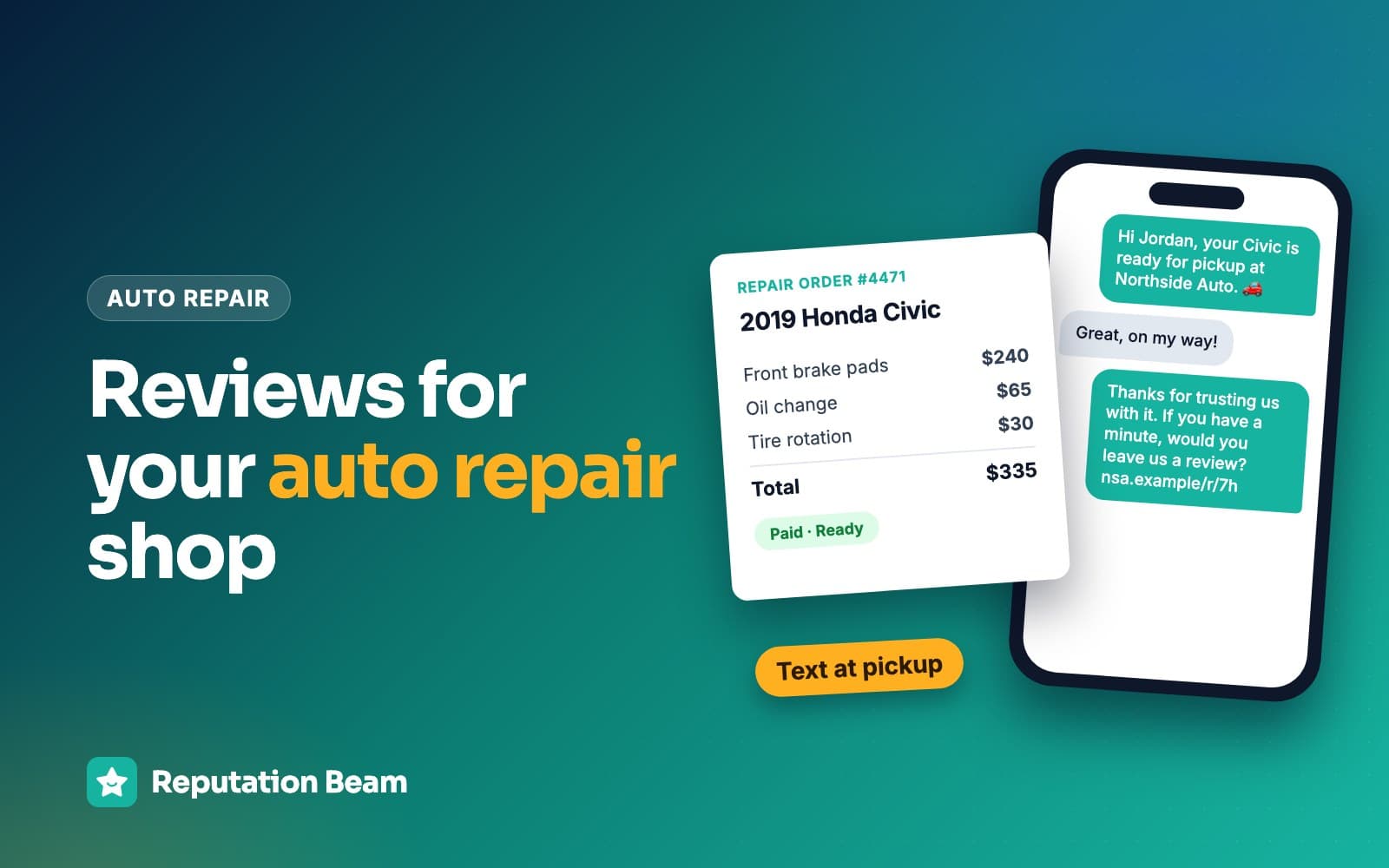
Naming the vehicle tells the customer the message is about their visit and was written for them. What it should never do is sell. Leave out the price, the deferred work, the "you're due for a timing belt" line and any coupon.
- 1
Hi Jordan,
Greeting
The name on the repair order.
- 2
it's Ridgeline Auto Repair.
Who is texting
The shop name first, so the link doesn't look like spam.
- 3
Thanks for trusting us with your Tacoma today.
The vehicle
The model, or the job in plain words. No price and no recommended work.
- 4
Would you leave an honest review of your visit on Google?
The ask
A question, with no star count and no hint about what to write.
- 5
ridgelineauto.example/review
One link
Your direct review link, so one tap opens the form.
- 6
Reply STOP to opt out.
How to stop texts
Tells the customer how to stop your texts.
Replace everything in square brackets before you send. The counter under each one shows its length.
For general repair and maintenance
Text: repair, customer waited
Hi [First name], it's [Shop name]. Thanks for bringing your [Civic] in for [the brake job] today. If you have a minute, would you review your visit on Google? [review link] Reply STOP to opt out.
Text: oil change, tire rotation or other quick service
Hi [First name], thanks for stopping in at [Shop name] today with your [Outback]. Would you take a minute to leave us an honest Google review? [review link] Reply STOP to opt out.
Text: big repair, the morning after pickup
Good morning [First name], it's [Shop name]. Thanks for trusting us with your [F-150] this week. When you have a minute, would you leave an honest review on Google? [review link] Reply STOP to opt out.
For tire shops, body shops, mobile mechanics and detailers
Text: tire and alignment shop
Hi [First name], [Shop name] here. Thanks for having us put new tires on your [RAV4] today. Would you share an honest review on Google? [review link] Reply STOP to opt out.
Text: collision or body shop after delivery
Hi [First name], it's [Your name] at [Shop name]. Thanks for your patience while we repaired your [Mazda3]. If you have a few minutes this week, we'd be grateful for a Google review: [review link] Reply STOP to opt out.
Text: mobile mechanic or detailer
Hi [First name], it's [Your name] with [Business name]. Thanks for having me out to work on your [Jetta] today. Would you leave a quick review on Google? [review link] Reply STOP to opt out.
A reminder text
Send this once, two or three days after the first request, only if they haven't reviewed. Then stop.
Text: one reminder
Hi [First name], [Shop name] again. If you still have a minute to review your visit on Google, here's the link: [review link] Thanks either way. Reply STOP to opt out.
An invoice line and a review email
The invoice line goes on every invoice and receipt, which makes it the simplest ask you have.
Line for the bottom of every invoice and receipt
Thanks for choosing [Shop name]. If you have a minute, we'd be grateful for an honest review on Google: [short review link]
For an email, write a subject line that says what the email is. The FTC's CAN-SPAM compliance guide says a commercial email's subject line "must accurately reflect the content of the message," and that the message must include a valid physical postal address and a clear way to opt out. Whether a review request counts as commercial depends on its primary purpose, which the guide explains, so including both in every review email is the safe habit. This is general information, not legal advice. Review request email templates has more versions.
Email: any repair customer
- To
- [Customer email]
- Subject
- Would you review your visit to [Shop name]?
Hi [First name],
Thanks for bringing your [Highlander] to [Shop name]. We're a small independent shop, and reviews help drivers in [town] decide who to trust with their car.
Would you leave an honest review on Google? [review link]
If anything about the repair doesn't feel right, call us at [phone number] and we'll take a look.
Thanks again, [Your name]
[Shop name], [street address, city, state, ZIP]. Don't want emails like this? [unsubscribe link]
Fleet accounts vs retail customers
A fleet account is a business: a plumbing company's vans, a delivery company's cargo vans, a property manager's trucks. The person with the full experience of your shop is usually the fleet contact who books the work, approves estimates and pays the invoices. The driver who drops off a van sees one slice of it.
| Question | Retail customer | Fleet account |
|---|---|---|
| Who gets asked | The customer on the repair order | The fleet contact |
| When | At pickup, link the same day | After the first few jobs, then on a fixed schedule |
| How often | Once per visit, one reminder at most | The same schedule for every fleet account |
| Channel | Text if they agreed, otherwise email | Usually email, where the invoices go |
| What they review | One visit | How you handle their vehicles over time |
Don't send a request after every van. A contact with twenty vehicles would get twenty asks, and the account manager would hear about it. Pick one schedule for all fleet accounts, such as after the third job and then once a year, and stick to it whether the last month went well or badly.
Drivers are the fleet company's employees, and their numbers came to you through that business. Text a driver only if they personally agreed to texts from your shop; otherwise, leave the ask with the fleet contact. Some companies have their own rules about employees reviewing vendors, and that is their call to make.
Email: fleet contact, on your fleet schedule
- To
- [Fleet contact email]
- Subject
- Would you review [Shop name] on Google?
Hi [First name],
Thanks for trusting [Shop name] with [Company name]'s vehicles this year. We ask each of our fleet customers once a year for an honest review on Google, and it helps other local businesses decide who to call.
Leave a review: [review link]
As always, if anything on your vehicles needs attention, reply here or call me at [phone number].
Thank you, [Your name]
[Shop name], [street address, city, state, ZIP]. Don't want emails like this? [unsubscribe link]
Comebacks and warranty work: fix the car first
When a car comes back with the same problem, reviews are the last thing to raise. Find the cause, fix it, stand behind your warranty and explain what happened. Then the customer gets the same request every customer gets, under the same rule, no more and no less.
You
We found it. The new sensor was fine. A corroded connector behind it was causing the fault, and we missed it the first time. That's on us, and there's no charge today.
Customer
Okay. I was pretty annoyed, honestly.
You
That's fair. If anything acts up again, call me directly and we'll get it in the same day.
Two rules, decided in advance and applied to everyone, keep comebacks fair:
- Warranty and comeback orders follow the same rule as every other repair order. A no-charge order still closes, and the customer still gets the standard request after pickup.
- How close together two requests to the same customer can be. A rule like "no more than one request per customer every [60 days]" means a customer back for a second visit is neither asked twice nor skipped because the first visit went badly.
What you must not do is connect the fix to the review. Google's policy prohibits offering incentives, "such as payment, discounts, free goods and/or services," in exchange for posting a review or for the "revision or removal of a negative review" (Google's policy). A free repair offered on the condition that a bad review comes down is that kind of incentive. So is holding back the usual request because the customer complained, or asking them to wait until you have sorted it out before they post anything.
Before
Now that we've made it right at no charge, would you mind updating your review?
After
Hi [First name], it's [Shop name]. Thanks for bringing your [Equinox] back in. Would you leave an honest review of your visit on Google? [review link] Reply STOP to opt out.
The first version, sent right after a free repair, reads as a trade. The second is the standard text every customer gets. If they choose to update an old review, that is their decision.
Why naming advisors, review quotas and rating filters break Google's rules
Three habits that show up in repair shops run into Google's Maps user contributed content policy. The policy allows merchants to ask for reviews of genuine experiences "without offering incentives to do so or attempting to influence the rating or the contents of the review." Each habit below breaks that in its own way. For the full rulebook, see Google's review policy explained.
Asking for an advisor or technician by name
The policy lists "merchants requesting that staff solicit reviews that include specific content, including content that identifies a staff member" among the things it does not allow. "Mention Jake" on a business card, in a text or at the counter is a request for specific content. Customers can name whoever they like on their own, and you can thank them for it in your reply. Recognize your techs inside the shop.
Review quotas and per-review bonuses
The same list includes "merchants requesting that staff solicit a certain number of reviews." A monthly review target per advisor is exactly that. A bonus per review rewards the count too, and it pushes advisors toward the customers who seem happiest, which leads straight into the next problem. Measure whether advisors ask every customer, the same way, and leave the count out of pay plans and contests.
Minimum-rating filters and picking who gets asked
Google says merchants may not "discourage or prohibit negative reviews, or selectively solicit positive reviews from customers." A minimum-rating filter, where the customer rates the visit first and only high scores get the Google link, is a way of selectively soliciting positive reviews. So is an advisor who skips the customer who argued about the bill, or a rule that leaves comebacks out.
The FTC's guide Soliciting and paying for online reviews says it plainly: "Don't ask for reviews only from customers you think will leave positive ones." The FTC's questions and answers on its review rule note that the rule has no specific ban on this practice, and add that "this practice could violate the FTC Act." The same page says the rule took effect on October 21, 2024, and that courts can impose civil penalties for knowing violations. The FTC fake review rule covers the rest of it. This is general information, not legal advice; talk to a lawyer about anything that matters to your shop.
The other two rules come up in shops too. Discounts and free services for reviews are out, as covered above and in the rules on review incentives. And reviews from your own techs and advisors fall under Google's conflict of interest rule, which mentions "current or former employment"; whether employees can review your business explains it.
How to reply to the three classic auto repair complaints
Every shop gets the same three complaints sooner or later: the bill was higher than the estimate, the problem wasn't fixed, and the car took too long. Once Google approves your reply, it is posted publicly under the review, and the reviewer is notified (Google Business Profile Help). Google's tips for replying ask you to be professional and polite, personalize the reply, apologize when appropriate, admit real mistakes and keep deals and promotions out of it.
The shape is the same each time: thank them, own what is yours, say what changed or what happens next, and take the details offline. The same tips say never to share private details and to invite complex issues to a phone or email conversation, so leave out prices, plate numbers and anything from the repair order. How to respond to negative reviews goes deeper, with replies for other trades.
The bill was higher than the estimate
Renee T.
GoogleDropped my car off for brakes with a quote. At pickup the total was a lot more, with charges I didn't recognize. The advisor said I'd okayed it on the phone but I don't remember agreeing to all of that.
Reply from Ridgeline Auto Repair
Renee, thank you for posting this, and I'm sorry. A total you don't recognize at pickup is a bad way to end a visit, and 'you approved it on the phone' is a weak answer when nothing is in writing. Since your visit, any work added to an estimate goes to the customer as a written update by text, and nothing starts until they reply to approve it. I'd like to talk through what was added and why. You can reach me at the shop any weekday. Dev, owner
The problem wasn't fixed
Marcus B.
GooglePaid to get my check engine light fixed. Two days later it's back on. Now I have to take more time off to bring it back.
Reply from Ridgeline Auto Repair
Marcus, I'm sorry. Paying for a repair and seeing the same light two days later is frustrating, and so is losing more time to it. We stand behind our work, and we'll look at it first thing on whatever morning suits you. If dropping it off is hard, call me and we'll work out a ride. Dev, owner
The repair took too long
Alisha K.
GoogleWas told two days. They had my car for over a week, and every time I called I got a different answer about parts.
Reply from Ridgeline Auto Repair
Alisha, thank you for the review, and I'm sorry. A week without your car is hard, and getting a different answer each time you called made it worse. You should have had one clear answer about the parts early on, without having to chase us for it. We now send a short update every day a car is waiting on parts. Dev, owner
Positive reviews deserve replies too, especially ones that mention a specific repair. How to reply to Google reviews covers both kinds.
Common mistakes auto shops make with Google reviews
Most of them come from asking at the wrong point in the visit, or from letting someone decide who gets asked.
Do
- Ask at pickup, after the walkthrough
- Send the link once the car is back in the customer's hands
- Use one counter sentence for every advisor and every customer
- Name the vehicle and leave out prices and recommended work
- Give fleets one schedule and treat warranty orders like any other
- Reply to reviews, including the angry ones
Avoid
- Ask at drop-off or in the inspection report
- Give advisors a review target or a bonus per review
- Ask customers to mention an advisor or tech
- Skip comebacks or customers who argued about the bill
- Offer a discount, a free wash or a prize draw for reviews
- Hold a tablet across the counter with your review page open
Auto shop review routine checklist
Set up once, then run on every repair order
0 of 11 done
Where Reputation Beam fits
Everything in this guide works with a phone and your invoice template. The hard part is doing it for every customer, even on a busy day.
With Reputation Beam, you add customers one at a time or import a CSV file, then send review requests by text or email from the dashboard, using templates with placeholders for the customer's name, your shop's name and the review link. Each request carries its own link, which expires after 72 hours. Each customer's permission to be texted is recorded, the default text ends with "Reply STOP to opt out," and a customer who replies STOP gets no more texts. Google and Yelp reviews arrive in one feed, and you can reply to Google reviews from there. Shops that book through Square can have Reputation Beam send a request after an appointment; others send by text or email from the dashboard.
Keep going
Some of the reviews you get will sting. How to respond to negative reviews has replies for late arrivals, price complaints and reviews from people who were never customers. Before your first review text goes out, read the rules for texting customers on consent, opt-outs and sending hours. And if you want the timing logic for other kinds of business, the best time to ask for a review goes through them one by one.
Questions people ask
Can service advisors ask customers for Google reviews?
Yes. Google allows businesses to ask for reviews of genuine experiences as long as they offer nothing in return and don't try to influence the rating or the content. Have every advisor use the same sentence with every customer at pickup, then send the link. Don't give advisors a review target: Google's policy lists merchants requesting that staff solicit a certain number of reviews among the things it does not allow.
Can I ask customers to mention my technician by name in a review?
No. Google's policy says merchants should not request that specific content be included in reviews, and it lists asking staff to solicit reviews with content that identifies a staff member. Customers are free to name anyone they like on their own, and you can thank them for it in your reply. Recognize your techs inside the shop instead of asking customers to do it in public.
Can I offer a free oil change or a discount for a Google review?
No. Google's policy prohibits offering incentives such as payment, discounts, free goods or services in exchange for posting any review, positive or negative. Yelp says incentives for reviews violate its policies, and the FTC's rule bars incentives conditioned on a review expressing a particular sentiment. Treat every customer the same whether or not they review, and keep loyalty perks separate from reviews.
Should I ask for a review after a comeback or warranty repair?
Fix the car first, and leave reviews out of that conversation. Afterward, the customer gets the same request every customer gets, under the same rule as every other repair order. Never connect the free repair to changing or removing a review: Google prohibits incentives for revising or removing a negative review. If the customer decides to update a review on their own, that is their call.
When should an auto repair shop send a review request text?
Once the car is back in the customer's hands: at pickup for customers who wait, or the same day for customers who drop off. For after-hours key-drop pickups, the next morning is a sensible rule of thumb. Don't send it at drop-off, with the inspection report or during an approval call, because the customer hasn't seen the finished work. Use the same trigger for everyone.
Should I ask auto repair customers for Yelp reviews?
Yelp says no. Its content guidelines say businesses should never ask customers to write reviews, and its business support pages warn that its software may not recommend reviews a business asked for. Ask for Google reviews, and let customers who use Yelp find you there on their own. Offering anything for a Yelp review also violates Yelp's policies.
How do I get more reviews for my auto shop without extra work?
Tie the request to something that already happens on every repair order. Add a line with your Google review link to your invoice or receipt template, and send a short text at pickup to customers who agreed to texts (email the rest). Every customer is then asked the same way and nobody has to remember. The advisor's spoken ask at pickup is the only extra step, and it is one sentence long.
Was this guide helpful?
Get the free review request checklist and new guides
Twenty checks to run before you ask customers for reviews, as a one-page PDF. After that, a short email when new guides go up, at most once a week.