Key takeaways
- Split the ask across three people: the dispatcher gets permission to text at booking, the technician says one line before leaving, and the office sends the review link once the truck has gone.
- Time the text to the visit: the next morning after a late emergency call, a day or two after an install once the system has run, and once a year for maintenance agreement customers.
- Google's policy says merchants should not ask staff to collect a certain number of reviews or reviews that name a staff member, so drop tech leaderboards, per-review bonuses and 'mention Mike' prompts.
- Every paying customer gets the same request, including the one who paid the diagnostic fee and declined the repair.
In this guide
- HVAC reputation management: how to get more Google reviews
- What the dispatcher says at booking
- The HVAC technician review script
- When to ask for a review, by type of HVAC visit
- HVAC review request text templates
- Why tech leaderboards, per-review bonuses and "mention Mike" break Google's rules
- How to reply to the classic HVAC complaints
- Seasonal volume: asking through the rush and catching up after it
- The same playbook for plumbers, electricians and other trades
- Common mistakes HVAC companies make with Google reviews
- Where Reputation Beam fits
- Keep going
HVAC reputation management mostly comes down to asking every customer for a review and answering what they write. Most HVAC companies have plenty of happy customers and a thin Google profile. The work is rarely the problem. The tech is racing to the next call, the office forgets, and the customer who said "sure, I'll leave you a review" never gets a link.
This guide shows how to get more Google reviews for your HVAC company with a routine your dispatcher, technicians and office can run on every job: what each person says, when to send the text after emergencies, installs and tune-ups, text templates you can copy, replies to the complaints every HVAC company gets, and why tech leaderboards and per-review bonuses run against Google's review policy.
If you have never asked for reviews before, how to ask customers for reviews covers the basics for every kind of business. This is the HVAC version, with the details that matter when the job happens in someone's basement or attic.
HVAC reputation management: how to get more Google reviews
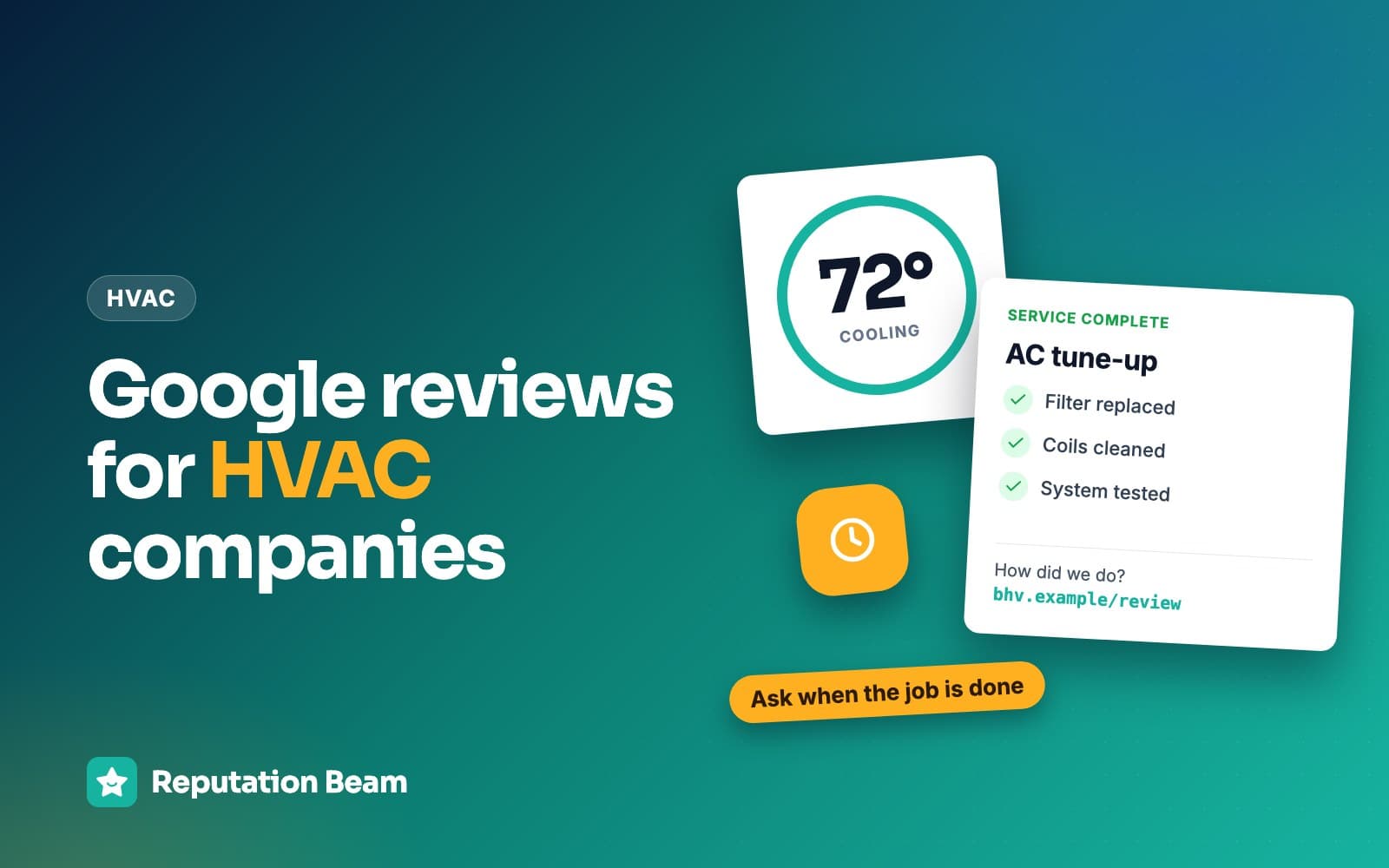
Ask every paying customer the same way, in three touches. The dispatcher asks permission to text at booking. The technician says one line about reviews before leaving. The office texts your direct Google review link after the truck has gone, timed to the type of visit. Offer nothing in return, and reply to every review.
- 1
At booking
The dispatcher asks permission to text and mentions the follow-up.
- 2
Before the tech leaves
One sentence at the door, once the system is running.
- 3
After the truck is gone
The office texts the direct review link, timed to the visit.
- 4
When a review lands
Someone replies, good or bad, within a day or two.
HVAC jobs have a quirk most review advice ignores: the person the customer trusts is the person with the least time. Your tech fixed the heat, explained the problem and wiped up the drip pan, and is already late for the next call. If the whole ask depends on that tech pulling out a phone and sending a link, it won't happen in July.
Splitting the work fixes that. The dispatcher sets the expectation, the tech makes it personal, and the office (or your software) sends the link, which is the step that actually produces a review. The text also lands better after the tech has left. A link that arrives while someone is still packing tools in your kitchen feels like being watched. An hour later, with the house cooling down, the customer can write whatever they want.
What the dispatcher says at booking
The booking call is where you get permission to text, and it's the easiest place to get it, because the customer is already giving you their name, address and number.
CTIA's Messaging Principles and Best Practices, the wireless industry's guidelines for business texting, say messages "should be sent only after the Consumer has opted-in to receive them." They also say an opt-in "should apply only to the campaign(s) and specific Message Sender for which it was intended or obtained." That second line catches a lot of HVAC companies. A customer who agreed to "your tech is on the way" texts agreed to those texts. Whether that covers a review request depends on what they were told, so put reviews in the wording.
Customer
Our furnace quit this morning and the house is getting cold.
You
Sorry to hear it. I can get a tech out between 1 and 3 today. Is this the best number to reach you?
Customer
Yes, it's my cell.
You
Can we text you at this number when the tech is on the way, and once afterwards with a link to review the visit? You can reply STOP anytime.
Customer
That's fine.
You
Thanks, I've noted it. You'll see the same line on the work order when the tech arrives.
Then put a matching line on the work order or estimate the customer already signs before the tech starts.
Text permission line for an HVAC work order or online booking form
[ ] Yes, [Business name] may text me at [phone number] about this appointment and to ask for a review afterwards. Texts may be sent using automated technology. Up to [number] texts per visit. Message and data rates may apply. Reply STOP to opt out or HELP for help. Agreeing is not a condition of any purchase. Privacy policy: [privacy policy link]
Leave the box unchecked and keep it apart from the fine print on the back of the work order: CTIA says opt-in details "should not be obscured in terms and conditions." Its guidelines also list what to keep as a record, including when and how the customer agreed and the wording they saw. The rules for texting customers covers what counts as consent, what to record and how to handle STOP replies. This is general information, not legal advice.
The HVAC technician review script
One or two sentences at the door, after the system is running and the customer has seen it work. Thank them, say a text with a link is on its way, and ask for an honest review. No star counts, no "mention my name," and no standing there while they type. The office handles the link.
You
You're all set. The heat pump is running and the house should feel warmer within the hour. Any questions about what we did?
Customer
No, that's great. Thanks for getting here so fast.
You
Glad we could. One favor: our office will text you a link in a bit. If you have a minute, an honest Google review helps a small company like ours.
Customer
Sure, I can do that.
You
Thanks. Stay warm.
Print the script and keep it on every truck visor. New techs use it word for word; experienced techs can put it in their own words, as long as the shape stays the same.
Tech script card for the truck
Before you leave every job
- Show the customer the system running.
- Ask: "Any questions about what we did today?"
- Say: "Our office will text you a link in a bit. If you have a minute, an honest Google review helps a small company like ours."
- If they say no, thank them and leave it.
Never mention stars, never ask them to name you, never wait while they write it.
Most bad tech scripts go wrong in one of a handful of ways. Each rewrite below fixes one.
Before
Five stars would really help me out.
After
If you have a minute, an honest Google review helps a small company like ours.
Google allows asking for reviews only without 'attempting to influence the rating or the contents of the review.' Naming the stars you want is exactly that.
Before
Make sure you mention Mike by name.
After
Thanks for having us out today. Our office will text you a link to review the visit.
Google's policy says merchants should not ask staff to solicit reviews with specific content, including content that identifies a staff member.
Before
Could you do it now while I'm here? I'll wait.
After
No rush. The link will be in your texts whenever you have a minute.
Waiting at the kitchen table while someone types is pressure, and it shows in the review.
Before
If anything's not right, call us before you post anything.
After
If anything's not right, call the office and we'll come back out. The review link is in your texts either way.
Offering help next to the link is good service. Asking people to hold their review runs into Google's rule against discouraging negative reviews.
Before
We get a bonus for every review, so it'd mean a lot.
After
It helps a small company like ours.
Telling the customer about a bonus adds pressure, and the bonus itself is a problem under Google's policy (see the section on tech incentives below).
When to ask for a review, by type of HVAC visit
Ask when the customer can judge the result. For a repair, that's once the system is running. For an install, after it has run for a day or two. For a no-heat or no-cool call that ends late, the next morning. For maintenance agreements, once a year at a fixed visit, the same one for every member.
| Visit | When the text goes out | Note |
|---|---|---|
| No-heat or no-cool emergency | Same day, or next morning if the call ended late | Wait if a part is on order |
| Standard repair | An hour or two after the tech leaves | The tech mentions it at the door |
| New system install | A day or two later, once it has run | Off-season installs: ask about the install |
| Tune-up, no agreement | Same day | Once per customer, not every season |
| Maintenance agreement visit | After one fixed visit a year | The same visit for every member |
| Diagnostic only, repair declined | Same day, like any paid visit | Don't skip them |
| Return visit for the same problem | No new request if the first visit got one | Treat it as one job |
These are rules of thumb. Whatever rule you pick, write it down and apply it to every customer, so nobody in the office is deciding case by case who gets asked.
No-heat and no-cool emergency calls
Emergency customers are often the most relieved people you'll serve all year, and the most tired. If the call finished mid-afternoon, text that evening. If the tech left at 11 p.m., wait for the morning: a review link at midnight from a company someone called in a panic reads like spam and invites a STOP reply. The texting guide's section on quiet hours and timing covers the rules on when texts can go out.
If the fix was temporary (the tech got the furnace running, but the inducer motor is on order), hold the request until the part is in and the job is done. The rule is the same for everyone: the request goes out when the job is finished. Asking halfway through invites a review of an unfinished job, and you'll get one.
New system installs
Install day is noisy, dusty and long. The customer can judge your crew's tidiness that evening, but they can't judge the system until it has run through a few heating or cooling cycles. So the installer mentions the review at the walkthrough, and the text goes out a day or two later.
Off-season installs need a different approach. A customer who gets new central air in late fall won't run it properly until the first hot week of summer. Ask a few days after the install anyway, and word the request around what they've already seen: the install itself. Waiting until summer means nobody remembers who you are.
Tune-ups and maintenance agreement visits
Maintenance members see your techs once or twice a year, which makes them the easiest people to ask and the easiest to annoy. Pick one visit (the first one after they sign up, say) and send the request then, the same for every member. After that, leave it. Asking after every tune-up turns your texts into noise.
If you can see a member already reviewed you, there's no need to ask again. Google's help page says that after a review is published, the reviewer "can edit it or change the rating," and that an edited review shows the date of the latest edit as its post date (Google Maps Help). If a long-time member wants to add that your tech caught a problem before it became a no-heat call, that's theirs to decide. Don't ask anyone to rewrite a review.
Diagnostic-only visits and declined repairs
They get the request. A customer who paid the diagnostic fee and decided not to replace the compressor is a paying customer with a real experience of your company. Google's policy says merchants may not "discourage or prohibit negative reviews, or selectively solicit positive reviews from customers," and skipping the people who might be lukewarm is selective asking.
These customers also write some of the most persuasive reviews you'll get. A line like "they told me the repair wasn't worth it on an old unit and didn't push" (a made-up example) does more for your next booking than another "great service."
HVAC review request text templates
Every template names the business, thanks the customer for the specific visit, asks one question, carries one link and ends with "Reply STOP to opt out." Send them only to customers who agreed to texts. Replace everything in square brackets before you send.
Each one uses your direct review link, which opens the review form instead of your Maps listing. Google's help page on creating a review link or QR code gives the steps: go to your Business Profile, choose Read reviews, then Get more reviews, and copy the link. It notes that review QR codes can only be generated in a computer browser for now. How to find your Google review link covers testing it on a phone before you use it.
Here is the standard repair text taken apart. The business and customer are made up.
- 1
Hi Renee,
Greeting by name
The name from the work order. It shows the text was meant for them.
- 2
it's Westfield Heating and Air.
Who is texting
The business name first. A link from a number they don't recognize looks like a scam.
- 3
Thanks for having us out to fix your AC today.
The specific visit
Use the customer's own words: the AC, the furnace, the heat pump. Leave out prices and model numbers.
- 4
Would you take a minute to leave an honest review on Google?
The ask
A question, with no star count and no hint about what to write.
- 5
westfieldair.example/review
One link
Your direct review link, so one tap opens the form.
- 6
Reply STOP to opt out.
How to stop texts
Tells the customer how to stop your texts.
Text: standard repair, an hour or two after the tech leaves
Hi [First name], it's [Business name]. Thanks for having us out to fix your [AC] today. Would you take a minute to leave an honest review on Google? [review link] Reply STOP to opt out.
Text: emergency call that ended late, sent the next morning
Good morning [First name], it's [Business name]. We hope the house warmed up overnight. Thanks for calling us when the heat went out. If you have a minute, would you leave an honest review on Google? [review link] Reply STOP to opt out.
Text: new system install, a day or two later
Hi [First name], it's [Business name]. Thanks for choosing us for your new [heat pump]. Now that it's had a couple of days to run, would you leave an honest review on Google? [review link] Reply STOP to opt out.
Text: off-season install, a few days later
Hi [First name], it's [Business name]. Thanks for having our crew out to install your new [central air] this week. If you have a minute, would you leave an honest review of the install on Google? [review link] Reply STOP to opt out.
Text: tune-up or the yearly maintenance agreement visit
Hi [First name], [Business name] here. Thanks for having us out for your [spring AC tune-up] today. Would you share an honest review on Google? [review link] Reply STOP to opt out.
Some homeowners, especially on big installs, would rather get an email. Keep the same shape and add the lines email needs. The FTC's CAN-SPAM compliance guide says "the subject line must accurately reflect the content of the message," and requires commercial email to include "your valid physical postal address" and a clear way to opt out. Whether a review request counts as commercial depends on its primary purpose, which that guide explains, so including both lines in every review email is the safe habit. Review request email templates has more versions.
Email: after a new system install
- To
- [Customer email]
- Subject
- A quick review of your [furnace] install?
Hi [First name],
Thank you for choosing [Business name] for your new [furnace]. We know install day is a lot of noise and people in your house, and we appreciate your patience.
Now that the system has had a few days to run, would you leave an honest review on Google? It helps other homeowners in [town] decide who to call.
Leave a review: [review link]
If anything about the new system doesn't seem right, reply to this email or call [phone number] and we'll come back out.
Thanks again, [Your name]
[Business name], [street address, city, state, ZIP]. Don't want emails like this? [unsubscribe link]
Why tech leaderboards, per-review bonuses and "mention Mike" break Google's rules
Google's review policy lists two things merchants may not ask of staff: to solicit "a certain number of reviews," and to solicit reviews "that include specific content," including "content that identifies a staff member." A leaderboard or a per-review bonus sets a number for each tech to hit. A "mention Mike" card asks for named content.
These tactics show up in plenty of advice about Google reviews for HVAC companies: contests between techs, cash for every five-star review, a bigger bonus when the review names the tech. Google's Maps user contributed content policy lists "Merchants requesting that staff solicit a certain number of reviews" and "Merchants requesting that staff solicit reviews that include specific content" among the things it does not allow. Google doesn't name leaderboards or bonuses. It names the targets they exist to create.
| Tactic | What Google's policy says |
|---|---|
| Leaderboard ranking techs by reviews | No asking staff for a certain number of reviews |
| Cash or gift card per review | The same target, with money attached |
| Bigger bonus when the tech is named | No asking for content that identifies a staff member |
| "Ask for me by name" on the tech's card | No requests for specific content |
| A discount for the customer who reviews | No incentives for posting any review |
| Asking techs or their families to review | Conflict of interest, removed |
| Asking only the customers who seemed happy | No selectively soliciting positive reviews |
The incentives line covers customers too: Google says merchants may not offer "payment, discounts, free goods and/or services" in exchange for posting any review. On reviews from your own people, Google says a conflict of interest may include "current or former employment" and "familial relationships," and the FTC's guide Soliciting and paying for online reviews says: "Don't ask your staff to write reviews of your business, at least not without ensuring that they disclose" the relationship. For the details, see can you offer incentives for Google reviews, whether employees can leave Google reviews and the full Google review policy guide.
What managers can measure instead
Managers still want a number. Measure the process, which your team controls, at the company level, and leave the reviews themselves to customers.
Measure
- How many completed jobs got the review text (the office sends it, so this measures your process)
- How many bookings have text permission recorded
- Jobs closed out in the system the same day, since closing the job is what triggers the text
- How long new reviews wait for a reply
- Return visits for the same problem
- Company-wide review count and rating, month over month
Drop
- Leaderboards ranking techs by review count
- Cash or gift cards per review
- Bigger bonuses for reviews that name the tech
- Review targets per tech or per week
- Cards or texts asking customers to mention a tech
- Asking techs' friends and family to review
Reviews that praise a tech by name will keep coming, because people remember who fixed their heat. Read them out at the Monday meeting. Keep money and rankings away from them, though: once a mention is worth cash, techs start asking for mentions. If you pay bonuses, tie them to things a tech controls, like fewer return visits and clean close-outs.
How to reply to the classic HVAC complaints
Reply to every critical review within a day or two. Thank the reviewer, own what's fair, explain your policy in a sentence without prices or private details, and give them a direct line to the owner or manager. Google notifies the reviewer when you reply, and they can still change their review afterwards.
Google's help page on replying to reviews says "the person who wrote the review is notified when you reply," and that customers "can still change their review after reading your reply." Replies are also checked against Google's content policies before they appear. A calm reply sometimes brings a reviewer back to update what they wrote. Even when it doesn't, the next homeowner reads the reply. Every review, name and business below is made up.
Dana R.
GooglePaid a diagnostic fee just for the tech to tell me I need a part he didn't have on the truck. Felt like I paid for nothing and I'm still waiting on the repair.
Reply from Cedar Ridge Heating and Air
Dana, thank you for the review. Paying for a visit that didn't end with the heat back on is frustrating, and I understand why it felt that way. The diagnostic fee covers the trip and the time it takes to test the system and find the fault, and we quote it on the booking call so nobody is surprised. Where we can do better is the wait for the part. I'd like to make sure your repair is booked the day it arrives. Please call the office and ask for me. Teresa, owner
Marcus T.
GoogleTech looked at my AC for ten minutes and went straight into a pitch for a whole new system. Got a second opinion and it was a cheap part. Total upsell.
Reply from Lakeshore Comfort Systems
Marcus, thank you for telling us, and I'm glad your AC is running again. Our techs are supposed to give every customer a repair option and a replacement option, explain the reasons for each, and let the customer choose. If you came away hearing only one option, we didn't do that. I'd like to go over the notes from your visit with you. Please call the office and ask for me directly. Ray, general manager
Jordan P.
GoogleTook three visits to fix our furnace. Each time it worked for a day and then quit again. It's fixed now, but I lost two days off work waiting for them.
Reply from Northgate Heating and Cooling
Jordan, thank you for sticking with us, and I'm sorry it took three visits. Losing two days to a repair that should have taken one is a real cost, and the repeat trips are on us. We go over every job that needs a return visit to find out what we missed, and yours is on that list. I'm glad the furnace is working now. If it gives you any more trouble, call the office and ask for me. Ana, service manager
Leave out prices, anything from the invoice and the tech's surname. Keep any fix separate from the review: Google's policy prohibits offering incentives in exchange for the "revision or removal of a negative review." Offer the return visit because the system needs it, never on the condition that the review changes. How to respond to negative reviews has more worked examples, how to reply to Google reviews covers the mechanics, and replying to positive reviews covers the easy ones.
Seasonal volume: asking through the rush and catching up after it
Review requests tend to fall apart exactly when you have the most customers: the first heat wave and the first cold snap. When the board is full and techs are running calls until 10 p.m., the review text is the first step that gets skipped. Plan for it before the season starts. Here is one way to lay out the year; shift it to your climate.
Spring
AC tune-up season. Steady volume and the best time to fix the routine before summer.
First heat wave
No-cool calls stack up. Let the office send the text when each job is closed, so techs aren't the bottleneck.
Late summer
Catch up: one request to every customer from the rush who didn't get one.
Fall
Furnace tune-ups and off-season installs. Ask about each install a few days after.
First cold snap
No-heat calls, many of them late. Next-morning texts for anything that ends after dark.
Late winter
The second catch-up, then look back at the year's process numbers.
How to catch up after the busy season
If requests slipped during the rush, send one catch-up request when it's over. Three rules keep it honest.
- Send it to every customer from that stretch who didn't get a request. Pull the list from your job history by date, all of it, so nobody is choosing who gets asked.
- Text only the customers who agreed to texts. Email the rest, or leave them out.
- Send it once. A visit from weeks ago doesn't get a reminder.
Say why it's late. People understand a busy July.
Text: catch-up request after the busy season
Hi [First name], it's [Business name]. Thanks for having us out for your [AC repair] back in [July]. It was a busy summer and we never got to ask: would you leave an honest review on Google? [review link] Reply STOP to opt out.
After that, go back to asking on every job. Catching up twice a year is a fallback. Saving requests up on purpose and sending them in batches means every customer has to remember a visit from weeks ago, and fewer of them will.
The same playbook for plumbers, electricians and other trades
Plenty of HVAC companies also run plumbing or electrical, and the three-touch routine works for every home-service trade. Only the moment the customer can judge the work changes. These are made-up rules of thumb to adapt.
When the water is back
Plumber
Text once the leak is fixed and tested. After a water heater swap, wait for the morning, when the customer has had a hot shower.
After it passes
Electrician
For a panel upgrade that needs a permit inspection, ask once it passes. For a small repair, the same day.
After the cleanup
Roofer
Ask at the final walkthrough, once the yard has been swept for nails, then text the next day.
Same afternoon
Garage door
Customers judge it the first time they drive out. Text a few hours after the tech leaves.
A fixed visit
Pest control
Many treatments take time to work. Pick one visit, the second say, and ask every customer then.
After one full cycle
Appliance repair
A washer or dishwasher needs one full run before anyone can judge the repair. Text the next day.
The best time to ask for a review goes through timing for more kinds of business, from dentists to restaurants.
Common mistakes HVAC companies make with Google reviews
If you're working out how to get more HVAC reviews and the routine above isn't producing them, the cause is usually on this list. Most of these come from the same root: asking depends on someone remembering, or on someone deciding who deserves a request.
- Leaving the whole ask to the tech at the end of a long day, with no text from the office behind it.
- Sending a link that opens your Maps listing, so the customer has to hunt for the review button.
- Asking before the job is finished: in the appointment confirmation, or while a part is still on order.
- Texting everyone in the customer list from your old software, including people who never agreed to texts.
- Putting a review QR code on the side of the truck. It invites reviews from people who never hired you, and Google's policy says merchants may not "solicit or encourage the posting of content that does not represent a genuine experience." Put your phone number on the truck and keep the review code for customers.
- Holding requests back from customers who complained, declined the repair or paid only the diagnostic fee.
- Asking maintenance members after every single tune-up.
Quick-reference checklist
The HVAC review routine
0 of 11 done
Where Reputation Beam fits
Reputation Beam handles the office side of this routine. You add customers one at a time or import them from a CSV file, and each customer's permission to be texted is recorded. A hosted opt-in form with a QR code lets customers give that permission themselves, which suits a leave-behind card.
From the dashboard, you send review requests by text or email using templates with placeholders for the customer's name, your business name and the review link. Each request carries its own link that expires after 72 hours. The default text ends with "Reply STOP to opt out," and a customer who replies STOP gets no more texts. Your Google and Yelp reviews arrive in one feed, and you can reply to Google reviews from there. Reputation Beam sends texts from the dashboard and registers each business for 10DLC through Twilio.
Keep going
For the general version of this routine, with templates for every kind of business, read how to ask customers for reviews. Before your office sends its first review text, texting customers for reviews covers consent, opt-outs and 10DLC registration. When reviews start coming in, how to respond to negative reviews has replies for late arrivals, surprise bills and repeat visits. And how to get more Google reviews without breaking the rules covers the rules and habits that apply to every business, HVAC or not.
Neighboring trades have full marketing plans too: plumbing marketing ideas, electrical contractor marketing, roofing marketing ideas and garage door marketing ideas.
Questions people ask
How can an HVAC company get more Google reviews?
Ask every customer the same way, on every job. Have the dispatcher get permission to text at booking, have the technician mention the review in one sentence before leaving, and have the office text your direct Google review link after the truck has gone. Time the text to the type of visit, offer nothing in return, and reply to the reviews you get, good and bad.
When should an HVAC technician ask for a review?
At the door, once the system is running and the customer has seen it work, with one sentence saying a text with the link is on its way. As a rule of thumb, send the text itself a little later: an hour or two after a repair, the next morning after a late emergency call, and a day or two after an install, so the new system has had time to run.
Can I give my technicians a bonus for Google reviews?
Google's review policy lists merchants asking staff to solicit a certain number of reviews, or reviews that identify a staff member, among the things merchants should not do. Google doesn't mention bonuses or leaderboards, but we read both as that kind of target, since each one asks techs for a number of reviews. Reward what techs control instead, such as fewer return visits and jobs closed out the same day, and keep money away from review counts and name mentions.
Is it OK to ask customers to mention the technician by name?
No. Google's policy says merchants should not ask staff to solicit reviews that include specific content, and it names content that identifies a staff member as an example. Customers can still name the tech on their own, and many do. Thank them for it in your reply, and leave the wording of every review to the customer.
Should I ask maintenance agreement customers for a review after every visit?
No. Pick one visit a year, such as the first one after they join, and ask every member at that same point. Asking after every tune-up turns your texts into noise and invites opt-outs. Google lets a reviewer edit a review after it is published, so a long-time member who wants to add something can do it on their own.
Do I need permission to text HVAC customers for reviews?
Get it first and keep a record. CTIA's messaging guidelines say messages should be sent only after the customer has opted in, and that an opt-in applies only to the messages it was given for, so permission for 'tech on the way' texts may not cover a review request. The easiest place to ask is the booking call, with a matching line on the work order. This is general information, not legal advice.
Should I ask a customer who declined the repair for a review?
Yes. A customer who paid the diagnostic fee and chose not to go ahead is a paying customer with a real experience of your company. Google's policy says businesses must not selectively solicit positive reviews, so the request goes to them the same way it goes to everyone else. Honest reviews from these customers often reassure people that you won't push a sale.
Was this guide helpful?
Get the free review request checklist and new guides
Twenty checks to run before you ask customers for reviews, as a one-page PDF. After that, a short email when new guides go up, at most once a week.