Key takeaways
- Claim your free Nextdoor Business Page, copy your Fave link from the dashboard and send it to every customer the same way after the job.
- A Fave and a written recommendation are separate on Nextdoor, and Nextdoor says written recommendations don't raise your Fave count, so ask for both.
- Use one rule for Google and Nextdoor so nobody gets two rounds of requests: ask which site they use, or send Google first with Nextdoor as a second line.
- Promote only from your Business Page, never from a personal account or a relative's, and offer nothing in return for a Fave or a recommendation.
In this guide
- How to get recommendations on Nextdoor in four steps
- Nextdoor recommendations vs. Faves vs. Google reviews
- How to claim your Nextdoor Business Page
- How to find your Nextdoor recommendation link
- How to ask for Nextdoor recommendations without asking twice
- Nextdoor recommendation request templates
- What to do when a neighbor asks "can anyone recommend a plumber?"
- How to reply when a neighbor criticizes your business on Nextdoor
- What not to do on Nextdoor
- Nextdoor recommendation checklist
- Where Reputation Beam fits
- Keep going
Neighbors on Nextdoor ask each other for a plumber, a painter or a dog groomer all the time, and the businesses that get named are the ones other neighbors have already vouched for. If you run a home-service or neighborhood business, that vouching is worth collecting on purpose.
This guide shows how to get recommendations on Nextdoor: claiming your free Business Page, finding the link that lets customers Fave and recommend you, asking without sending anyone two rounds of requests, answering "can anyone recommend..." threads inside Nextdoor's rules, and replying calmly when a neighbor criticizes you. There are templates for plumbers, electricians, HVAC techs, painters, handymen, groomers and dental offices.
The method is the one in how to ask customers for reviews, adapted to Nextdoor: ask every customer the same way, on the day of the job, with one easy link.
How to get recommendations on Nextdoor in four steps
Claim your free Nextdoor Business Page, copy your Fave link from the dashboard, and send it to every customer the same way after the job, by text, email or a printed card. Then show up helpfully when neighbors tag you in recommendation threads, and reply calmly to criticism. Offer nothing in return, and never post as a neighbor.
- 1
Claim your page
Claim or create your free Business Page and verify it, with your real business name and service area.
- 2
Copy your Fave link
The link from your dashboard opens your page so a neighbor can Fave and recommend you.
- 3
Ask every customer
Same words, same moment, and one rule for Google and Nextdoor, so nobody is asked twice.
- 4
Show up in threads
Thank neighbors who tag you, answer as the owner, and reply calmly to complaints.
Why bother? Nextdoor's own guide to Faves and recommendations says your Fave count "helps you rank higher in search results" and shows wherever your business appears on Nextdoor, including search results, Discover, business posts and ads. Its August 2026 self-promotion policy update puts it plainly: "The more Faves you earn, the more likely you are to show up in Search."
Nextdoor recommendations vs. Faves vs. Google reviews
On Nextdoor a neighbor can back your business in two separate ways. A Fave is one tap that says "I vouch for this business." A recommendation is a few written words about the job you did. Nextdoor's business guides call them Faves and recommendations, and when owners search for how to get reviews on Nextdoor, these two are what they're after.
They do different jobs, and Nextdoor's guide spells out the catch: "Written recommendations do not increase your Fave count." So ask for both in one breath: a Fave, plus a sentence or two if they have a minute. A customer who writes a lovely paragraph and never taps Fave has helped you less in Nextdoor search than they think.
| Nextdoor Fave | Nextdoor recommendation | Google review | |
|---|---|---|---|
| What it is | One tap of support | A written note about you | A star rating, usually with text |
| Who leaves it | A verified neighbor | A verified neighbor | Any customer who finds you on Google |
| Where it shows | Your Fave count, wherever you appear on Nextdoor | Your Business Page and the neighborhood feed | Your Business Profile on Search and Maps |
| What it helps | Showing up in Nextdoor search | Neighbors deciding whether to call | Your rating on Google |
Nextdoor's guide also says "Every neighbor on Nextdoor has gone through a registration process to ensure they live where they say they do." That gives a recommendation from three doors down real weight, and it means a customer who isn't on Nextdoor must sign up before they can Fave you.
What are Nextdoor Faves and the Fave Awards?
Nextdoor calls Faves "Real recommendations from real neighbors" and says each one "comes from a verified neighbor who hired or chose you" (Nextdoor Faves). The same page is blunt about buying them: "No ad budget. No way to buy it."
Once a year neighbors also vote in the Fave Awards, which older Nextdoor material calls Neighborhood Faves or Neighborhood Favorites. For 2026, voting ran through September 30, any neighbor in the U.S., Canada and the U.K. could vote for free, and "the businesses with the most neighbor support are recognized as Fave Awards winners." Winners get a window sticker, a trophy badge on their Business Page and featured placement in their neighborhood's Local Faves hub (Nextdoor: how to vote in the 2026 Fave Awards).
Nextdoor's advice to businesses is to share their Fave link with existing customers, which is the ask this guide already covers.
How many recommendations do you need to show up in Nextdoor search?
How to claim your Nextdoor Business Page
Before you ask anyone, claim the page neighbors will land on. It's free. Search for your business on Nextdoor, claim the page if one already exists or create one if it doesn't, then verify that you're connected to the business.
Nextdoor's answers on managing your Business Page say a page claimed with a phone number on file can be verified by a phone call or a text. Otherwise you submit documents from your account settings, and until the page is verified it can't post into the newsfeed. If you claim it with the same email address as your personal Nextdoor account, you can switch between the two profiles.
Nextdoor's Business page policy and posting guidelines set two requirements worth knowing up front:
- Your Business Page "must reflect your business's real-world name." So skip names like "Best Cheap Plumber Springfield" and use the name on your truck.
- It "must use a precise, accurate address and/or service area." P.O. boxes are not acceptable. You are "not required to publicly share your address on your Business Page," which is good news for a handyman or a mobile groomer who works from home.
Then fill in the page so a Fave turns into a phone call.
First thing neighbors see
Name and category
Your real name and the right category, so a search for an electrician finds you.
Who can find you
Service area
The neighborhoods you actually serve. Keep your home address private if you work from home.
Trust at a glance
Photo and description
A clear photo of you or your van, and two plain sentences about the jobs you take.
Easy to hire
Phone and hours
A number someone answers and your real hours, for the neighbor who wants to call now.
How to find your Nextdoor recommendation link
Your Fave link opens your Business Page so a customer can Fave you and write a recommendation. Nextdoor's Faves page says to claim your page, share your Fave link from your dashboard, and "Print it, text it, or post it wherever your customers are." Nextdoor's 2023 guide says that when a customer opens the link, they're asked to sign in or create a free account, and then they can Fave your business and leave a recommendation.
The button has moved over the years. A 2019 Nextdoor article told owners to click a tab called Your Reputation and then a Copy link button, and the 2023 guide put the link under the Page tab. If your dashboard looks different today, look for Fave link, Share or Copy link.
Once you have it:
- Open it on your phone in a private browser window, signed out, to see exactly what a customer sees.
- Save it as a text shortcut or a note on every phone that sends requests.
- Turn it into a QR code for cards, invoices and your counter, and scan the printed code before you order a box of them.
Places to put your Nextdoor recommendation link
- Text after the job
- Thank-you email
- Invoice or receipt
- Leave-behind card
- Website footer
- Email signature
- Storefront or counter sign
- An occasional Business Post
Nextdoor's guide suggests most of these itself: Business Posts, social media, email, your website and storefront signage.
How to ask for Nextdoor recommendations without asking twice
Pick one rule that decides which link each customer gets, and use it for every customer: ask which site they use, put Google first with Nextdoor as a second line, or alternate on a fixed schedule. The rule must never depend on how happy someone seemed.
Most businesses that want Nextdoor recommendations want Google reviews too. A Google request on Monday followed by a Nextdoor request on Thursday is how a pleased customer becomes an irritated one. Here are four rules that avoid it.
| Rule | How it works | Good fit | Watch for |
|---|---|---|---|
| Ask which site they use | One question at the end of the job, then send that link | Trades and groomers who talk to every customer | Ask the quiet customers too |
| Google first, Nextdoor second | One message with the Google link and a short Nextdoor line | Offices that send every request by text or email | Two links make a longer message |
| Google in the message, Nextdoor in print | Text the Google link, print the Nextdoor QR code on the invoice or card | Businesses that hand over paper anyway | Every job has to get the card |
| Alternate on a schedule | Google one month, Nextdoor the next, for everyone | Busy shops that want one link per message | Write it down so nobody improvises |
Nextdoor's Faves page suggests asking "your best customers." Ask all of them instead. The same request to everyone keeps you in line with the Google and FTC guidance above, and nobody on your team has to decide who counts as "best."
Asking which site a customer uses sounds like this. The handyman and the customer are made up.
You
That's the last shelf up, and the closet door closes properly now. Anything else you want me to look at while I'm here?
Customer
No, that's everything. It looks great.
You
Thanks. One quick question I ask everyone: are you on Nextdoor, or do you use Google more? I'll text you a link for whichever one you use.
Customer
Nextdoor, actually. Half the street found their roofer on there.
You
Then I'll send our Nextdoor link this afternoon. A Fave and a line or two about today would really help. Thanks again.
Whatever rule you choose, one customer's path should look like this, every time.
End of the job
Ask which site they use, or tell them a link is on its way.
Same day
Send one message with the link your rule picks.
A few days later
If nothing has happened, send one short reminder with the same link.
After that
Stop. Don't send the other site's link as a second round.
When "the end of the job" falls depends on the work. A repair ends when it's tested, a remodel at the final walkthrough. The best time to ask for a review has a rule of thumb for each type of business.
Nextdoor recommendation request templates
Each template names the business, thanks the customer for the specific job, asks for a Fave and a short recommendation, and carries your Nextdoor link (or a Google link first and Nextdoor second, for that rule). Replace everything in square brackets before you send. Text only customers who agreed to receive texts from you; the rules for texting customers explain what that permission looks like and how STOP replies work.
Here's a good request taken apart. The business and the customer are made up.
- 1
Hi Renee, it's Luis from Cedar Valley Heating and Air.
Name and business
Name yourself first. A link from an unknown number looks like spam.
- 2
Thanks for having us out to service your furnace today.
The specific job
One detail from the visit. Nothing private, no price.
- 3
You mentioned you're on Nextdoor,
Why Nextdoor
Ties the request to what they told you, so it reads as a follow-up.
- 4
would you Fave us and add a line about the visit?
The ask, both parts
Fave and recommendation are separate on Nextdoor, so name both. No hint about what to write.
- 5
[Nextdoor link]
One link
Your Fave link from the Business Page dashboard.
- 6
Reply STOP to opt out.
Opt-out line
Tells the customer how to stop your texts.
Text templates for trades and home services
Text: plumber, after the customer said they use Nextdoor
Hi [First name], it's [Your name] from [Business name]. Thanks for having us out to fix [the leak under the sink] today. Since you're on Nextdoor, would you Fave us and add a line about the visit? [Nextdoor link] Reply STOP to opt out.
Text: electrician, Google first and Nextdoor second
Hi [First name], it's [Business name]. Thanks for having us out to [replace your panel] today. Would you leave an honest review on Google? [Google review link] If you use Nextdoor, a Fave helps too: [Nextdoor link] Reply STOP to opt out.
Text templates for groomers and dental offices
Text: groomer or pet sitter
Hi [First name], thanks for bringing [Pet name] to [Business name] today. If you're on Nextdoor, would you Fave us and add a line about the visit? [Nextdoor link] Reply STOP to opt out.
Text: dental or medical office
Hi [First name], thank you for choosing [Practice name]. If you're on Nextdoor, a Fave and a few words about the practice would help your neighbors find us: [Nextdoor link] Reply STOP to opt out.
An email template
Email: contractor after a remodel, Google first and Nextdoor second
- To
- [Customer email]
- Subject
- Thank you, and a quick favor
Hi [First name],
Thank you for choosing [Business name] for [your bathroom remodel]. It was a pleasure working in your home.
If you have a few minutes, would you leave an honest review on Google? It helps other homeowners in [town] decide who to call.
Leave a Google review: [Google review link]
And if you use Nextdoor, a Fave and a line about the job would help your neighbors find us too: [Nextdoor link]
Thanks again, [Your name]
[Business name], [street address, city, state, ZIP]. Don't want emails like this? [unsubscribe link]
More email layouts, subject lines and footers are in review request email templates.
Printed asks
Paper reaches every customer without anyone choosing who gets one, so it suits the "Google in the message, Nextdoor in print" rule.
Leave-behind card: plumber, electrician, HVAC or handyman
Thanks for having us in your home today.
If you're on Nextdoor, a Fave helps your neighbors find a [plumber] they can trust. Scan the code or visit [Nextdoor link].
[Your name], [Business name], [phone number]
[QR code]
Invoice or receipt line
Thank you for choosing [Business name]. On Nextdoor? A Fave helps your neighbors find us: [short Nextdoor link]
A Business Post for past customers
Nextdoor's guide suggests using Business Posts to "Share a few things about your business and how much you appreciate the support of the community, then make the ask." Two of its posting rules shape how you do it: no "Repeatedly posting the same or similar content," and no "unoriginal/templated content with no personalization or original commentary." Write your own words, post rarely, and address the people who have actually hired you.
Business Post: example for a groomer (rewrite it in your own words)
[Number] years ago we opened [Business name] with one grooming table and a lot of nervous first-time dogs. Thank you to everyone in [neighborhood] who has trusted us with their pets since.
If we've groomed your dog or cat, we'd be grateful for a Fave on this page, and a line about your visit if you have a minute. It helps neighbors who are looking for a groomer.
[Your name], owner
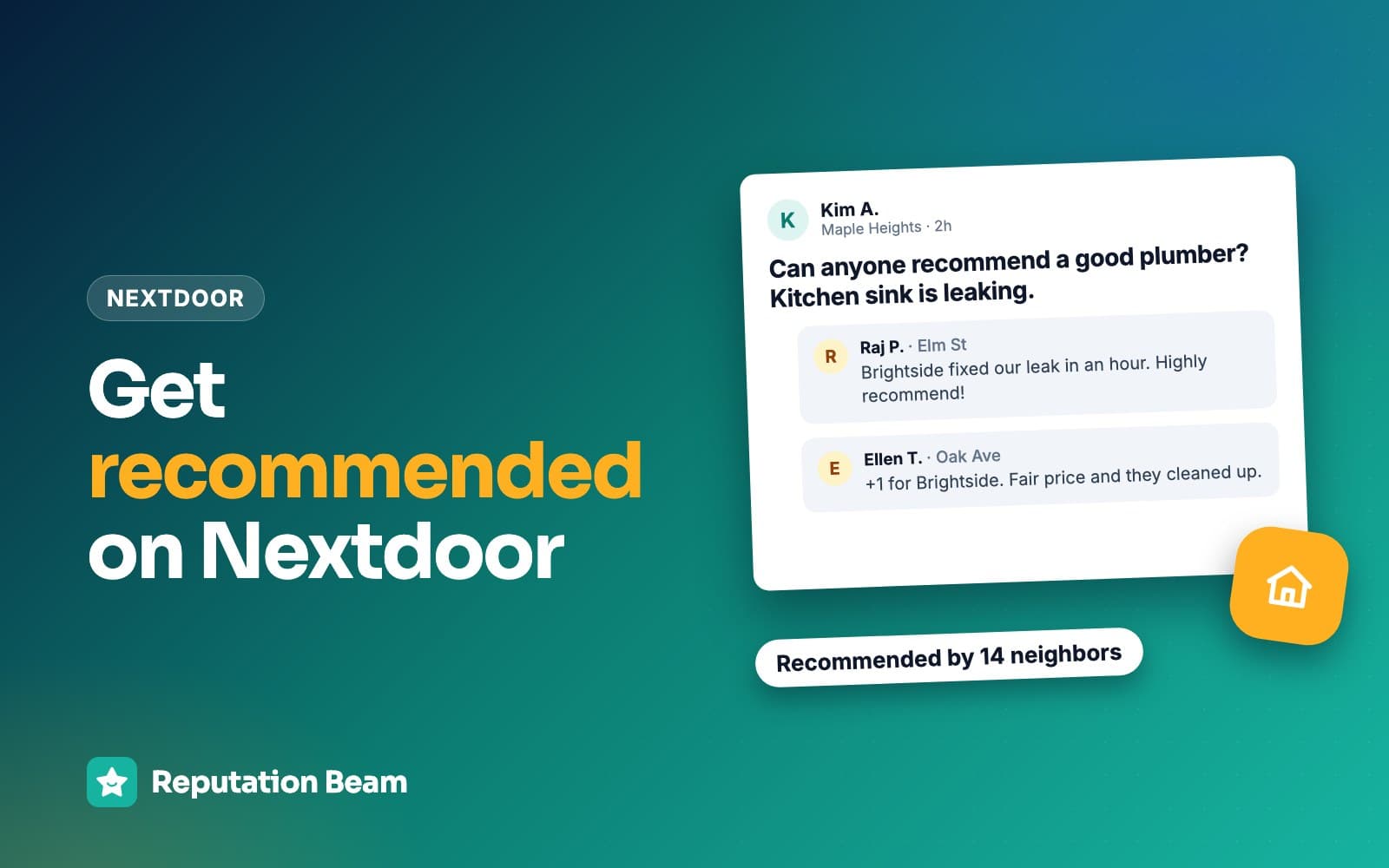
What to do when a neighbor asks "can anyone recommend a plumber?"
Let customers answer first, because a neighbor's word is what other neighbors trust. If you're tagged or asked directly, reply once from your Business Page, say you're the owner, answer the question and invite a message. Never answer from your personal account or a relative's as if you were one more neighbor.
That last point is now written policy. Nextdoor's August 2026 self-promotion update says promoting a business "must be done from a free Business Page, not a personal neighbor account," and that the change covers "posts and comments in the main feed, as well as unsolicited direct messages." Recommending a business you love stays welcome from personal accounts, which is exactly what you want your customers doing.
One honest limit: the update doesn't spell out how an owner should answer a recommendation request, and Nextdoor's September 2026 post on Local Faves describes a feature that will let businesses "engage directly in the neighborhood feed" as coming soon in the U.S. Check what your Business Page lets you do today. If it can't reply in the thread, let the tag do the work: the neighbor who asked can open your page from it.
Here is a made-up thread with a plumber replying from the Business Page.
Neighbor
Our water heater is leaking in the garage. Can anyone recommend a plumber who can come this week?
Another neighbor
We used Northgate Plumbing in March for the same thing. On time and explained everything. Tagging them.
You
Thanks for the tag, Pat. I'm Dana, the owner of Northgate Plumbing. Sorry about the leak. Closing the cold-water valve above the heater will slow it down for now. We have openings Thursday and Friday, so send us a message on our page if you'd like one.
The difference between a reply that wins work and one that gets flagged is usually tone. Each rewrite below fixes one common slip.
Before
Call us now. Best prices in town and 5 stars on Google!
After
I'm the owner of [Business name], thanks for the tag. We do [water heater replacements] in [neighborhood]. Send us a message on our page.
Plain facts and a way to reach you. Neighbors read hype as an ad.
Before
A spouse, from a personal account: My husband runs the best electrical company around, everyone should use him.
After
Let customers recommend you. If you reply, do it from the Business Page and say who you are.
Nextdoor's policy puts business promotion on Business Pages, and the FTC's guide says not to ask family and friends for reviews unless they disclose the connection.
Before
Replying to every recommendation thread in town, including ones for trades you don't do.
After
Reply where you're tagged, or where the request is for your trade in your service area.
Nextdoor's posting guidelines count contacting people with unwanted content or requests as spam.
Before
Whatever you do, don't hire [other company]. They botched my neighbor's job.
After
Say what you do and leave other businesses out of it.
Nextdoor's posting guidelines for businesses list negative posts about competitors among the things not allowed.
When a customer recommends you on their own, thank them in a line ("Thanks, Pat, glad the new heater is keeping up") and leave it there. How to respond to positive reviews has more short thank-yous you can adapt.
How to reply when a neighbor criticizes your business on Nextdoor
Reply once, from your Business Page, as soon as you can. Thank them for raising it, acknowledge the problem without arguing, keep private details out, and offer to sort it out by message or phone. Nextdoor's own guide for businesses recommends responding to negative recommendations as well as positive ones.
Nextdoor's Community Guidelines ask everyone to "Be civil and constructive, and avoid personal attacks, trolling, and public shaming." Its business policy asks businesses to be "kind, contributory, civil, and true to who they are," and its posting guidelines rule out "Posting a neighbor's information or their Nextdoor content in your post without their consent." So no screenshots of a complaint in a Business Post to set the record straight.
The neighbor who complained may not change their mind. The neighbors reading the thread are deciding whether to call you, and a calm owner is what they want to see. Two made-up replies:
Reply: painter who ran late on a job
Hi [First name], thank you for posting this, and I'm sorry we finished two days past the date we gave you. That's on us. I'd like to make sure the trim is finished the way you wanted, so I've sent you a message, or you can reach me directly at [phone number].
[Your name], owner, [Business name]
Reply: dental or medical office (confirms nothing about the person)
Thank you for taking the time to share this. We take every concern seriously and would like to hear more. Please call our office manager at [phone number] so we can talk it through.
[Practice name]
The dental reply never says the person was a patient or mentions care, the safe pattern for any health practice; HIPAA-compliant review responses explains why. For more worked replies to late arrivals, price complaints and posts from people who were never customers, see how to respond to negative reviews.
What not to do on Nextdoor
Most trouble on Nextdoor comes from a handful of habits. Here they are side by side.
Do
- Ask every customer the same way, with one rule for Google and Nextdoor
- Use your real business name and service area
- Reply from your Business Page and say you're the owner
- Thank neighbors who recommend you
- Keep private details out of every reply
- Report only posts that break Nextdoor's guidelines
Avoid
- Promote your business from your personal account
- Ask your spouse, staff or friends to post recommendations
- Offer a discount, a gift or a prize entry for a Fave
- Create a second account or a page under a made-up name
- Message neighbors who never hired you to ask for Faves
- Ask only the customers who seemed happy
Neighbors posting on your behalf
The FTC's guide on soliciting and paying for online reviews says "Don't ask your staff to write reviews of your business" and "Don't ask family and friends for reviews," unless they disclose the relationship. To neighbors, a relative's account praising the family business looks like the personal-account promotion Nextdoor's policy moved to Business Pages. Google treats staff and family reviews as a conflict of interest too; can employees leave Google reviews covers that side.
Discounts, gifts and prize draws
Nextdoor's Faves page says there is "No way to buy it." The FTC's guide says "If you offer an incentive for a review, don't condition it, explicitly or implicitly, on the review being positive," and that "Even without that condition, the review should disclose the incentive." Google goes further and prohibits incentives "such as payment, discounts, free goods and/or services" in exchange for any review. Since most businesses ask for Google reviews as well, the simple policy is no incentives anywhere. Can you offer incentives for Google reviews and the FTC fake review rule go deeper.
Fake accounts and made-up names
Nextdoor's Community Guidelines include "Use your true identity" and say "We ask everyone to use their real name and identity." If business content breaks the rules, Nextdoor's business policy says it may warn you, remove the content, put your account on read-only access, suspend it or remove your Business Page, and that it can act without contacting you first.
Mass messages
Nextdoor's posting guidelines count "Sending large amounts of direct messages to users who are not expecting them" as spam, and the August 2026 update covers unsolicited direct messages. Ask the people who hired you, through the channels they gave you.
Nextdoor recommendation checklist
Before you send your first Nextdoor request
0 of 11 done
Where Reputation Beam fits
Reputation Beam reads Google and Yelp reviews, not Nextdoor. Your Google and Yelp reviews show up together in one feed in the dashboard, and you can reply to Google reviews from there. Nextdoor Faves and recommendations stay on your Nextdoor Business Page, so check them there.
Where it helps is the other half of the rule in this guide: getting the Google request to every customer. You add customers one at a time or import a CSV file, then send review requests by text or email from the dashboard, using templates with placeholders for the customer's name, your business name and the review link. Each request carries its own link that expires after 72 hours. Each customer's permission to be texted is recorded, and a customer who replies STOP gets no more texts.
Keep going
Nextdoor works best alongside Google, so the next step is how to get more Google reviews without breaking the rules, starting with your Google review link and how to test it. If you run a heating and cooling business, getting more Google reviews for your HVAC company covers your trade. And once the recommendations come in, using customer reviews in marketing shows how to use them on your website and in your marketing. Nextdoor is one of several listings worth claiming: business listing sites that matter covers the others by kind of business, and how to ask for referrals covers word of mouth away from the app.
Questions people ask
How do I get my Nextdoor recommendation link?
Claim your free Nextdoor Business Page, then copy your Fave link from the business dashboard. Nextdoor's Faves page says to print it, text it or post it wherever your customers are. Older Nextdoor guides placed the link under a Page tab, or a Your Reputation tab with a Copy link button, so if your menu looks different, look for Share or Copy link. Open the link on your own phone before you send it to anyone.
What is the difference between a Fave and a recommendation on Nextdoor?
A Fave is a one-tap endorsement from a verified neighbor, and your Fave count shows wherever your business appears on Nextdoor. A recommendation is a written note about your business that appears on your Business Page and in the neighborhood feed. Nextdoor's business guide says written recommendations do not increase your Fave count, so when you ask, mention both: a Fave, plus a sentence or two if the customer has time.
How many recommendations do you need to show up on Nextdoor?
Nextdoor doesn't publish a minimum on its current pages. Some marketing guides repeat a figure of three recommendations for appearing in search, but we could not confirm it on Nextdoor's own help pages or blog. What Nextdoor does say, in its August 2026 policy update, is that the more Faves a business earns, the more likely it is to show up in Search. Ask every customer and let the count grow.
Can I recommend my own business on Nextdoor?
Not from your personal account. Nextdoor's August 2026 self-promotion update says promoting a business must be done from a free Business Page, not a personal neighbor account, and it covers comments as well as posts. Nextdoor also asks everyone to use their real name and identity. If a neighbor asks for a recommendation and tags you, reply as the business and say you're the owner. Don't ask relatives or friends to post for you.
Can I offer a discount for a Nextdoor recommendation or Fave?
Don't. Nextdoor's Faves page says there is no way to buy a Fave, and the FTC's guide for businesses says an incentive must never be conditioned on a positive review and should be disclosed even when it isn't. Google bans incentives for reviews outright, so a discount tied to reviews causes trouble the moment you also ask for Google reviews. Thank every customer the same way, whether or not they Fave you.
Can I get a negative recommendation removed from Nextdoor?
Nextdoor lets members report posts and neighbors that break its Community Guidelines. It also asks people to check that content truly breaks the guidelines before reporting, since disagreeing with an opinion is no reason to report, and it says misusing the report feature can affect your access. An honest complaint from a real customer usually stays up. A short, calm reply from your Business Page that offers to fix the problem is what other neighbors will read.
Should I ask customers for Nextdoor recommendations or Google reviews?
Pick one rule and use it for every customer. Many businesses send their Google review link as the main ask and add the Nextdoor link as a second line, or print it on the invoice. Others ask at the end of every job which site the customer uses and send that link. Either way, each customer gets one request, and nobody is picked out because they seemed happy or skipped because they didn't.
Was this guide helpful?
Get the free review request checklist and new guides
Twenty checks to run before you ask customers for reviews, as a one-page PDF. After that, a short email when new guides go up, at most once a week.