Key takeaways
- A review request email needs a sender name the customer recognizes, a short honest subject line, thanks for the specific job, one question and one link to your Google review page.
- Keep subject lines short and literal. The 34 examples here are under 40 characters, and none promise anything the email doesn't contain.
- Send every customer the same email at the same point, with no incentive and no star count, and leave Yelp out: its guidelines say businesses should never ask for reviews.
- Put your postal address and an unsubscribe line in every review email. Whether CAN-SPAM applies depends on the email's primary purpose, and the footer costs nothing.
In this guide
- What goes in a review request email template
- Review request email subject line examples
- Who the email should come from
- Plain text or designed HTML email
- When to send a review request email
- Rules every review request email has to follow
- Sample emails asking for a Google review, by situation
- Follow-up email asking for a review
- CAN-SPAM basics for review request emails
- Common mistakes in review request emails
- Where Reputation Beam fits
- Keep going
A review request email works when it arrives soon after the job, sounds like it came from a person and opens your review form in one tap. Email suits customers who haven't agreed to texts and jobs big enough to deserve a proper thank-you. This guide gives you a review request email template for each situation a local business runs into, ready to copy.
You'll find emails for after a home-service job, after a dental, vet or salon appointment, after a car repair, after a restaurant reservation, after a closing, for past customers, for business clients and for a job that needed a second visit. There's one follow-up email, 34 subject lines under 40 characters, and the details that decide whether it works: who the email should come from, plain text or HTML, how it looks on a phone, when to send it and what CAN-SPAM asks of you.
Every template asks every customer the same way, with one link to your Google review page and nothing offered in return. If you'd rather text, or want the spoken ask that comes before the email, start with how to ask customers for reviews, which has text and in-person versions.
What goes in a review request email template
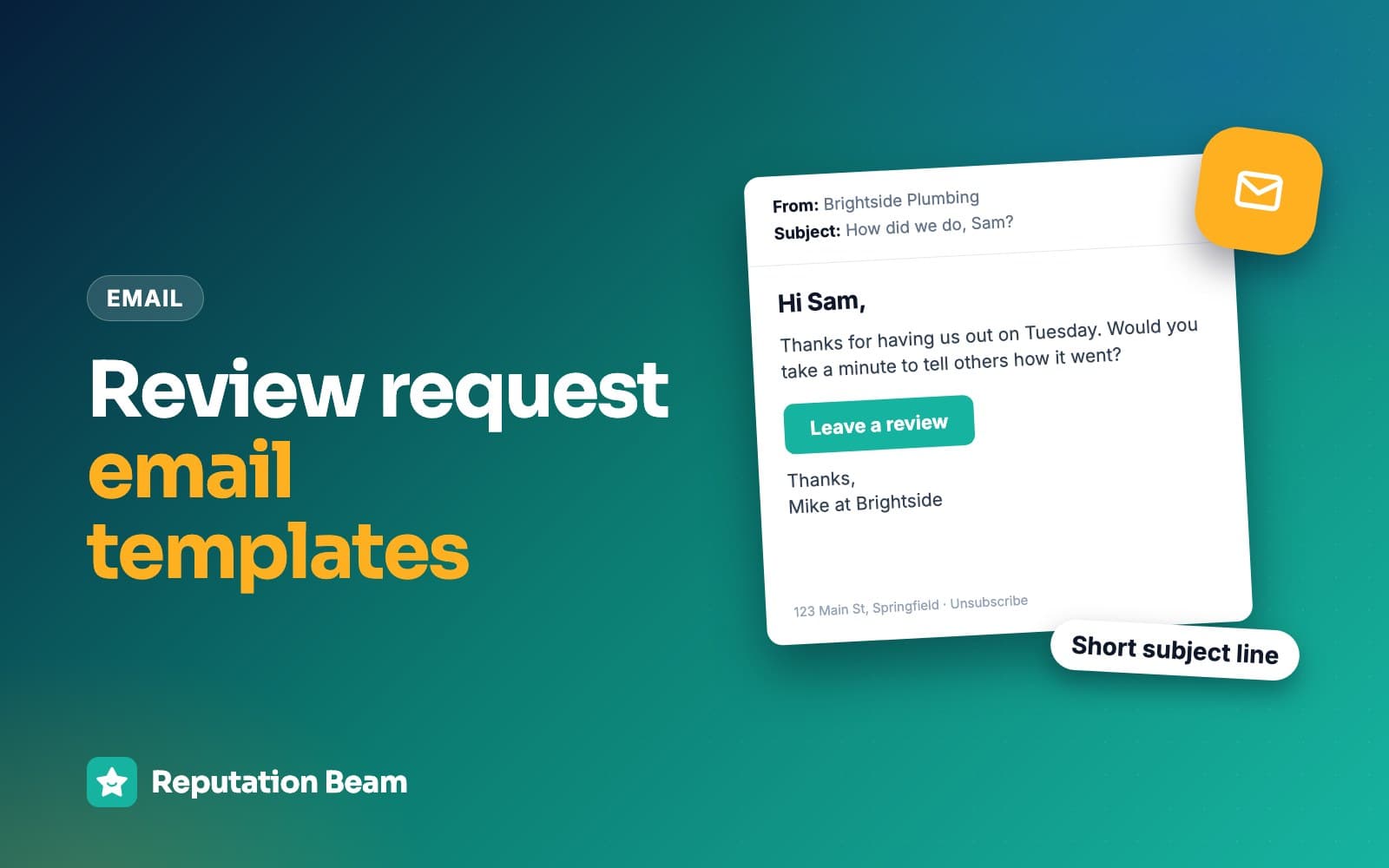
A review request email needs a sender name the customer recognizes, a short honest subject line, a greeting by name, thanks for the specific job, one question asking for an honest review, one link to your Google review page, and a footer with your postal address and an unsubscribe line. As a rule of thumb, keep the body under 100 words.
Here is a complete one, taken apart. The plumber, the customer and the address are made up.
- 1
Ana at Ridgeway Plumbing
Sender name
A person and a business the customer recognizes. The FTC's guide says the From line must accurately identify who sent the email.
- 2
Thanks for having us out today
Subject line
Short and literal. It says what the email is.
- 3
Hi Tom,
Greeting
First name only. Set a fallback such as Hi there for customer records with no name.
- 4
Thanks for having us out this morning to replace the shutoff valve under your kitchen sink.
Thanks for the specific job
One detail from the visit. No price, nothing private.
- 5
Would you take a minute to leave an honest review on Google? It helps people nearby decide who to call.
The ask
One question. No star count and no hint about what to write.
- 6
Leave a Google review: ridgewayplumbing.example/review
One link
Your direct review link, as a button or on a line of its own. Nothing else to click.
- 7
If anything isn't right, reply here or call 555-0142 and we'll come back.
Help, offered to everyone
Good service sits next to the link, never in place of it. Every customer gets the same line.
- 8
Ridgeway Plumbing, 210 Mill Street, Springfield, ST 00000. Unsubscribe
Footer
Your postal address and a way to opt out. The CAN-SPAM section below explains why.
Three numbers are worth keeping in your head while you adapt any template below.
Under 40
Characters in the subject line, as a rule of thumb
1 link
Your Google review link, and nothing else to click
1 follow-up
Three to five days later, then stop
If your email tool fills in names for you, decide what happens when a customer record has no first name. "Hi there," reads fine. "Hi ," with a gap reads like a robot sent it. Test with a record that has a blank name before you send to anyone.
Review request email subject line examples
Good review request subject lines are short, literal and personal: they say thanks, or they ask the question the email asks. Keep them under about 40 characters so they're less likely to be cut off in a phone's inbox, and never promise something the email doesn't contain.
That last point is also the law for commercial email: the FTC's CAN-SPAM compliance guide says "The subject line must accurately reflect the content of the message." Every line below is under 40 characters as written. Lines with a placeholder in square brackets can grow past that once you fill in a long business name, so count again.
Start with the plain ones. They work for almost any business.
Plain and personal
- How did we do?
- Thanks for choosing us
- Would you review us on Google?
- Got a minute for a review?
- Your honest review would help
- Thank you, and one small ask
- Could you share your experience?
- A small favor from our team
- Help your neighbors find us
- A quick favor, [First name]?
Putting your business name in the subject helps when customers don't know the sender address, or when your business name is short.
With your business name
- Review [Business name] on Google?
- Thanks from [Business name]
- [Business name]: how did we do?
- A note from [Business name]
- Your review of [Business name]
- [First name], thanks from us
Situation lines name the job, which tells the customer at a glance that this email is about them.
For a specific situation
- Thanks for having us out today
- Thanks for trusting us with your car
- How was dinner last night?
- Thanks for visiting [Practice name]
- Thanks for bringing [Pet name] in
- Thanks for coming in today
- Congratulations on the new home
- Thanks for working with us this year
- Thanks for letting us come back
- How did the [kitchen remodel] turn out?
- Thanks for having us this week
- How was your first month with us?
The follow-up gets its own subject line, so the customer can tell it apart from the first email.
For the one follow-up
- A quick reminder about your review
- Still have a minute for a review?
- One last note about your review
- Your review link, one more time
- In case you missed our note
- No pressure, one quick reminder
Subject lines to avoid
Some subject lines trick people into one open and cost you their trust after that. Others break a rule. Each rewrite below fixes one.
Before
Re: Your invoice #4471
After
How did we do, [First name]?
A fake reply or invoice line misleads. The FTC's guide says the subject line must accurately reflect the content.
Before
Leave us a 5-star review!
After
Would you review us on Google?
Google's policy allows asking for genuine reviews without attempts to influence the rating. Naming the stars you want is exactly that.
Before
Review us, get a free car wash
After
Thanks for trusting us with your car
Google's policy prohibits incentives in exchange for posting any review, and the offer turns the email into a promotion.
Before
URGENT: action needed on your account
After
A quick favor from [Business name]
False urgency is misleading, and it looks like phishing.
Before
We need your feedback ASAP
After
Got a minute for a review?
A review is a favor. Pressure in the subject line reads like a blast to a list.
Many email apps also show a line of preview text after the subject, usually taken from the start of the email. Make your first sentence the one you'd want there: "Thanks for having us out to fix the leak today" beats "View this email in your browser."
Who the email should come from
Send it from a name the customer will recognize: the person who did the work, the person they dealt with, or the business itself. The FTC's guide says your "From," "To," "Reply-To" and routing information must be accurate and identify the person or business who initiated the message, so use real names of real people at your business.
| From name | Example (made up) | Fits |
|---|---|---|
| Person and business | Ana at Ridgeway Plumbing | Trades, agents, owner-run shops |
| Business name | Harbor Lane Dental | Clinics, restaurants, front-desk teams |
| Team and business | The team at Willow Creek Grooming | Salons, groomers, studios with rotating staff |
| Account manager and business | Priya Shah, Northgate Bookkeeping | Business clients |
Send from your business's own email address where you can, so the address matches the name. Then check where replies go. Some customers will hit reply instead of clicking the link, sometimes to ask a question or mention something that wasn't right, and those replies need to reach a person. If your system sends from a no-reply address, put a phone number or a monitored email address in the body so customers can still reach you.
Plain text or designed HTML email
Either works. A plain email feels personal and has nothing to break, and a simple HTML email adds a large button that's easy to tap. The design that hurts is the newsletter style, with banners, social icons and several links, which reads like marketing and buries the one thing you want the customer to do.
Feels like a note
Plain text
Looks like an email from a person, and you can send it from your normal email app. Put the link on a line of its own, or link the words "Leave a Google review." Best for trades, agents and anyone sending requests one at a time.
Easy to tap
Simple HTML
One column, your logo at most, and one large button. Write the link out under the button too, for email apps that strip formatting. Best when a front desk or a tool sends the same email to every customer.
Use one link: your Google review link
Every template in this guide uses one link: your direct Google review link, which opens the review form for your business. Google's help page on review links and QR codes says to go to your Business Profile, select Read Reviews, then Get more reviews, and select Copy. The same page suggests including the link in thank-you emails. How to find your Google review link covers the steps and how to test it.
One link means one decision. A second link (Facebook, your website, a list of review sites) gives the customer a choice to make, and the easiest choice is to close the email. Open the link on your own phone before you send it to anyone, to check it lands on the review form for the right business.
Write for the phone first
Assume the customer reads your email on a phone, the same one they'd write the review on, and test for that screen first.
Do
- One column, short paragraphs
- The ask and the link within the first screen
- A button big enough to tap with a thumb
- The link written out under the button as well
- Send yourself a test and open it on your phone
Avoid
- Putting the request or the button inside an image
- Attachments, such as a PDF of the invoice
- Small gray link text in the footer
- Several columns that shrink on a small screen
- Linking to your Maps listing or homepage instead of the review form
Some email apps don't load images until the reader allows them. If your request is a picture with the words and the button drawn on it, those customers see a blank box. Use real text and a real button.
When to send a review request email
Send it the same day the job is finished, a few hours after the customer leaves your business or you leave their home. By then they've seen the result and they still remember the visit. If there's no review after three to five days, send one follow-up, then stop. Use the same timing for every customer.
What "the job is finished" means depends on the business. Here's a rule of thumb for common local businesses. The best time to ask for a review goes into more detail by trade.
| Business | Send the email | Why then |
|---|---|---|
| Plumber, electrician, HVAC | The evening of the job | The repair has had a few hours to prove itself |
| Roofer, remodeler, painter | A day or two after the final walkthrough | They've seen the finished work in daylight |
| House cleaner, lawn care | After the second visit | Same point for every client, once they know your work |
| Dentist, chiropractor, therapist | Later the same day | They're home, and the visit is fresh |
| Vet, groomer | The evening after pickup | The pet is home and settled |
| Salon, barber, spa | A few hours after the appointment | They've seen the result in their own mirror |
| Auto repair | The day after pickup | They've driven the car |
| Restaurant | The next morning | After the evening, before the week takes over |
| Real estate agent | A few days after closing | After the keys and the move |
| Business client | When a project wraps up, or at a yearly check-in | Same trigger for every client |
Two timing habits work against you. The first is saving requests up and sending a batch at the end of the month, when customers have to remember a visit from weeks ago. The second is asking repeat customers after every visit. Pick one point and use it for everyone.
Rules every review request email has to follow
Ask for an honest review, the same way, from every customer. Don't offer anything for it, don't name a star rating, don't suggest what to write and don't ask for Yelp reviews. Google, Yelp and the FTC each have a rule behind one or more of those. This is general information, not legal advice.
| In the email | Verdict | Where the rule comes from |
|---|---|---|
| Would you leave an honest review on Google? | Fine | Google allows asking for genuine reviews |
| Leave us 5 stars | Don't | Google: no attempts to influence the rating |
| Review us and get a free add-on | Don't | Google: no incentives for any review |
| Mention our technician by name | Don't | Google: don't request specific content |
| Please review us on Yelp | Don't | Yelp: businesses should never ask |
| Sent only to customers who seemed happy | Don't | Google and the FTC's guide |
Google's Maps user contributed content policy allows merchants to "Solicit or encourage the posting of content that does represent a genuine experience," as long as they offer no incentive and make no attempt to influence the rating or the text. The same policy says merchants may not "Discourage or prohibit negative reviews, or selectively solicit positive reviews from customers," and may not offer incentives, "such as payment, discounts, free goods and/or services," in exchange for posting any review. It also says merchants should not "request that specific content be included." Google's review policy for businesses goes through the rest of it.
The FTC's guide Soliciting and paying for online reviews puts the fairness rule plainly: "Don't ask for reviews only from customers you think will leave positive ones." It also says not to ask for reviews from people who haven't used your product or service, so a request goes to customers, never to a bought list or your social media followers. For more on gifts and prize draws, see whether you can offer incentives for Google reviews, and for the federal rule on fake and bought reviews, the FTC fake review rule.
The practical answer is to take the decision out of anyone's hands: every paid job gets the same email at the same point.
Sample emails asking for a Google review, by situation
Each sample email below names the business early, thanks the customer for one specific thing, asks one question and carries one link. Replace everything in square brackets before you send, and keep the footer on every one. The bracketed details in the thanks line (the job, the pet's name, the car) should be general enough that nobody reading over the customer's shoulder learns anything private.
After a home-service job
For plumbers, electricians, HVAC techs, garage door companies and handymen, send this the evening of the job. If the tech asked in person before leaving, this is the link they promised. How to get more Google reviews for your HVAC company has more for trades.
Email: plumber, electrician or HVAC after a repair
- To
- [Customer email]
- Subject
- Thanks for having us out today
Hi [First name],
Thanks for having us out today to [replace the shutoff valve under your kitchen sink]. I hope everything's working the way it should.
Would you take a minute to leave an honest review on Google? Reviews help people in [town] decide who to call when something breaks.
Leave a Google review: [review link]
If anything isn't right, reply to this email or call [phone number] and we'll come back out.
Thanks, [Your name], [Business name]
[Business name], [street address, city, state, ZIP]. Don't want emails like this? [unsubscribe link]
For recurring services such as house cleaning, lawn care, pool service or pest control, pick one point (after the second visit works for most) and send it to every new client then.
Email: house cleaning or lawn care after the second visit
- To
- [Customer email]
- Subject
- Thanks for having us this week
Hi [First name],
Thanks for having [Business name] out for your [weekly cleaning]. We've been to your place twice now, so you have a good sense of how we work.
If you have a minute, would you share an honest review on Google? [review link]
Want something done differently next time? Reply and tell us.
[Your name], [Business name]
[Business name], [street address, city, state, ZIP]. Don't want emails like this? [unsubscribe link]
After a dental appointment
Health practices need the most restraint. Say "your visit" and nothing more about it. This version also works for chiropractors, physical therapists, optometrists and medical offices. How to get more Google reviews for your dental practice covers the rest of a practice's routine.
Email: dental office, no visit details
- To
- [Patient email]
- Subject
- Thanks for visiting [Practice name]
Hi [First name],
Thank you for choosing [Practice name]. If you have a minute, we'd be grateful for an honest review of your visit on Google. It helps people in [town] find a dental office they feel comfortable with.
Leave a review: [review link]
Thank you, the team at [Practice name], [phone number]
[Practice name], [street address, city, state, ZIP]. Don't want emails like this? [unsubscribe link]
After a vet or grooming visit
Pet owners like seeing their pet's name. Keep it to that and leave out what the visit was for.
Email: vet, groomer or boarding
- To
- [Customer email]
- Subject
- Thanks for bringing [Pet name] in
Hi [First name],
Thanks for bringing [Pet name] to [Business name] today. It was good to see you both.
Would you leave an honest review of your visit on Google? Other pet owners nearby read them when they're choosing a [vet / groomer].
Leave a review: [review link]
See you next time, [Your name], [Business name]
[Business name], [street address, city, state, ZIP]. Don't want emails like this? [unsubscribe link]
After a salon or barber appointment
Send it a few hours after the appointment, once they've seen the result at home. How to get more salon reviews has the counter script and the text version.
Email: salon, barber or spa
- To
- [Client email]
- Subject
- Thanks for coming in today
Hi [First name],
Thanks for coming in to [Business name] today. We hope you're enjoying the new [cut].
We're a small team, and reviews help new clients find us. Would you leave an honest review on Google? [review link]
If anything needs a touch-up, reply here or call [phone number].
[Your name], [Business name]
[Business name], [street address, city, state, ZIP]. Don't want emails like this? [unsubscribe link]
After a car repair
The day after pickup works well, once the customer has driven the car. How to get more Google reviews for your auto repair shop covers the pickup conversation.
Email: auto repair, tires or detailing
- To
- [Customer email]
- Subject
- Thanks for trusting us with your car
Hi [First name],
Thanks for bringing your [car] to [Business name]. Now that you've had a chance to drive it, would you leave an honest review of your visit on Google?
Leave a review: [review link]
If you notice anything, call us at [phone number] and we'll take another look.
[Your name], [Business name]
[Business name], [street address, city, state, ZIP]. Don't want emails like this? [unsubscribe link]
After a restaurant visit or reservation
Send this the next morning to every reservation guest who gave an email address. Walk-in guests can get the same ask from a receipt line or a table card; Google review QR codes covers printing one, and getting more Google reviews for your restaurant covers the rest.
Email: restaurant, for reservation guests
- To
- [Guest email]
- Subject
- How was dinner last night?
Hi [First name],
Thanks for dining with us at [Restaurant name] last night. We hope it was a good evening.
If you have a minute, would you leave an honest review on Google? It helps people nearby decide where to eat.
Leave a review: [review link]
Thanks again, and we hope to see you soon. [Your name], [Restaurant name]
[Restaurant name], [street address, city, state, ZIP]. Don't want emails like this? [unsubscribe link]
After a home closing
For real estate agents, a few days after closing, once the keys are handed over and the boxes are in. A phone call first, then this email with the link, feels natural. How to get Google reviews as a realtor has the call script.
Email: real estate agent after closing
- To
- [Client email]
- Subject
- Congratulations on the new home
Hi [First name],
The keys are yours. Congratulations again on [your new home on Maple Street].
Working with you these past [few months] was a pleasure, and I'd like to ask one favor. Would you write an honest review on Google about what it was like to work with me? Buyers and sellers in [town] read them when they're choosing an agent.
Write a review: [review link]
If anything comes up with the house, from finding a contractor to a question about your closing papers, call or text me at [phone number].
[Your name], [Brokerage name]
[Brokerage name], [street address, city, state, ZIP]. Don't want emails like this? [unsubscribe link]
For sellers, change the subject to "Congratulations on the sale" and the first line to match.
For a past customer
A business that has never asked can send this once to every customer from a date range it picks in advance (everyone from the past year, say), then switch to asking after each job. Pick the range first and send to everyone in it. A hand-picked list of favorites is exactly the selective asking Google's policy prohibits.
Email: one-time ask to past customers
- To
- [Customer email]
- Subject
- Would you review us on Google?
Hi [First name],
It's been a while since we [serviced your furnace], and we never asked you for a review. We're fixing that by asking every customer from the past [year] the same thing: would you leave an honest review of [Business name] on Google?
[review link]
If anything from that job needs a second look, reply and let us know.
[Your name], [Business name]
[Business name], [street address, city, state, ZIP]. Don't want emails like this? [unsubscribe link]
For a business client
If your customers are other businesses (commercial cleaning, bookkeeping, IT support, signs and printing, catering), this is how to ask a client for a review via email. Send it from the person who manages the account to the person they deal with day to day, at the same point for every client: when a project wraps up, or at a yearly check-in.
Email: business client (B2B)
- To
- [Client contact email]
- Subject
- Thanks for working with us this year
Hi [First name],
Thank you for working with [Business name] on [your office cleaning] this year. It's been good getting to know the team at [Client company].
Would you be willing to write an honest review of working with us on Google? Other business owners in [town] read reviews when they're choosing a [commercial cleaner], and a few sentences from you would help them.
Write a review: [review link]
Thanks, [Your name], [Your title], [Business name]
[Business name], [street address, city, state, ZIP]. Don't want emails like this? [unsubscribe link]
After a problem was fixed
Some jobs need a second visit. The customer still gets the request every customer gets, sent when the job is actually finished, worded to acknowledge what happened. Here a garage door company came back to adjust a door.
Email: after a callback or second visit
- To
- [Customer email]
- Subject
- Thanks for letting us come back
Hi [First name],
Thanks for your patience with [the garage door opener], and for letting us come back on [Tuesday] to [adjust the sensors]. I'm sorry it took two visits.
We ask every customer for an honest review once the job is done, and yours is done now. If you have a minute, would you share your experience on Google? [review link]
If anything still isn't right, reply or call me directly at [phone number].
[Your name], [Business name]
[Business name], [street address, city, state, ZIP]. Don't want emails like this? [unsubscribe link]
Follow-up email asking for a review
Send one follow-up three to five days after the first email, only to customers who haven't reviewed yet, and then stop. Make it shorter than the first email, use the same link, and thank them whether or not they review. Before you send it, check your new Google reviews and skip anyone whose name is already there.
The day of the job
Send the first email a few hours after the visit.
Three to five days later
One follow-up, only to customers who haven't reviewed.
After that
Stop. No third email about the same visit.
Whenever someone unsubscribes
Take them off your list right away. The FTC's guide says opt-outs must be honored within 10 business days.
Email: one follow-up, any business
- To
- [Customer email]
- Subject
- A quick reminder about your review
Hi [First name],
A few days ago we asked whether you'd review your [visit] with [Business name] on Google. If you still have a minute, here's the link again: [review link]
If not, no problem at all. Thanks for choosing us.
[Your name], [Business name]
[Business name], [street address, city, state, ZIP]. Don't want emails like this? [unsubscribe link]
Customers who unsubscribed after the first email don't get the follow-up. A customer who replied with a complaint gets a reply from a person first. Their follow-up still goes out like everyone else's, because holding it back from unhappy customers is selective asking.
CAN-SPAM basics for review request emails
CAN-SPAM is the US federal law on commercial email. For commercial messages, the FTC's compliance guide requires accurate header information, honest subject lines, your valid postal address, a clear way to opt out, and opt-outs honored within 10 business days. Whether an email is commercial depends on its primary purpose. Put an address and an unsubscribe line in every review email.
This is general information, not legal advice. Everything below comes from the FTC's CAN-SPAM Act compliance guide for business.
The primary purpose test
The guide says "What matters is the 'primary purpose' of the message," and sorts email content into three kinds. Commercial content "advertises or promotes a commercial product or service." Transactional or relationship content "facilitates an already agreed-upon transaction or updates a customer about an ongoing transaction"; its list includes confirming a purchase, warranty, recall, safety or security information, and changes to a membership or account. Other content is "neither commercial nor transactional or relationship."
A review request isn't on the guide's list of transactional or relationship content, and the guide doesn't mention review requests at all. So it doesn't say which kind a plain review request is. What it does explain is how to decide when one email mixes commercial and transactional or relationship content.
- 1
Sort the content
Is anything in the email advertising or promoting a product or service? A coupon or a new service is.
- 2
Read the subject line
If a recipient reasonably interpreting it would likely conclude the email contains an ad or promotion, it's commercial.
- 3
Check what comes first
If the transactional or relationship content doesn't appear mainly at the beginning, it's commercial.
- 4
Add the footer anyway
Your postal address and an unsubscribe line cost nothing in a review email.
The plain way to stay out of the gray area is to keep promotions out of review requests. A "book again and save" line or a seasonal special is commercial content, which puts the email through the mixed-content test, and the subject line part of that test is read the way the customer would read it.
What the guide requires of commercial email
| Requirement | What the FTC's guide says | In a review email |
|---|---|---|
| Honest header | From, To and Reply-To must be accurate and identify the sender | Your business name or a real person there |
| Honest subject line | Must accurately reflect the content of the message | Say thanks, or ask for the review |
| Postal address | Street address, a registered PO box or a registered private mailbox | Your business address in the footer |
| A way to opt out | A clear and conspicuous explanation of how to opt out | An unsubscribe line in the footer |
| Honor opt-outs | Within 10 business days, with no fee and no extra personal details | Remove them from future requests |
| Opt-out stays open | Must work for at least 30 days after you send | Use a link or an address you keep checking |
| Identify as an ad | Disclose clearly that the message is an advertisement | One more reason to leave promotions out |
Two points in the guide are easy to miss. It says "Despite its name, the CAN-SPAM Act doesn't apply just to bulk email." And it says each separate email in violation is subject to penalties of up to $53,088. State laws and other countries have their own rules, so if you email customers outside the US or have any doubt, talk to a lawyer.
Here is a footer you can paste under any template in this guide.
Footer for every review request email
[Business name], [street address or registered PO box, city, state, ZIP]
You're receiving this because you're a customer of [Business name]. Don't want emails like this? [unsubscribe link]
Common mistakes in review request emails
Most weak review emails make one of a handful of mistakes. Each rewrite below fixes one.
Before
Review us on Google, Facebook, Yelp or Nextdoor
After
Leave a Google review: [review link]
One link means one decision. Yelp's guidelines also say businesses should never ask customers for reviews.
Before
If you loved your visit, we'd appreciate 5 stars!
After
Would you leave an honest review of your visit?
Google allows asking for genuine reviews, without attempts to influence the rating.
Before
Dear Valued Customer, at [Business name] your satisfaction is our top priority and we are always striving to improve...
After
Hi [First name], thanks for having us out today. Would you leave an honest review on Google?
Get to the ask in the first two lines. That's what shows on a phone before anyone scrolls.
Before
Thanks for coming in for your root canal with Dr. [Name] today.
After
Thanks for visiting [Practice name] today.
Keep the treatment and the provider out of the email. Your visit is enough.
Before
An image of a postcard with the request and a button drawn on it
After
Real text and a real button, with the link written out underneath
Some email apps hide images until the reader allows them, and then the request disappears.
Before
Please mention Jake and how fast we were.
After
Thanks for having us out today. Would you share your experience on Google?
Google says merchants should not request that specific content be included. Leave the words to the customer.
Quick-reference checklist
Before you send a review request email
0 of 13 done
Where Reputation Beam fits
Every template here works from a normal email account. The hard part is sending one to every customer, on time, without anyone choosing who gets asked.
Reputation Beam sends review requests by email or text from the dashboard, using templates with placeholders for the customer's name, your business name and the review link, so you write the email once and each customer's details are filled in. You can add customers one at a time or import a CSV file. Your Google and Yelp reviews then show up together in one feed, and you can reply to Google reviews from there. Whatever tool you use, send yourself a test first and read it on your phone.
Keep going
For the text and in-person versions of these requests, read how to ask customers for reviews, and before you text anyone, the rules for texting customers on consent and opt-outs. If you want a wider plan than email alone, how to get more Google reviews puts the pieces together. When the reviews start arriving, how to respond to positive reviews and how to respond to negative reviews have replies you can adapt. To collect a quote for your own website instead of a public review, see how to ask for a testimonial.
Questions people ask
How do you ask a client for a review by email?
Send a short email from the person who worked with them, on the day the job or project wraps up. Thank them for the specific work, ask whether they'd write an honest review on Google, and include one direct link to your review page. Offer nothing in return, don't suggest a rating or what to say, and send the same email to every client at the same point. Add your postal address and an unsubscribe line.
What is a good subject line for a review request email?
A short, literal one, such as How did we do?, Thanks for having us out today or Would you review us on Google? As a rule of thumb, keep it under 40 characters so it is less likely to be cut off on a phone. The FTC's CAN-SPAM guide says a commercial email's subject line must accurately reflect the content, so skip fake Re: lines, false urgency and anything that hints at a prize.
When should I send a follow-up email asking for a review?
As a rule of thumb, three to five days after the first request, and only once. Check your new reviews first and skip anyone who has already left one. Keep the follow-up shorter than the first email, use the same link and thank them either way. After that, stop. A third email about the same visit starts to feel like pressure and invites unsubscribes.
Does a review request email need an unsubscribe link?
For commercial email, the FTC's CAN-SPAM guide requires a clear way to opt out and your valid postal address. Whether a review request counts as commercial depends on its primary purpose, and the FTC's guide doesn't mention review requests directly. Including an unsubscribe line and your address in every review email is the simple, safe habit. This is general information, not legal advice.
Can I offer a discount in a review request email?
Not for Google reviews. Google's policy says merchants may not offer incentives such as payment, discounts, free goods or services in exchange for posting any review. The FTC's guide for businesses adds that an incentive must never be conditioned, explicitly or implicitly, on the review being positive. A coupon also makes the email read like a promotion. Thank customers for their business with no strings attached.
Should I include links to Google, Yelp and Facebook in one email?
No. Use one link, to your Google review page, so the customer has one thing to do. Yelp's content guidelines say businesses should never ask customers to write reviews, so a Yelp link doesn't belong in a request at all. If another site matters more in your trade and its rules allow requests, use that site's link instead, for every customer.
Should a review request email be plain text or HTML?
Either works. A plain email looks like a note from a person and has nothing to break. A simple HTML email with one column and one large button is easier to tap on a phone. Skip newsletter-style designs with banners, social icons and several links, because they read like marketing. Whichever you pick, write the link out in full so it still works if the formatting is stripped.
Was this guide helpful?
Get the free review request checklist and new guides
Twenty checks to run before you ask customers for reviews, as a one-page PDF. After that, a short email when new guides go up, at most once a week.