Key takeaways
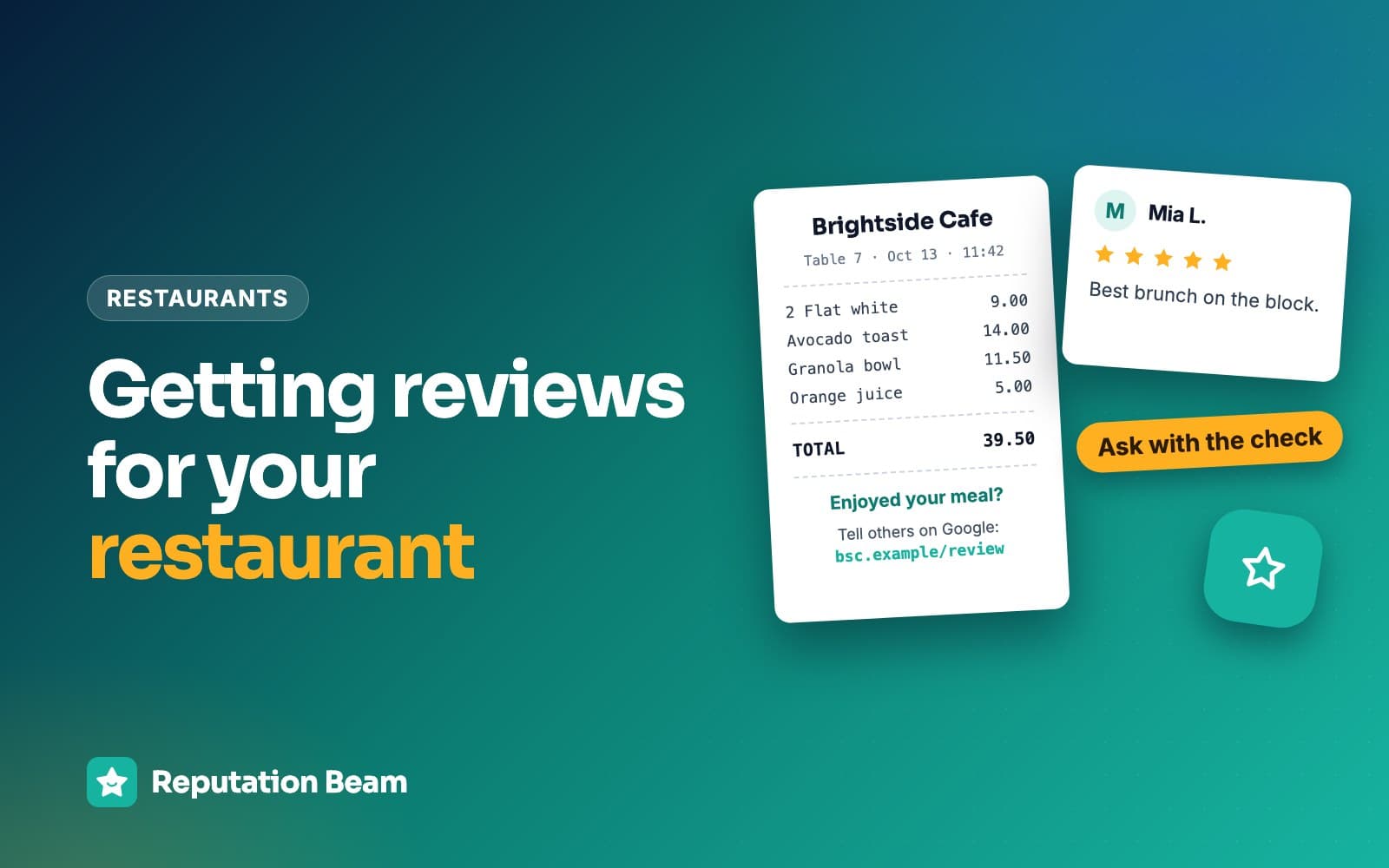
- Put the same review ask in front of every guest: a line on every receipt, a QR code on every table or counter, a card in every takeout bag and one sentence from the server with every check.
- Google's policy now lists asking staff to collect a set number of reviews, or reviews that name a staff member, as rating manipulation. Server contests and 'mention your server' cards have to go.
- Never trade food for reviews. A free dessert or drink for a Google review is an incentive Google prohibits, and Yelp says businesses should never ask for reviews at all.
- Reply in short, specific sentences, and handle illness claims, long waits and delivery problems calmly, privately and without arguing about cause in public.
In this guide
- How to get more Google reviews for your restaurant
- How to ask for reviews as a server
- Server review contests and "name your server" cards: Google's 2026 rules
- Restaurant review QR code table tents, check presenters and receipts
- How to get reviews from takeout, pickup and delivery orders
- How to follow up after a reservation
- What Google asks restaurant reviewers
- Yelp vs Google reviews for restaurants
- How to reply to restaurant reviews at volume
- Common mistakes restaurants make with reviews
- Where Reputation Beam fits
- Keep going
Most guests who loved their meal will never look up your Google page. They paid, they left, and the review they meant to write got lost somewhere between the parking lot and the next morning. If you want to know how to get more Google reviews for your restaurant, the answer is a few habits that put one easy link in front of every guest at the end of every meal.
This playbook is for restaurants, cafes, bakeries, pizza shops, taprooms and food trucks. It covers what a server can say at the table, what to print on checks, receipts, table tents and takeout bags, how to text pickup and reservation guests who agreed to it, and why delivery-app orders are different. It also covers the rules that trip restaurants up (Google's 2026 additions on staff quotas and naming servers, the free-dessert offer, Yelp) and replying at volume, including food-illness claims.
For the general method that works in any business, start with how to ask customers for reviews. This guide is the restaurant version, with scripts for the floor.
How to get more Google reviews for your restaurant
Put one direct Google review link in front of every guest, in the same words, at the end of the meal: a line on every receipt and check presenter, a QR code on tables or the counter, a card in takeout bags and a short line from the server with the check. Offer nothing in return, and reply to the reviews that come in.
- 1
Get your link
Copy your review link and QR code from your Business Profile.
- 2
Print it where guests look
Receipts, check presenters, table tents, takeout bags and boxes.
- 3
Say one line with the check
The same sentence at every table, then let them be.
- 4
Reply every week
Short, specific replies to good and bad reviews alike.
A plumber has every customer's phone number. You might serve two hundred people on a Saturday, most of them walk-ins whose names you never learn. That's why printed asks are most of the answer to how to get more restaurant reviews: they reach every guest without anyone deciding who gets one. Texts and emails are for guests who gave you a number or address and agreed to hear from you.
Here's where the ask fits for different kinds of food business, as a rule of thumb.
| Business | Best places for the ask | Texts or email? |
|---|---|---|
| Full-service restaurant | Check presenter, receipt, server's line with the check | Reservation guests who agreed |
| Cafe or coffee shop | Counter sign, receipt, sticker on cups or bags | Order-ahead guests who agreed |
| Bakery | Box sticker, counter sign, receipt | Pre-order customers who agreed |
| Pizza or takeout shop | Bag card, box sticker, receipt | Online-order customers who agreed |
| Food truck | Window sign, napkin station, receipt | Rarely, since you seldom have numbers |
| Bar, brewery or taproom | Table tent, printed tab | Event bookings who agreed |
| Caterer | A follow-up email after the event | The client who booked |
| Third-party delivery orders | Bag card or box sticker only | No |
How to ask for reviews as a server
Use one sentence, at the same moment for every table: when you drop the check or say goodbye. Mention the QR code on the receipt, ask for an honest review and move on. No star counts, no server names, no hovering while the guest pulls out a phone.
The same moment matters. Some restaurant guides tell servers to ask right after a guest compliments the food. That ties the ask to the server's read of the table, and it slides toward what Google's Maps user contributed content policy prohibits: businesses may not "discourage or prohibit negative reviews, or selectively solicit positive reviews from customers." Every table gets a check, so the check is the moment.
Here are two made-up exchanges. The first is at a neighborhood Italian place on a good night.
You
Here's your check, no rush at all. Thanks for coming in tonight.
Guest
Thank you. The gnocchi was great.
You
I'll tell the kitchen. If you have a minute later, there's a QR code on the receipt for a Google review. Honest ones help a small place like ours. Have a good night.
The second is at a ramen counter where the night went less well. The server uses the same line.
You
Sorry again that the second bowl took so long. Here's your receipt.
Guest
It's fine, you were slammed.
You
Thanks for being patient with us. There's a code on the receipt if you'd like to leave a Google review. It helps us see how we're doing.
Write the line down and teach it at pre-shift, so every server says roughly the same thing.
Server's line with the check (full service)
Thanks so much for coming in tonight. There's a QR code on your receipt if you'd like to leave us an honest Google review later. Have a great night.
Counter line at pickup (cafe, bakery, food truck)
Here you go, enjoy. If you get a minute later, the code on your bag takes you to our Google reviews. Thanks for coming by.
Server review contests and "name your server" cards: Google's 2026 rules
In April 2026, Google added two lines to the rating manipulation section of its review policy, as Search Engine Roundtable reported on April 17. The policy now lists "merchants requesting that staff solicit a certain number of reviews" and "merchants requesting that staff solicit reviews that include specific content, including content that identifies a staff member."
Both describe things restaurants have done for years. A monthly prize for the server with the most reviews mentioning them is now two violations in one. Here's how common habits line up against the current policy.
| Tactic | Allowed on Google? | Which rule |
|---|---|---|
| Same line on every receipt and from every server | Yes | Asking for genuine reviews |
| A prize for the server with the most reviews | No | Staff asked for a number of reviews |
| A team review goal posted in the kitchen | Very likely no | Reads as the same rule |
| "Mention your server by name" on the check card | No | Content that identifies staff |
| "Tell everyone about our brisket" | No | Requesting specific content |
| A free dessert or drink for a review | No | Incentive for any review |
| Asking only the tables that seemed happy | No | Selective solicitation |
| A tablet passed around the table | No | Pressure on the premises |
| Servers or their family reviewing the place | Removed | Conflict of interest |
If your check presenter cards or table tents carry old wording, rewrite them. Each fix below is for a made-up card.
Before
Loved your server? Mention them by name in your Google review!
After
How was your meal? We'd be grateful for an honest Google review. Scan the code below.
Google now lists requests for reviews that identify a staff member as rating manipulation.
Before
Leave us a 5-star review and your next dessert is on us!
After
Thank you for dining with us. If you have a minute, scan the code to review us on Google.
Google prohibits discounts, free goods and services in exchange for posting any review, and naming the stars tries to influence the rating.
Before
Tell your friends about our famous wood-fired pizza on Google!
After
Tell us how we did. Scan the code to leave a Google review.
Google says businesses should not request that specific content be included in a review. The guest picks the words.
What can you do for servers instead? When a review mentions someone on its own, read it out at pre-shift. Don't attach money to it. A bonus per mention gives staff a reason to ask guests for their name, which is the exact request Google now lists. If you want to reward great service, use measures that have nothing to do with reviews.
Staff shouldn't review the restaurant either. Google removes reviews "based on a conflict of interest," which may include "current or former employment" and family relationships, and the FTC's questions and answers on its review rule say employees who post reviews must disclose the relationship. Whether employees can leave Google reviews goes into the details.
Food for reviews is out everywhere. Google bans incentives "such as payment, discounts, free goods and/or services" for posting any review. The FTC's rule bans incentives that come with an express or implied requirement that the review be positive, and its Q&A gives "Tell us how much you loved your visit" in exchange for a coupon as an example of an implied one. Can you offer incentives for Google reviews covers the edge cases, and the FTC fake review rule covers the federal side. This is general information, not legal advice.
Restaurant review QR code table tents, check presenters and receipts
Start with your direct review link and QR code. Google's help page on creating a review link or QR code gives the steps: go to your Business Profile, select Read Reviews, then Get more reviews, and copy the link or right-click the QR code to save it. Google notes that review QR codes can only be generated in a computer browser for now. If the menus look different on your screen, how to find your Google review link walks through the alternatives.
The same page suggests putting the link on receipts and in thank-you emails and displaying the QR code in your store. In a restaurant, that means places like these.
Where restaurants can put the review code
- Check presenter insert
- Printed receipt
- Email receipt
- Table tent
- Takeout bag card
- Pizza box sticker
- Bakery box seal
- Sign by the pickup counter
- Food truck window
- Napkin station
- Back of the takeout menu
Put the code where guests are after they've paid, not at the host stand on the way in. Here are four printed asks to adapt.
Table tent (dine-in restaurant, taproom or cafe)
How was everything?
Scan the code to leave an honest review of [Restaurant name] on Google. It takes a minute, and it helps your neighbors find us.
[QR code]
Check presenter insert
Thank you for dining with us tonight.
If you have a minute later, we'd be grateful for an honest Google review. Scan the code or visit [short review link].
[QR code]
Receipt footer line
Thanks for visiting [Restaurant name]. Review us on Google: [short review link]
Bag card or box sticker (pizza, bakery, takeout, food truck)
Thanks for ordering from [Restaurant name].
Tell us how it was. Scan to leave a Google review.
[QR code]
How to get reviews from takeout, pickup and delivery orders
Off-premises orders split into two groups: orders placed through your own system, where you hold the guest's details, and orders through third-party delivery apps, where you mostly don't.
You hold the details
Your own online ordering
The guest typed in a phone and email. Send a review request only if they opted in to one.
You hold a number
Phone orders
You have the number they called from. Ask on the call whether you can text a review link.
Usually no details
Walk-in takeout
The bag card, box sticker, receipt line and counter line do the asking.
The app holds the details
Third-party delivery apps
Details that reach you came through the app for that order. Use the bag card and leave the details alone.
Texting pickup customers who ordered through your system
A phone number entered for order updates covers order updates. The wireless industry's Messaging Principles and Best Practices, published by CTIA, say a consumer "needs to agree to receive texts for a specific informational purpose when they give" a business their mobile number. A review request is a different purpose. The fix is a separate, unchecked opt-in at checkout. CTIA lists entering a number on a website and signing up at a point of sale among the ways a person can opt in.
Opt-in line for your online checkout or POS (example wording)
[Unchecked box] Text me a link to review my order from [Restaurant name]. One text per order. Msg and data rates may apply. Reply STOP to opt out.
Then send the request as its own text, after the guest has had time to eat. As a rule of thumb, an hour or two after pickup works for dinner, and keep it to reasonable hours.
Text: pickup or online order, for guests who opted in
Hi [First name], thanks for ordering from [Restaurant name] tonight. If you have a minute, would you leave an honest Google review? [review link] Reply STOP to opt out.
The full rules on consent, STOP replies and timing are in texting customers for reviews. Read it before you send your first one.
Delivery-app orders
When a guest orders through a delivery app, the app owns that relationship. Don't copy names or numbers from app orders into your own list: they were given for that delivery, and your agreement with the app may have its own rules about contacting its customers. What you control is what goes in the bag, and a card or box sticker with your QR code reaches every delivery guest.
Expect delivery guests to review things you didn't control, like a late driver. A calm reply, covered further down, is what other diners read.
How to follow up after a reservation
Reservation guests gave you a name and contact details before they arrived, so they're the easiest to follow up with. Add a line to your booking form asking whether you can send a review link after the visit, and only follow up with guests who said yes.
Check one thing first: if your reservation system already sends its own post-visit email, guests may get two requests. Turn one off.
During the meal
Nothing. Let them eat.
With the check
The server's line and the code on the receipt, for every table.
Next morning
One email or text to reservation guests who agreed, with the review link.
After that
Stop. No reminders about the same dinner.
Email: reservation guest, the morning after
- To
- [Guest email]
- Subject
- Thanks for dining at [Restaurant name]
Hi [First name],
Thank you for joining us for dinner last night. We hope you enjoyed it.
If you have a minute, we'd be grateful for an honest review on Google. It helps other diners in [neighborhood] decide where to eat.
Leave a review: [review link]
If anything about your visit wasn't right, reply to this email. It comes straight to me.
[Your name], [Restaurant name]
[Restaurant name], [street address, city, state, ZIP]. Don't want emails like this? [unsubscribe link]
Text: reservation guest who agreed to texts
Hi [First name], it's [Restaurant name]. Thanks for having dinner with us last night. Would you leave us an honest review on Google? [review link] Reply STOP to opt out.
The offer to hear about problems sits next to the link, never in place of it, and every guest gets the same email. More email wording, and when an address and unsubscribe line are needed, is in review request email templates. For the timing logic across other kinds of business, see the best time to ask for a review.
What Google asks restaurant reviewers
Google's help page on adding a review on Android says that after the stars and the written review, reviewers can add photos and answer a few questions: "Under the questions that show up, choose the details that best fit your experience." It adds, "You may not get questions for every place you review." To see what Google currently asks for restaurants near you, open the review form for any other restaurant on your phone and look; you don't have to post anything.
Dishes matter too. Google's help page on dishes in Google Maps says, "To review a dish, mention the dish in your place review," and that "the review shows up on the dish page."
Yelp vs Google reviews for restaurants
Google and Yelp treat review requests in opposite ways. Google allows you to ask. Yelp doesn't want you to. Its content guidelines say: "Businesses should never ask customers to write reviews." Its business support article adds that "you shouldn't be surprised if our software fails to recommend the reviews that you've asked your customers to write," and that offering compensation or incentives for reviews violates its policies.
What Yelp suggests instead, in its article on getting Yelp reviews without asking, is letting people know you're there: a "Find us on Yelp" sticker on your storefront or vehicle, your star rating on a chalkboard outside, signage that tells guests they can check in, and plenty of photo opportunities.
| Question | Yelp | |
|---|---|---|
| Can you ask guests to review? | Yes, without incentives or pressure | Says businesses should never ask |
| Reviews you asked for | Treated like any other | Software may not recommend them |
| Incentives for reviews | Prohibited | Prohibited |
| What goes on your receipt | Your Google review link or QR code | Nothing; a sticker on the door instead |
So the receipt, the table tent and the follow-up text carry one link, and it's Google's. A Yelp sticker on the front door is fine. Replies to Yelp reviews follow their own rules, covered in how to respond to Yelp reviews.
How to reply to restaurant reviews at volume
Google's tips for getting and replying to reviews say to "be professional and polite" and "keep it short and simple," and advise against sending the same thank-you to everyone. The step-by-step for posting replies is in how to reply to Google reviews.
A routine keeps it from piling up.
Before service, daily
Skim new reviews. Anything about illness, safety or a staff conflict goes to the owner or GM that day.
Twice a week
Reply to everything new in one sitting, oldest first.
Pre-shift
Read one review out to the team, good or bad.
Monthly
Look for patterns: the same complaint about Saturday waits, the same dish praised.
For good reviews, two sentences is enough: mention something they said, thank them, sign it. How to respond to positive reviews has more examples.
Reply: 5 stars, no text
Thanks for the five stars, and for coming in. We hope to see you again soon. [Your first name], [Restaurant name]
Reply: 5 stars that mentions a dish
So glad the [dish] hit the spot. I'll pass this along to the kitchen, they'll be thrilled. Thanks for dining with us. [Your first name], [Restaurant name]
Three harder reviews come up in restaurants all the time. All the examples below are made up.
A guest says your food made them sick
The reply needs to show concern, take it offline, avoid arguing or guessing at the cause in public, and point the guest toward a doctor and the health department. The CDC's page on what to do if you think you have food poisoning says "promptly reporting your illness helps your local or state health department identify foodborne outbreaks." A business that mentions the health department in its reply reads as one with nothing to hide.
Jordan P.
GoogleHad dinner here Friday and was sick all night. Never again.
- 1
Jordan, I'm sorry you were unwell after Friday, and we take any report like this seriously.
Concern first
Sympathy for how they feel. No admission of cause, and no 'nobody else got sick.'
- 2
Please email me at owner@lunataqueria.example with the time of your visit and what you ordered, so we can look into it right away.
Take it offline
A named contact and the details you need. Nothing about their health in public.
- 3
If you're still feeling unwell, please see a doctor. You're also welcome to contact the local health department, and we'll cooperate fully.
Point to help
Shows other readers you're confident enough to welcome an inspection.
- 4
Marisol, owner
Sign it
A person, not a faceless business.
Behind the scenes, write down what the guest said, pull your records for that service, and call your insurer before you say anything more in public. Your local health department can tell you whether you have anything to report. If the reviewer turns out never to have visited, how to respond to fake reviews on Google covers reporting it. This is general information, not legal advice; talk to a lawyer or your insurer about anything that could become a claim.
The wait was too long
Wait-time complaints are usually fair. Own it, say what changed, and invite them back.
Priya S.
GoogleWe were quoted 15 minutes for brunch and waited almost an hour on the sidewalk. Food was good once we sat down, but not worth that.
Reply from Hollow Oak Cafe (example)
Priya, you're right, and I'm sorry. Quoting 15 minutes and seating you an hour later isn't okay. We've changed how we quote weekend waits, and we now text guests when their table is close. Thanks for the kind words about the food. I hope you'll give us another try. Theo, manager
A delivery went wrong
Delivery reviews often blame you for what happened after the food left your kitchen. Don't blame the driver or attack the app. Say what you control, and offer to talk.
Sam K.
GoogleOrdered through a delivery app. Food came an hour late and stone cold, and the driver left it at the wrong door.
Reply from Ridgeline Pizza (example)
Sam, I'm sorry. Cold food an hour late is a miserable dinner. Once an order leaves our kitchen we hand it to the app's driver, so I can't speak to the drop-off, but I can check when yours was ready and how it was packed. If you'd send the order time to hello@ridgelinepizza.example, I'll look into it myself. Dev, owner
Keep any fix separate from the review: a refund or free meal in exchange for changing or removing a review is an incentive Google prohibits. How to respond to negative reviews has more worked replies, including a restaurant wait-time example taken apart line by line.
Common mistakes restaurants make with reviews
Most come from habits that used to be common advice.
Do
- Print the same review code on every receipt or check presenter
- Teach one line every server says with every check
- Put a card or sticker in every takeout and delivery bag
- Text only guests who opted in to review texts
- Use your Google review link, and a Yelp sticker on the door
- Reply to good and bad reviews every week
Avoid
- Run server contests or post a team review target
- Ask guests to mention a server or a dish
- Offer a free dessert, drink or discount for a review
- Ask only the tables that seemed happy
- Hand guests a tablet or wait while they review
- Ask staff, friends or family to post reviews
Two quieter mistakes: a code that opens your Maps listing instead of the review form, so guests have to hunt for the button, and a monthly email blast to everyone who booked, when nobody remembers what they ate three weeks ago.
Restaurant review setup
0 of 11 done
Where Reputation Beam fits
The printed asks in this guide need only a printer. Reputation Beam handles the parts that involve guests' details.
You can add guests one at a time or import a CSV file, then send review requests by text or email from the dashboard, using templates with placeholders for the guest's name, your restaurant's name and the review link. Each guest's permission to be texted is recorded, and a hosted opt-in form with a QR code lets guests give that permission themselves, at the counter or the table. Every request carries its own link that expires after 72 hours, the default text ends with "Reply STOP to opt out," and a guest who replies STOP gets no more texts.
Reputation Beam shows your Google and Yelp reviews in one feed, and you can reply to Google reviews from there.
Keep going
If you're starting from very few reviews, how to get more Google reviews without breaking the rules covers the basics that apply to every business, and Google's review policy explained goes deeper on what businesses can and can't do. For the replies, how to respond to a 3-star review handles the "it was fine" reviews restaurants get by the dozen. Once the reviews are coming in, using customer reviews in marketing covers putting them to work on your website and social posts.
Questions people ask
Can restaurants ask customers for Google reviews?
Yes. Google's Maps content policy allows businesses to ask for reviews of genuine experiences, as long as they offer nothing in return, don't pressure guests to review while on the premises, don't ask for specific content and don't ask only the guests they expect to be happy. The simplest way to stay inside those rules is the same printed ask on every receipt and the same spoken line with every check.
Can I give a free dessert or a discount for a Google review?
No. Google's policy prohibits offering payment, discounts, free goods or services in exchange for posting any review, positive or negative. Yelp also says incentives for reviews break its policies. The FTC's rule bans incentives that require a review to be positive, and the FTC says other incentives should be disclosed. If you want to treat regulars, do it for everyone and keep it separate from reviews.
Can servers ask guests to mention them by name in a review?
Not anymore on Google. In April 2026 Google added a line to its policy listing merchants who ask staff to solicit reviews that include specific content, including content that identifies a staff member. Guests can still mention a server on their own, and you can share those reviews with the team. Just remove name prompts from check cards and scripts, and don't pay bonuses per mention.
Can I ask restaurant customers for Yelp reviews?
Yelp says no. Its content guidelines state that businesses should never ask customers to write reviews, and Yelp warns that its software may not recommend reviews a business asked for. Yelp suggests letting guests know you're on Yelp instead, with a sticker on your door, signage or your rating on a chalkboard. Put your Google review link on receipts and leave Yelp to the guests who find you there.
Where should I put a Google review QR code in my restaurant?
Put it where guests are sitting after they've paid: on the check presenter, the printed receipt and a small table tent. Counter-service cafes and bakeries can add a sign near the pickup spot and a sticker on boxes and bags. Food trucks can use the window and the napkin station. Print it at the size you'll use and test it with a phone in your dining room's lighting.
How should a restaurant respond to a food poisoning review?
Reply calmly, say you take it seriously, and ask the guest to contact you directly with the date, time and what they ordered. Don't argue, guess at the cause or admit fault in public. Suggest they see a doctor if they're unwell, and mention that they can report it to the local health department. Talk to your insurer before saying more. This is general information, not legal advice.
Can my staff leave Google reviews for the restaurant?
No. Google removes reviews based on a conflict of interest, which its policy says may include current or former employment. That covers servers, cooks and managers, and Google lists family relationships too. The FTC's rule says employees who do post reviews must disclose the relationship. Ask your staff to ask guests, using the same words at every table, and keep their own accounts out of it.
Was this guide helpful?
Get the free review request checklist and new guides
Twenty checks to run before you ask customers for reviews, as a one-page PDF. After that, a short email when new guides go up, at most once a week.